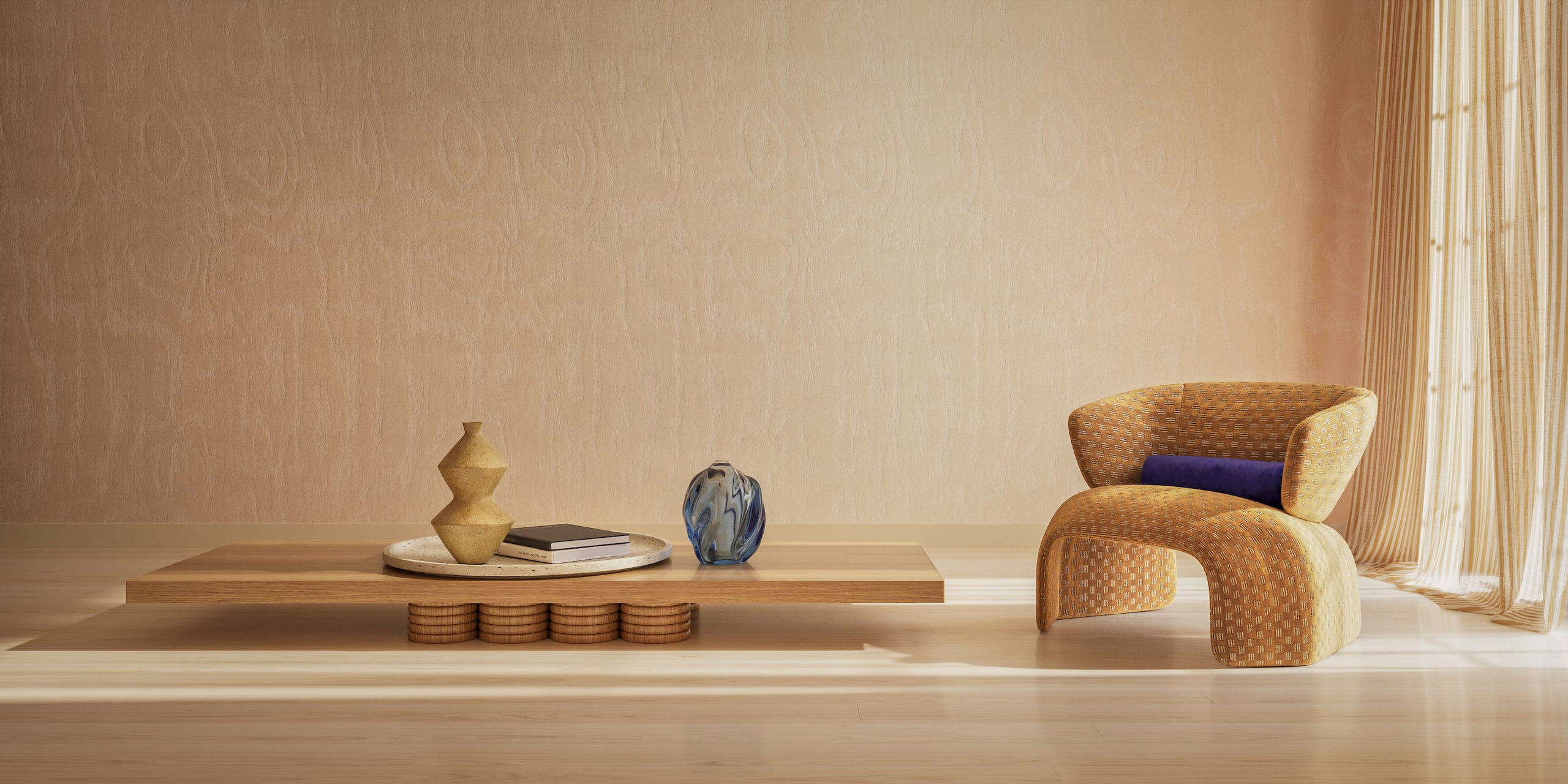
Furniture rendering, or 3D furniture rendering, is the creation of photoreal product images from a digital 3D model instead of a physical sample in a photo studio. The model is built from CAD files, technical drawings or photos, and one model gives a brand its whole visual set: silo shots on white, lifestyle scenes, 360 views, AR models and animations. At volume, prices start at $5 per silo image and $100 per lifestyle scene, as listed on our 3D furniture rendering services page.
Who is this chapter for? Marketers and e-commerce managers who order renders. If you make them yourself, you’ll find it too basic. We go through the main image types, how a render gets made, what moves the timeline and the cost, and how you can tell a realistic render from a fake-looking one. We also show where 3D furniture visualization still loses to a camera. After that you’ll know what to put in a brief and how to check what the studio sends back.
What Is Furniture Rendering
Furniture rendering is computer-generated imagery (CGI) of furniture. An artist builds the product as a 3D model, gives it real materials and light, and software calculates a photoreal image from it. The result looks like a photograph, but nothing was shipped, staged or shot.
Why Brands Moved From Photography to CGI
For decades, furniture visuals came from photo shoots. A new fabric? A new sample and a new shoot. Same for every finish and every room. With ten products you can live with that. With a few hundred it hurts. CGI changes the math: you build the 3D model once, and after that each image is just another camera, material or room.
So how does 3D rendering furniture images actually feel from the inside? A lot like a photo shoot. An artist picks the camera, sets the lights, styles the scene with props and color-corrects the result. Only here you can go back and change any of it later. And since the model comes from CAD data, you can show a collection to buyers, open pre-orders or test colorways while the factory is still tooling up.
Render vs Photo vs AI Image
A render looks like a photo, and you can change it as easily as an AI image. Where do the three differ? In the places that decide a sale:
| Furniture render | Product photo | AI-generated image | |
|---|---|---|---|
| Starts from | A 3D model built from CAD files, drawings or photos | A physical sample in a studio | A text prompt or a reference picture |
| Product accuracy | Exact dimensions, seams, hardware and fabric | Exact, for the sample that was shot | A guess at what the product probably looks like |
| Later changes | New fabric, room or angle without a reshoot | Usually a new shoot | Easy, but the product drifts between versions |
| Before production | Yes, from CAD data | No, a sample is needed | Only as a concept, not an accurate product shot |
AI still has a place next to rendering: it can generate backgrounds around an accurate 3D model, which is how our AI background generator works.
Where Furniture Renders Are Used
- Website and product detail pages
- Marketplaces such as Amazon and Wayfair
- Print and digital catalogs
- Paid ads and social media
- Trade show graphics
And since all of these images come out of one setup, the lighting and style match from channel to channel.
Types of 3D Furniture Renders
Most furniture brands end up using six types of furniture renders. The good news? All six can come from the same 3D model. Each one answers its own shopper question. What exactly is this? Will it fit in my room? Let’s go through them one by one.
Silo Renders (White Background)
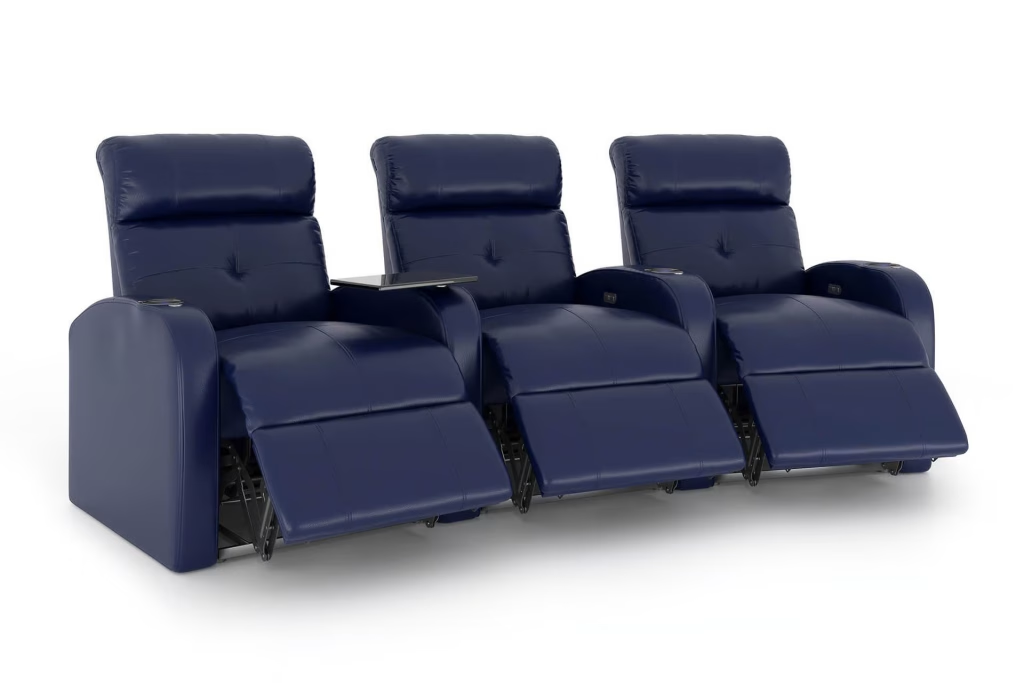
A silo render shows the product alone on a white or neutral backdrop, with a soft shadow on the floor. You’ll need it first, because marketplaces often require it, and shoppers use it to compare items side by side. Brands usually order white background renders for every SKU and every color. Why every one? A category page looks tidy only when the whole set matches. Silo is also the cheapest format, so most catalogs that move from photography to CGI start here.
Lifestyle Renders

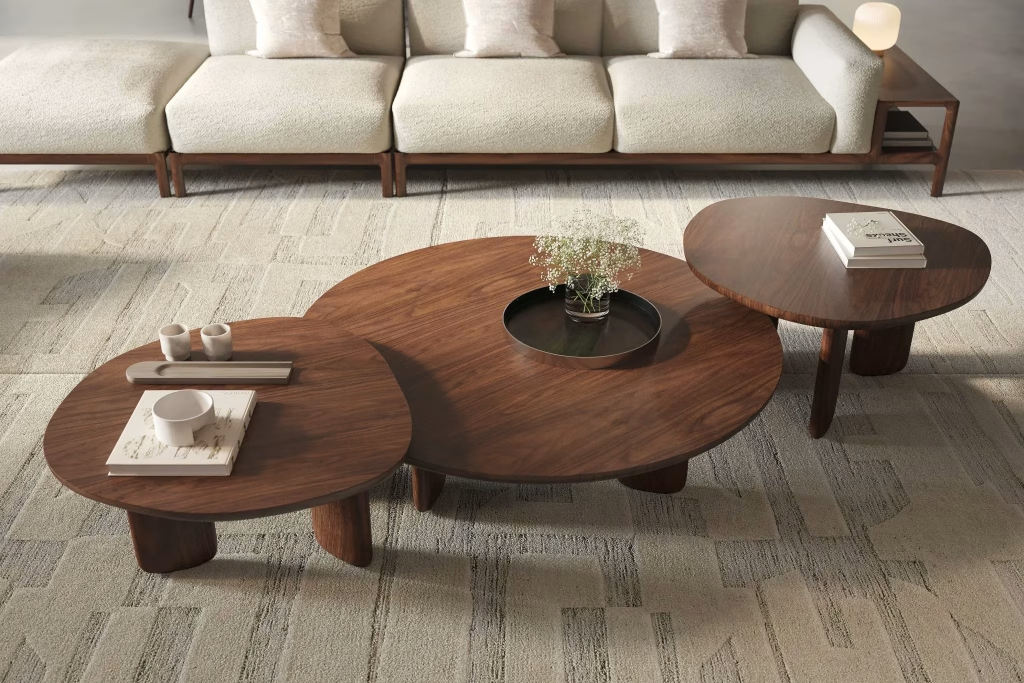
A lifestyle render puts the furniture into a styled interior, one that fits your buyer’s taste and budget. It tells people what a silo shot can’t. How big is the piece next to a coffee table? What style does it suit? Who is it for? You’ll see Lifestyle 3D rendering on category pages, in catalogs, in ads and on social media. The room can be built from scratch just for you. Or it can be adapted from a library of ready rooms, and that’s faster and costs less. Palliser, a Canadian upholstery maker in business since 1944, shows its customizable sofas in finished rooms this way. You can see it in the Palliser case study.
Close-Up and Detail Renders
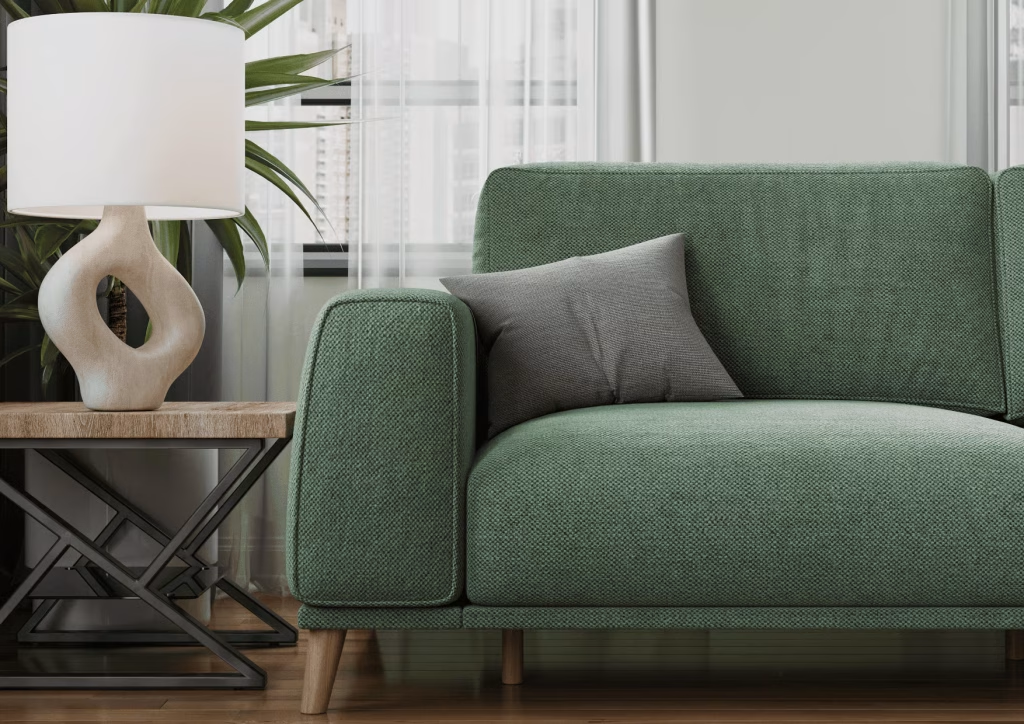
What would a buyer touch in a showroom? Fabric weave, wood grain, stitching, a hinge, a drawer runner. A close-up render zooms in on exactly that. It helps you justify the price of a premium piece, and it answers the quality questions that would otherwise land in customer support. The camera is virtual, so artists can also get views a photographer would struggle with. Think of the underside of a chair, or the layers inside a mattress. One warning: close-ups are hard on textures. At that distance a blurry or repeating material gives the render away at once.
360 Views
 Drag to rotate
A 360 view is a set of renders taken around the product at even steps and put into a viewer. Shoppers spin it with a mouse or a finger. So you don’t need a stack of separate angle shots, and people finally see the back and the sides. Every frame comes from the same model and the same light. That’s why the spin stays smooth, with no turntable flicker. Already have the model? Then 360 product views are easy to add. Jofran has done 30+ projects with us and ordered both lifestyle scenes and 360 views. Each of their spins is built from 7 rows of 36 renders (details in the Jofran case study).
AR Models
An AR model is a lighter version of the 3D model, made to run in a phone browser or an app. Your shopper puts the piece in their own room at true scale and walks around it. Will it fit? That’s the doubt almost every furniture buyer has, and AR answers it on the spot. AR 3D models have to load fast, so they carry less geometric detail than the model used for stills. The dimensions stay accurate and the materials stay recognizable. And in most cases the viewer opens right from the product page, so nobody has to install an app.
Animations
An animation is a short video rendered from the same model. When do you need one? When a still image can’t explain the product. A recliner opening. A sofa bed unfolding. A drawer that closes softly. Brands put 3D product animation on product pages, in social media reels and on trade show screens. You can also cut one setup into a square version for the store and a vertical one for stories. If your product has a mechanism that’s hard to describe in text, that’s the case for animation.
Do brands order just one type? Almost never. For a launch you’d usually take a silo set for the store and a few lifestyle scenes per collection. Add close-ups of the signature details, and a 360 view or an AR model for the hero products.
How Furniture Rendering Works: The Process
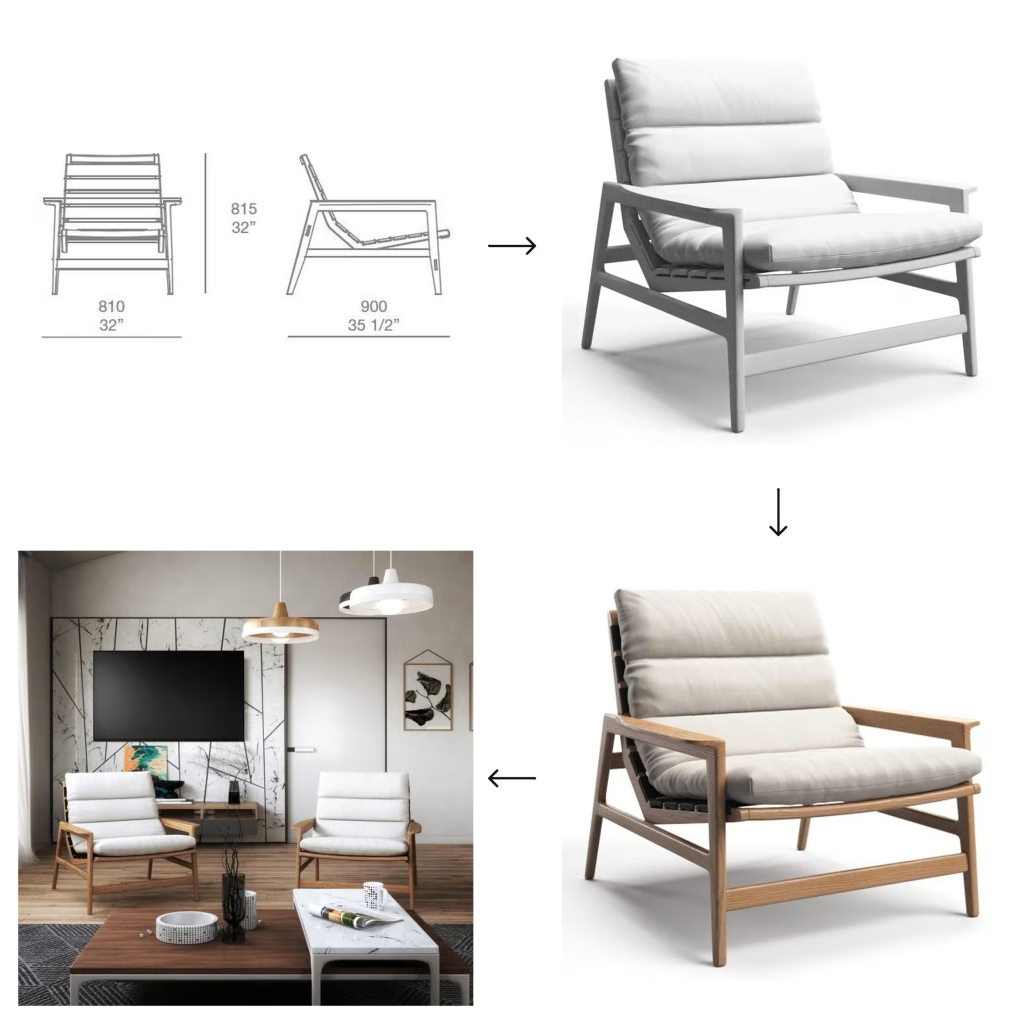
A professional render goes through five stages, and you approve each one before the next begins. Why so strict? A wrong proportion on a gray model takes minutes to fix. Find the same mistake on a finished lifestyle scene, and hours of work get redone.
What does the studio need from you to render furniture accurately? CAD files, drawings or product photos. Reference images for the look you’re after. Samples or scans of your fabrics and finishes. No CAD files? That’s fine: photos from several angles plus overall dimensions are enough to build an accurate model. And the more references you send (close-ups of hardware, a physical swatch, a scan of a veneer), the fewer correction rounds you’ll go through.
- Brief. The brand fills in a brief template and uploads its files to an online project platform. The brief covers image types, mood, room style, quantity, formats and resolution. The guide on how to write a brief for a 3D project lists what to include.
- Geometry. Artists build the 3D model and send gray renders, images without materials, so the client can check shape, proportions and camera angles. An arm that sits too high or a leg that is slightly too thick is easy to spot here and cheap to fix. Brands that only need the models can order 3D modeling services separately and reuse them later.
- Textures and materials. The model gets its fabrics, woods, metals and stone, and the scene gets its light and props. The client reviews draft renders for material accuracy, lighting and the surrounding room, checking colors against the physical samples rather than memory.
- Atmosphere. Final-resolution renders arrive for a last check of mood, light and color. Post-production fine-tunes brightness and color balance so the whole set matches.
- Delivery. The approved set is delivered in the agreed formats. Models, scenes and materials stay stored, so the next colorway or season starts from existing assets.
How do you give feedback? Right on the images. You pin a comment to the exact spot on a render, and the tool collects all comments into a checklist for the artists. Nothing gets lost in an email thread. At CGIFurniture, the same team stays on your projects from order to order. It’s drawn from 600+ in-house artists, with no freelancers, so the style of your images doesn’t drift.
A quick word on tools. Most studios model in 3ds Max and render with V-Ray or Corona, which is the standard furniture rendering software for product visualization. Should you care which one your studio uses? Not much. The same program gives you a catalog-grade image or an obvious fake, and it all depends on who sets up the materials and the light. What you should do is name the file formats your channels need. And if you want the native model files for a configurator or AR, agree on that before the work starts.
Does any of this change for a big order? The five stages stay the same for one armchair and for a full collection. The planning is different, though. A collection is usually split into batches, and the first approved renders become the standard for everything after them.
Timelines: How Long Furniture Renders Take
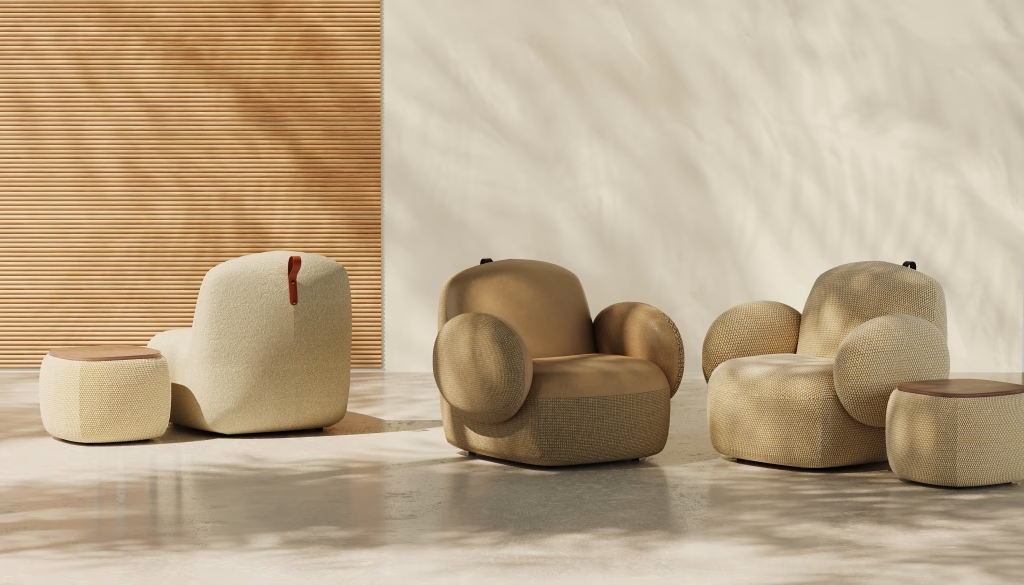
How long do furniture renders take? It depends on four things: how many SKUs and images you need, how complex the models are, what type of scene you want, and how many variations each product has. Compare a silo shot of a simple side table with a custom interior for a modular sectional. Each ends up as one image, but the work behind them is very different. As a rule of thumb, a single lifestyle render of a product that already has a 3D model takes about 48 hours. A project with modeling from scratch, scene setup and variants takes 5 to 10 business days. Large collections get their own schedule. Send the brief, and the manager comes back with an exact timeline within one business day.
- Number of SKUs and images. Large orders run in batches, and the first batch takes longest because it sets the style for the rest.
- Model complexity. Tufting, carving, woven rattan or visible mechanisms take more modeling time than clean, boxy shapes.
- Scene type. A white background needs no environment, a ready-made library scene needs adapting, and an exclusive interior is built from scratch.
- Variations. Extra colorways are fast once the base model is approved, but each one still has to be rendered and checked.
Here’s something people don’t expect: a good part of the timeline is in your hands. Is the brief complete from day one? Did the references arrive upfront? Even phone photos or a mood board help. Does one person on your side collect the feedback and reply on schedule? Then the project moves fast. And if you’re short on time, pick a simpler format. Silo images or a ready-made scene will get your visuals out sooner than a custom interior.
Where do delays come from? Almost never from the rendering. It’s usually missing dimensions, a fabric swatch that shows up late, or feedback from several people who don’t agree with each other.
Realistic Furniture Rendering: Why Renders Look Real
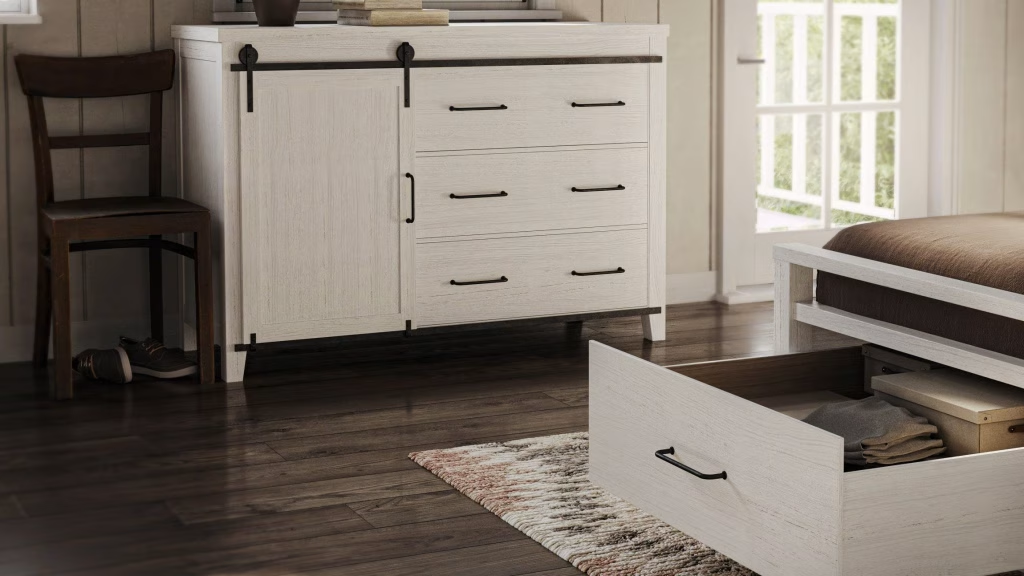
A render looks real when it gets the physics right: clean geometry, convincing materials, and light, camera and scale that behave as they would in a photo. When one of these fails, buyers sense that something is off even if they can’t say what. You don’t need to know 3D software to judge this, but knowing where realism comes from helps you tell a studio exactly what looks wrong.
Geometry. Realism starts before any texture. The model’s surface has to be clean, without gaps, overlapping polygons or faceted curves. If you can tell a piece is digital from its edges, joints or screws, the problem is in the model, and better lighting won’t hide it.
Textures. A texture is the image of a material wrapped around the model. It should come from a high-resolution, evenly lit sample, ideally of the brand’s actual fabric or veneer. Low-quality free textures are among the most common reasons renders look cheap, especially in close-ups.
Relief. Flat color looks like printed paper. Artists add bump maps, grayscale images that tell the renderer where a surface rises and dips, so fabric weave, wood pores and stitching catch the light. Deep relief, such as button tufting, is modeled into the geometry instead.
Material properties. Every material reacts to light in its own way. Leather is dense with a soft, moderate sheen, never a mirror shine; velvet shifts in tone with the viewing angle; oiled wood stays matte. Real materials also vary: the wood on each part of a chair should differ slightly, and a touch of wear, like crushed velvet pile or softened edges, makes a piece believable.
Light. Shadows must match their light source, and the image needs a full range of tones from deep shadow to bright highlight. Warmth and coziness should come from the light in the scene, not from a color filter added afterward.
Camera and scale. Angles are chosen the way a photographer would choose them: at a height that shows the product’s best features, with framing and focus that keep it at the center of attention. Scale comes from familiar objects, so a buyer reads a sideboard’s size from the lamp and books on it rather than from dimension lines.
The practical test for a brand is simple: judge a render the way you’d judge a photo of your own product. If your production team would flag something, your customers will notice it too.
Quality Checklist for Furniture Renders
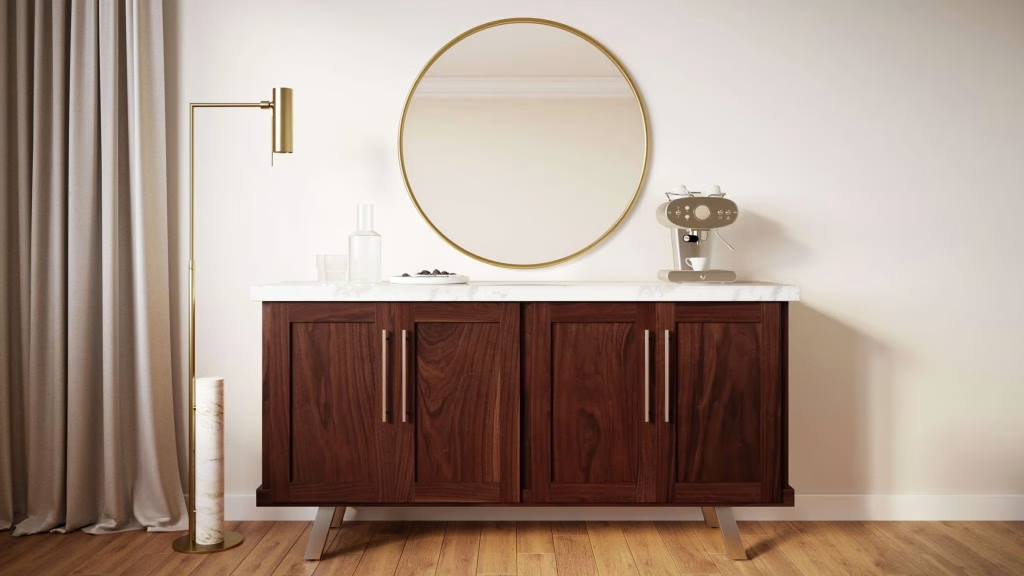
A good render set passes the same review a photo shoot would: is it the right product, in the right color, at the right size? Check each approval stage against the points below. Most issues are cheapest to fix at the gray-model stage, so start there.
Geometry stage
- Proportions match the CAD file or spec sheet: overall size, seat height and depth, arm height.
- Seams, piping, tufting and hardware sit exactly where they are on the real product.
- Legs, bases and handles have the correct shape and thickness.
- Camera angles cover everything the product page and campaigns need.
Materials stage
- Fabric and finish colors match the physical swatch, checked on a calibrated screen.
- Texture scale is right: the weave, grain or pattern isn’t too large or too small for the piece.
- Materials behave correctly: leather has a soft sheen, matte finishes stay matte, metal reflects its surroundings.
Final stage
- Shadows sit under and around the product and fall away from the light source.
- The product’s size reads correctly against the room, doors and props.
- Lighting, camera height and color grading are consistent across the whole collection, so the images look like one shoot.
Keep this list in the brief and ask that every round of comments refers to it. Feedback like “make it look more premium” is hard to act on, while “the oak is too orange compared to the sample” gets fixed in one round.
Furniture Rendering vs Product Photography
For catalogs with many SKUs, many colorways or products that don’t exist yet, rendering is cheaper and more flexible than photography. For a handful of items already in a warehouse, or content built around real people, a camera can still be the better tool. Here is how 3D furniture visualization compares on the points that usually decide the budget.
| Furniture rendering | Product photography | |
|---|---|---|
| Cost | The main cost is the 3D model, built once; each extra image costs a fraction of it | Every shoot pays for samples, shipping, a studio or location, props, crew and retouching |
| Timeline | Starts from CAD files or photos, with no samples to produce or ship | Waits for finished samples, a booked studio and a shoot day |
| Color variations | A new fabric or finish is a material swap on the existing model | Each colorway needs its own physical sample and its own shots |
| Product before manufacturing | Possible from CAD files or drawings, for pre-orders and launches | Impossible until a sample exists |
| Edits | Camera, light, props and room change without a reshoot | Most changes after the shoot mean reshooting |
| Reuse | One model feeds silo, lifestyle, 360, AR and animation for years | Each photo shows one setup; new formats need a new shoot |
The gap grows with catalog size. A single armchair can be photographed in an afternoon, but a collection where every sofa comes in many fabrics and leg finishes multiplies into dozens of setups. With 3D visualization, furniture variants come from one approved model, and the lighting stays identical across all of them.
Photography still wins in some cases. Content with real people using the furniture, such as a family on a sofa, looks more natural on camera. A brand with a few products, all in stock, can shoot them in a day without paying for models it will never reuse. Editorial and behind-the-scenes content, from the workshop floor to the designer’s sketchbook, depends on being documentary. Many brands combine both: CGI for the catalog and variations, photography for brand storytelling.
The guide covers this trade-off in more depth in the chapter on 3D rendering vs product photography.
Where Brands Use Furniture Renders
Where do furniture renders end up? Anywhere your product has to be seen, from the product page to a trade show booth. All the images come from one model and one setup, so your collection looks the same in every channel.
One example is a handmade American furniture brand that orders custom furniture renders for designer collaborations and press images.
- Catalogs. Print and digital catalogs need many consistent images per season, with matching light from page to page.
- Product detail pages. Silo shots, close-ups, 360 views and AR give shoppers the information a showroom visit would.
- Configurators. Every combination of fabric, finish and size is rendered from the model, so shoppers see exactly what they configure.
- Collection launches. Campaign imagery is ready before the first production run, so sales and marketing start on time.
- Advertising. Ads need fresh variants for testing and every format from square to vertical.
- Social media. Lifestyle scenes, close-ups and short animations keep a posting schedule full without new shoots.
- Trade shows. Exhibition graphics print at any size, with no samples to ship to the venue.
You can also stretch one ad layout over a whole range. Once a scene is set up and approved, the artists swap in the next SKU and render again. You get an ad series, one per product or colorway, and nobody designs each ad from scratch. Need a vertical story instead of a horizontal banner? That’s a new camera position, and the scene stays as it is.
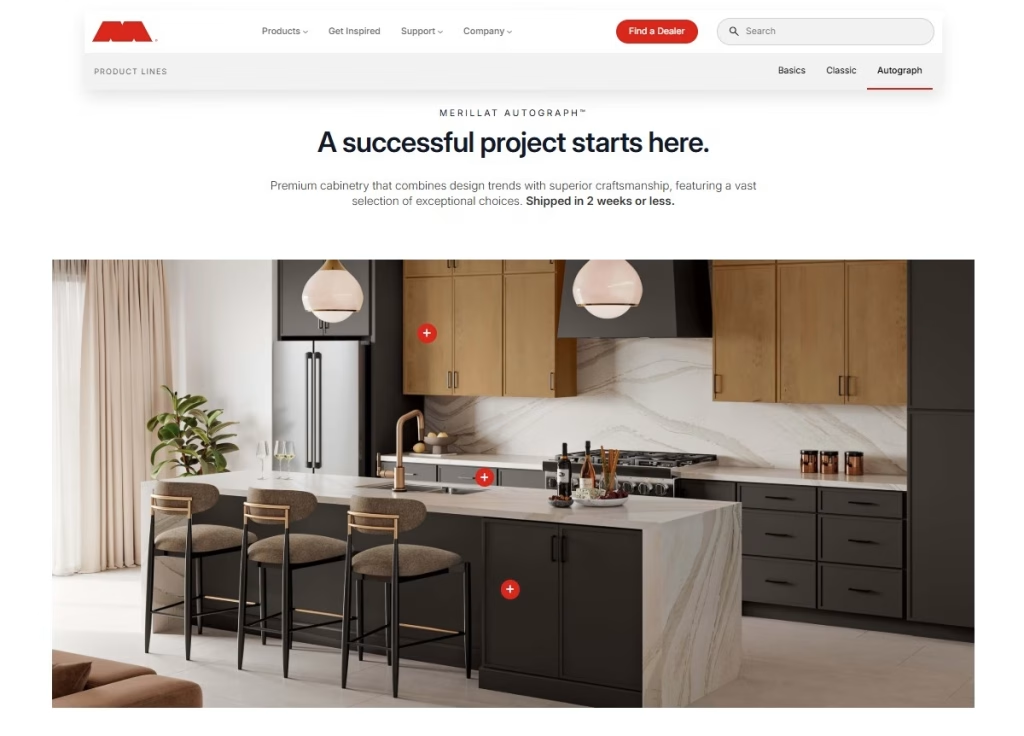
The mix shifts by category. Upholstered furniture rendering leans on fabric close-ups and colorways, dining furniture renders on sets and table styling, bedroom furniture renders on bedding and storage details, outdoor furniture renders on daylight and weather-resistant materials, and cabinetry renders on finishes and full kitchen layouts.
Two clients show how this works over time. Liechtenstein-based Cotta has run almost 150 projects with us since 2018, adding to its visual library collection by collection, as described in the Cotta case study. Outdoor brand Oxford Garden uses furniture 3D rendering to show its pieces in every color it offers (Oxford Garden case study).
How do you know the renders are working? Compare them with your old images on the numbers you already track: time on page, zooming or switching finishes, ad click-through, conversion. If you want a clean answer, run an A/B test: a CGI set against your existing photos on the same product pages.
How Much 3D Furniture Rendering Costs
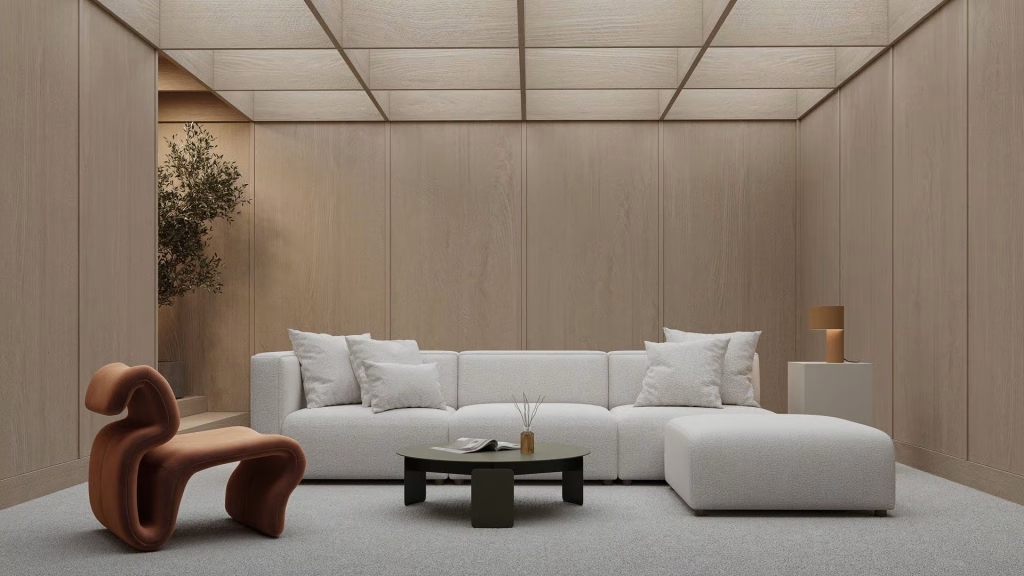
How is furniture rendering priced? Per image, and you pay for the 3D model once. A silo image on a white background costs the least. A lifestyle scene costs more. If you order regularly, your rate per image will be lower than for a one-off project.
What moves the final price? Model complexity, for a start: a plain cabinet is one thing, a tufted sofa is another. Then the type and size of the scene, the resolution and the number of variations. It also matters whether your models and scenes already exist from earlier projects. That reuse is why CGI gets cheaper over time. Once a sofa is modeled, the next colorway or room costs you only the new render. And against a photo shoot? As soon as a product needs several images, colorways or settings, rendering comes out ahead.
Each factor is explained in the chapter on what drives 3D rendering prices, and current rates by format and volume are in the 3D rendering price list.
All image types from this guide can be ordered as furniture rendering services at CGIFurniture. There are also separate pages for office furniture rendering and 3D renders for mattress brands.
FAQ
What is furniture rendering?
Furniture rendering is the creation of photorealistic furniture images from a 3D model on a computer. The result looks like a studio photo, and no physical sample or photo shoot is needed.
How long does furniture rendering take?
If the product already has a 3D model, one lifestyle render takes about 48 hours. Starting from scratch, with modeling, scene setup and variants? Count on 5 to 10 business days.
What types of furniture renders are there?
The main types are silo images on a white background, lifestyle scenes, close-ups, dimension images, 360 views and AR models. All of them are made from the same 3D model.
What do you need to start a furniture rendering project?
Send photos or drawings of the piece with its dimensions, references for materials and finishes, and a list of the images you need. Got a CAD file? Even better, modeling goes faster with it.
Is furniture rendering cheaper than photography?
Not always. If you need one image of one product, a photo can cost less. Once the product needs several colorways, rooms or angles, rendering wins, because the same 3D model is reused for every new image.
Can a render show furniture that has not been manufactured yet?
Yes. The artists build the 3D model from your drawings and material samples, so you can have the images before the first unit leaves the factory.
Can furniture renders be used on marketplaces?
Yes. You get silo renders on a pure white background, in the size the marketplace asks for. They can go into your Amazon or Wayfair listing as they are.