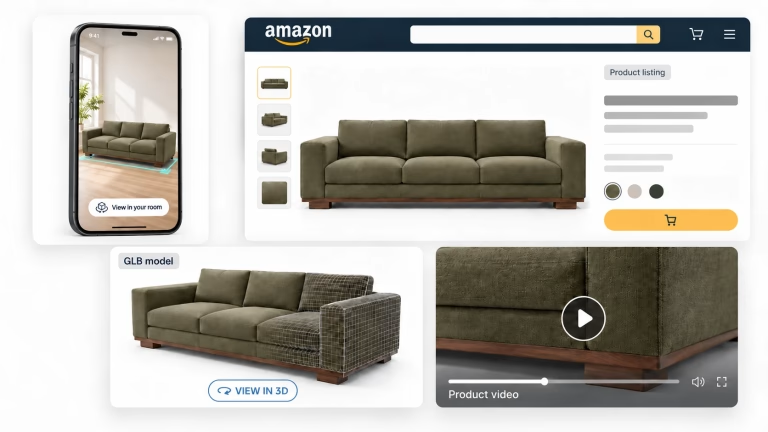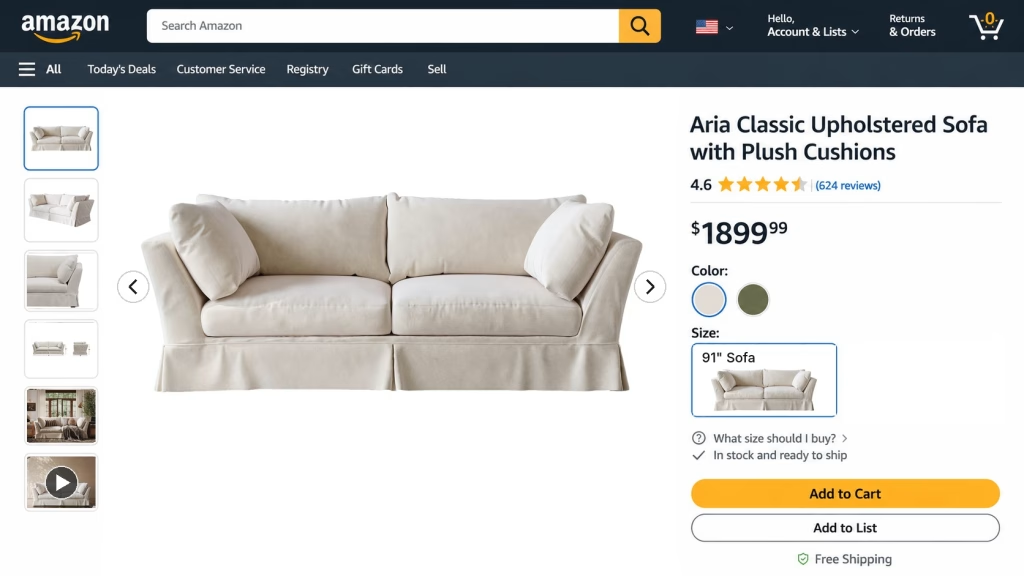
Amazon image requirements are the rules every product photo on a listing has to pass: a pure white background for the main image, at least 500 pixels on the longest side, approved file formats, and a list of mistakes that get a listing hidden from search. Get the main image wrong and Amazon can pull the whole listing from search until you upload a compliant one. Get it right, and you still have at least six more slots and a video to fill.
For furniture and home brands, the rules come with a few twists. A sectional can’t be shot like a phone case, a rug is allowed to sit in a room on its main image, and shooting a 10-foot sofa on white takes a photo studio big enough for it, which most brands don’t have. That’s where white background product rendering helps: one 3D model gives you the main image, every angle and every color without shipping a single sample.
This guide goes through Amazon’s current rules as the Amazon Product image guide states them for the US store, the ones that trip up furniture sellers most, how to plan a full image set, and when Amazon product photography makes more sense than CGI. The tips come from our work as an Amazon-certified 3D content provider for furniture, bathroom and lighting brands.
Amazon Image Requirements at a Glance
These are the technical Amazon image requirements every file has to meet, from Amazon’s product image guide and its technical image file requirements. A file that fails them simply won’t upload.
| Requirement | What Amazon asks for |
|---|---|
| File format | JPEG (recommended), TIFF, PNG or non-animated GIF. PSD, PDF, EPS and BMP are rejected |
| Image size | 500 px minimum, 10,000 px maximum on the longest side. 1,000 px or more turns on zoom |
| Resolution | At least 72 dpi |
| Color mode | RGB. CMYK should be converted first; grayscale only for gray or silver metal products |
| Quality | Sharp, no pixelation or jagged edges, minimal compression, layers flattened |
| File name | Product ID + variant code + extension, such as B000123456.MAIN.jpg (needed for bulk uploads) |
| Images per listing | At least one compliant main image. Amazon recommends six or more additional images and one video |
A tip for furniture: aim for 2,000 px or more on the longest side. That’s enough zoom for a shopper to see the weave of a bouclé or the grain of an oak top. And don’t upscale a small photo to pass the limit: Amazon asks sellers not to artificially enlarge images, and the blur shows anyway.
Amazon Main Image Requirements
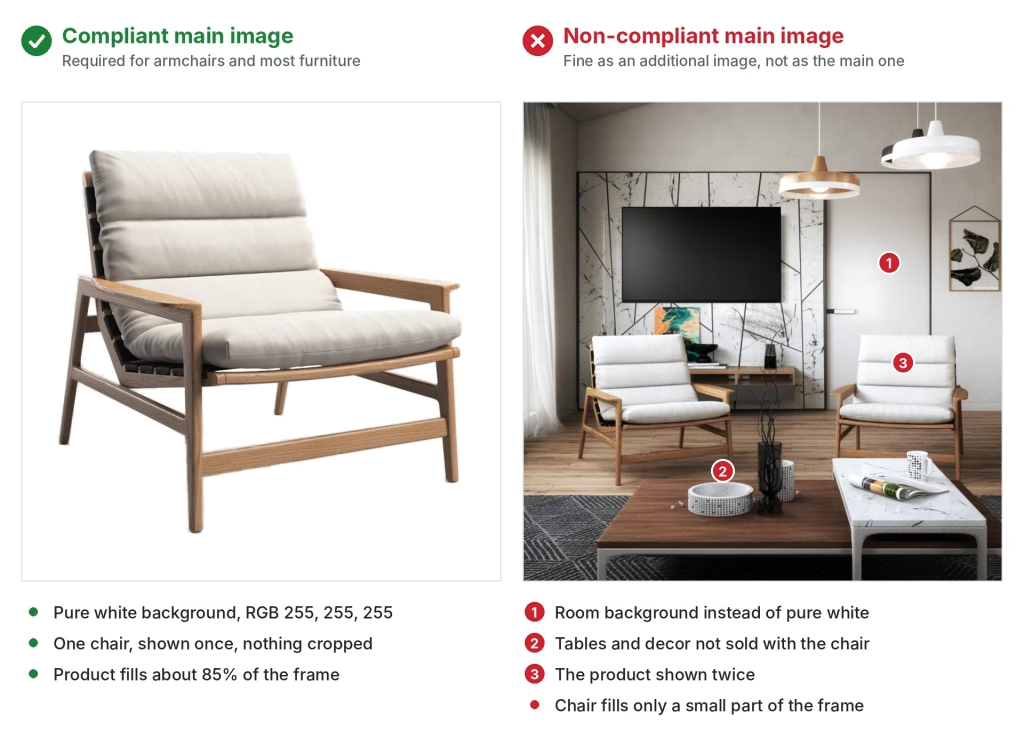
The main image is the one shoppers see in search results, so Amazon main image requirements are the strictest on the listing. Your main image has to:
- show the product realistically, in its real scale, quantity and color;
- take up 85% of the image;
- show the entire product, with nothing cut off by the frame;
- show the product once, from one side, not the front and back side by side;
- show one unit plus only the accessories that come in the box;
- sit on a pure white background, RGB 255, 255, 255;
- show the product out of its packaging, unless the packaging is part of the product.
Placeholders are banned too. The first image you upload defines the product, so a temporary “coming soon” picture can block the real one later.
In furniture terms, that means a dining table without the chairs, unless the chairs are part of the set. A bed frame without the bedding, lamps and nightstand. A modular sofa in the one configuration you’re actually selling. The 85% rule is where long, low pieces suffer: a three-seater shot straight from the front leaves a lot of white above and below it. A three-quarter angle fills the frame better and shows depth at the same time.
Why Amazon Suppresses Main Images
When a main image breaks Amazon image requirements, Amazon can hide the listing from search until you replace it. Its image suppression page lists the usual reasons. Here they are with the furniture mistakes behind them:
| Suppression reason | What it looks like on a furniture listing |
|---|---|
| Text, logo, graphics or watermark | A “5-year warranty” badge or the brand logo floating next to the chair |
| Non-white background | A light gray studio sweep that looks white on your monitor but isn’t RGB 255 |
| Additional items | A vase, throw and plant styled around a console that sells alone |
| Propping | Books on the shelves of a bookcase, or pillows piled so they hide the sofa’s shape |
| Cropped product | The arm of a sectional or the legs of a bed cut off by the frame |
| Product in packaging or with tags | A swing tag on the upholstery or the item shown in its box |
| Product too small | A low ottoman lost in the middle of a big white canvas |
| Blurry or pixelated | A small photo upscaled to pass the size limit |
You’ll find suppressed listings in Seller Central under the Fix tab in Manage Products. Amazon recommends replacing a non-compliant main image rather than deleting it: upload a new file with the MAIN code and allow up to 24 hours for it to show.
Beds, Sofas and Rugs Can Use a Lifestyle Main Image
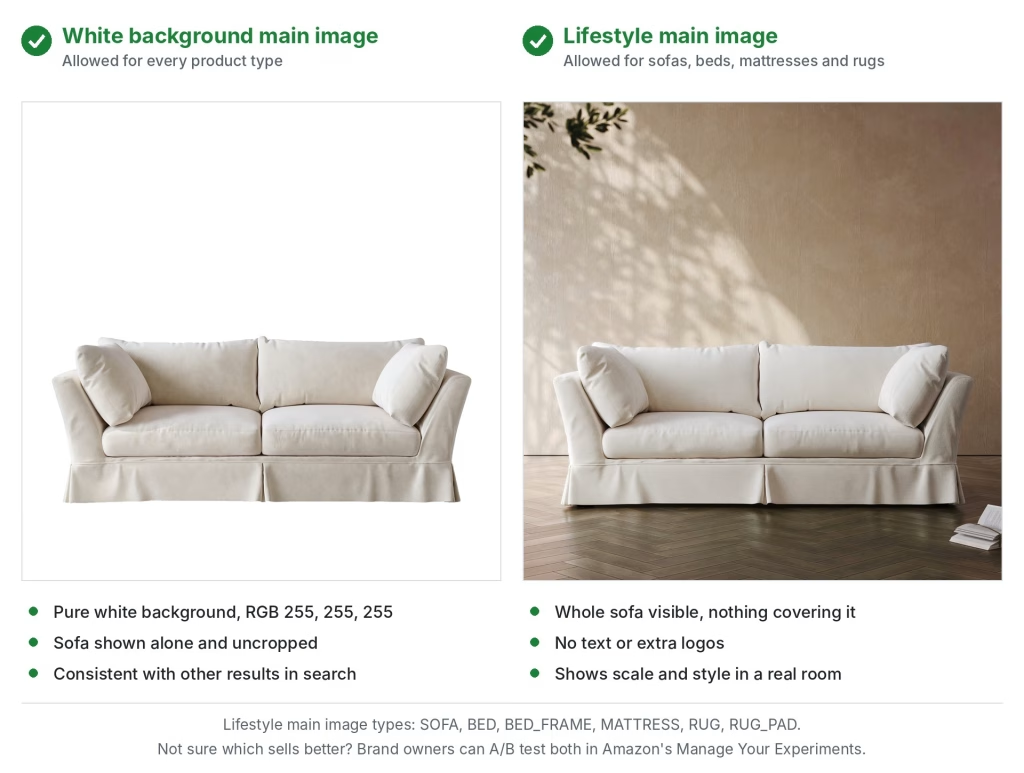
Beds, Sofas and Rugs Can Use a Lifestyle Main Image
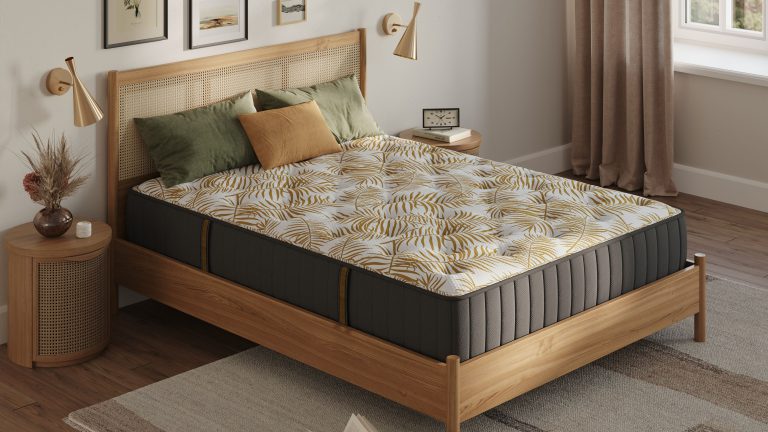
Here’s a rule many furniture sellers miss. According to Amazon’s product page style guides, six product types are allowed a lifestyle image as the main image: BED, BED_FRAME, MATTRESS, RUG, RUG_PAD and SOFA. The image still can’t carry text or extra logos, and Amazon says it keeps reviewing the list, so check it before each launch.
[IMAGE 3: the same sofa on white and in a room, both allowed as a main image | alt: 3D renders of the same sofa as an Amazon main image on white and in a lifestyle room scene]
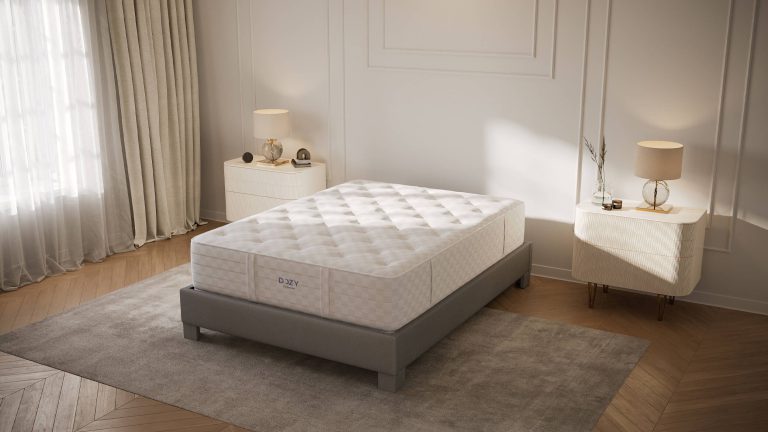
Should you use it? For rugs, almost always. On white, a rug is a flat rectangle; under a coffee table, it shows its size, pile and color at a glance. Mattresses gain from a bedroom setting too, especially when the image needs to show height and layers (our mattress product rendering guide covers those shots). For sofas it’s closer. White keeps a search grid clean, while a room can make the sofa look smaller in a thumbnail. If you’re a Brand Representative in Amazon Brand Registry, test both versions with Manage Your Experiments instead of guessing.
Requirements for Additional Product Images
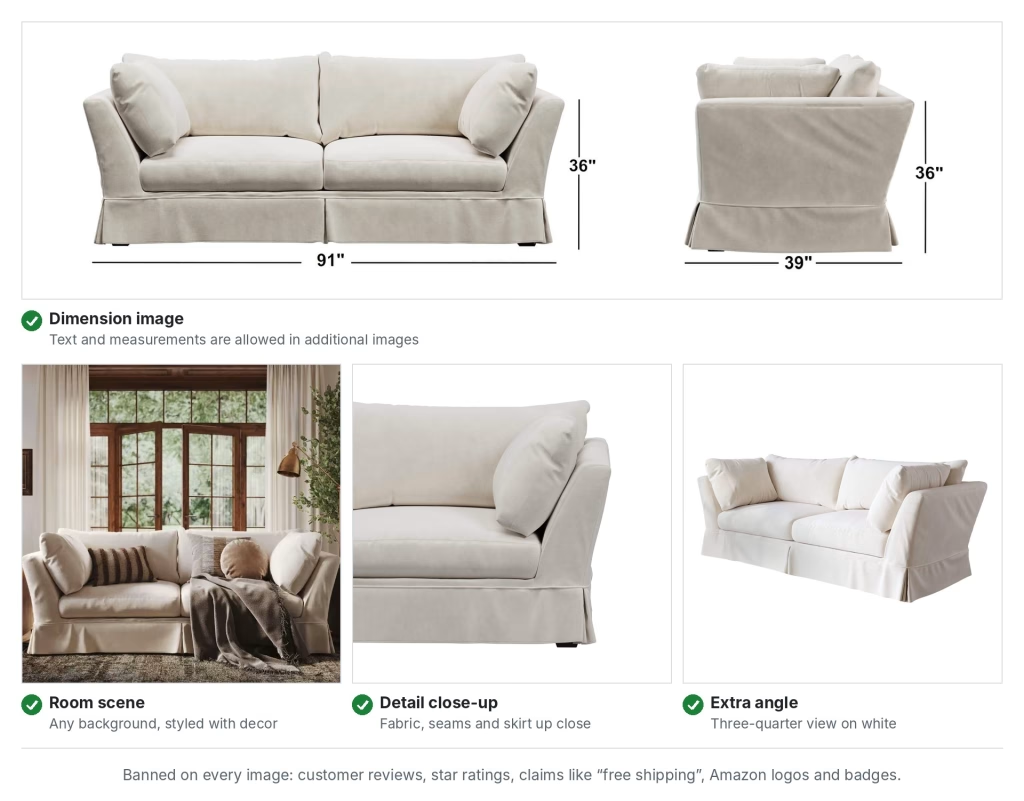
Amazon image requirements for the other slots are looser, which is why they do most of the selling. Backgrounds can be anything, and text is allowed, so this is where room scenes, dimension diagrams and feature callouts go. Still, every image on the listing has to:
- accurately show the product you sell and match the product title;
- leave out customer reviews, star ratings and claims such as “free shipping”;
- leave out Amazon logos and badges like “Amazon’s Choice” or “Best seller”, including anything that looks similar.
One more thing to know: uploading an image doesn’t guarantee Amazon will show it. When several sellers offer the same product, Amazon picks and orders images from all of them and favors the ones that meet its requirements. Compliant, sharp images are your best chance of keeping your own gallery on your own product.
Image Variant Codes and File Names
Every image slot has a code. MAIN is the main image, PT01 to PT99 are additional images, and SWCH is the color swatch under the main image. Angle codes (FRNT, BACK, SIDE, LEFT, RGHT, TOPP, BOTT) mark specific views, and PS01 to PS06 hold safety and compliance images. That last group is worth knowing for dressers and tall storage that ship with anti-tip warnings.
If you upload in bulk, the codes go into the file names: product identifier, variant code and extension, separated by periods. B000123456.MAIN.jpg and B000123456.PT01.jpg will upload; a space, a dash or any extra character will stop the file. The identifier can be the ASIN, UPC, EAN, GTIN, ISBN or JAN.
AI-Generated People in Lifestyle Images
Amazon has added a rule that matters for lifestyle scenes. If an image includes photorealistic people generated entirely by AI, you must tag the file before uploading: add the keyword contains-synthetic-performer to the dc:subject (XMP) metadata field, and Amazon will add a disclosure where applicable. Real people edited with AI tools don’t need the tag, and neither do images with no people in them. If your studio adds people to room scenes, ask how they were made before you upload.
How to Plan a Furniture Image Set for Amazon
Amazon recommends at least seven images and a video: the main image plus six or more additional ones. Amazon image requirements tell you what’s allowed; the set should answer what a shopper can’t check without seeing the piece in person. For most furniture, that looks like this:
| Slot | Image | Question it answers |
|---|---|---|
| MAIN | Three-quarter view on pure white | What is it? |
| PT01 | Front or side view on white | What’s its profile and proportion? |
| PT02 | Dimensions with width, depth and height in inches and cm | Will it fit through my door and in my room? |
| PT03 | Lifestyle room scene | How does it look at home, next to other furniture? |
| PT04 | Close-up of the material | What do the fabric, grain and hardware look like? |
| PT05 | Function or state: drawers open, sofa bed unfolded, recliner out | What does it do? |
| PT06 | Features infographic or what’s in the box | What do I get, and what’s special about it? |
| Video | Feature or assembly animation | How does it work, and how hard is it to put together? |
| 3D | GLB model for View in 3D and View in Your Room | What does it look like from every side and in my space? |
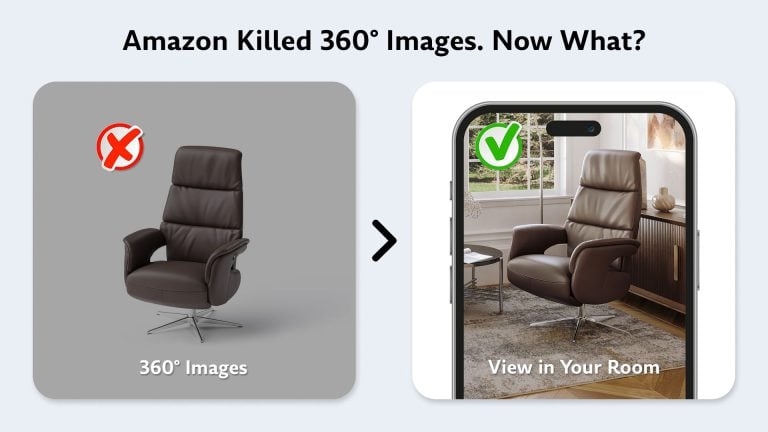
The mix should follow the product. A storage bed needs its compartment shown open; an accent chair needs its back. For the video slot, an assembly instructions video shows how hard the piece is to put together before anyone buys it. For the 3D slot, Amazon works with GLB files, and our article on Amazon 3D product view explains what replaced the old 360° spins. For a closer look at each image type and what it does for a listing, see our breakdown of Amazon product images for furniture.
Then multiply by colors. Each color or finish you sell as a variation is a separate ASIN, and every ASIN needs its own main image. Ten colorways means ten main images that should look identical apart from the color: same angle, same light, same framing. That’s hard with a camera and the default with a 3D model.
[IMAGE 5: color variants grid | alt: CGI color variants of an armchair rendered from one 3D model for Amazon listings]
Amazon Product Photography or CGI: Which to Choose
Amazon’s main image rule asks for a realistic, professional-quality image that shows the product’s real scale, quantity and color. It’s about accuracy, not about how the picture was captured. A render that looks like a studio photo and matches the real product meets that bar; a stylized or cartoonish one doesn’t, and neither does an over-retouched photo.
So the choice between Amazon product photography and 3D rendering comes down to your catalog:
| Amazon product photography | 3D product rendering | |
|---|---|---|
| Starting point | A physical sample in the studio | CAD files, drawings or photos |
| Large items | A big white sweep, lighting rig and crew to move the piece | The same effort as a side table |
| Pure white RGB 255 | Fixed in retouching, shot by shot | Set in the scene once |
| Color variants | A reshoot or a Photoshop recolor | Materials swapped on the same model |
| Room scenes | A location or a built set | A virtual room in any style |
| Before production | Not possible | Possible |
| Reuse | Photos only | The model also gives GLB files, animation and new angles later |
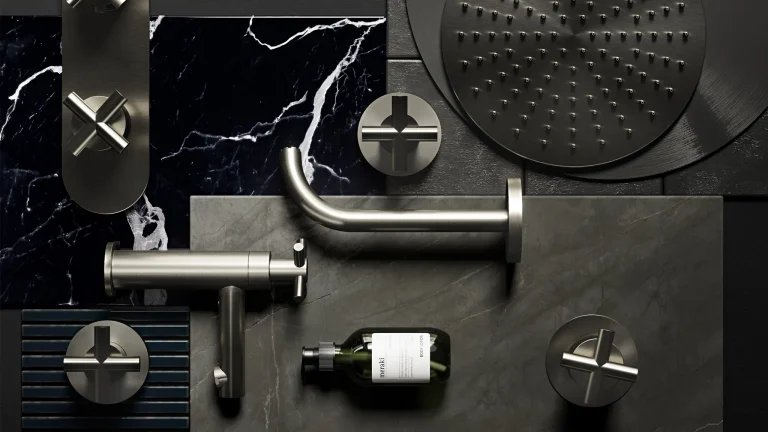
Photography makes sense when you have a handful of products, the samples are on hand and they fit on a tabletop. Once a catalog grows to dozens of items in several finishes, or the products are still at the factory, rendering wins on cost per image and keeps every angle and color consistent. HotBath, a Dutch maker of taps and showers, has ordered silo renders from us since 2020, often before the products left development.
How We Make Amazon-Ready Product Images

Every Amazon set we make starts from one accurate 3D model, and everything else is rendered from it:
- Model. Our artists build the product from CAD files, drawings or photos from several angles, matching the shape, joints and hardware.
- Materials. Fabrics, woods, metals and finishes are matched to your swatches, so the colors on screen are the colors in the box.
- Main image. The product is rendered on pure white, framed to fill the image, at 2,000 px or more.
- Angles and variants. Cameras and lights stay fixed while we swap materials, so every color gets the same set of views.
- Lifestyle and details. The same model goes into room scenes, close-ups and open or folded states.
- Export. You get RGB JPEGs at the sizes you need, ready to upload.
The model doesn’t retire after the shoot. It can become a GLB model for Amazon’s View in 3D, an assembly video or next season’s colors. For BDI, we’ve rendered silo images of every design option across its media consoles, office and storage furniture this way.
Prices on our current list for 200+ items a year start at $5 per Full HD silo render (up to 2,000 px) and $7 per 4K render, with 3D models from $60. For smaller orders, we estimate from your product list.
What to Send Us
- CAD files, technical drawings or photos of the product from several sides.
- Swatches, finish codes or reference photos for every material.
- Your ASIN list and the colors and finishes going live.
- Any notes from your category style guide in Seller Central.
Need clean main images for every ASIN? See formats and prices for white background product rendering and send us your product list. Selling on Wayfair and other stores too? Our free Retailer Image Guide collects the image rules of Amazon, Wayfair and 36 more retailers in one PDF.
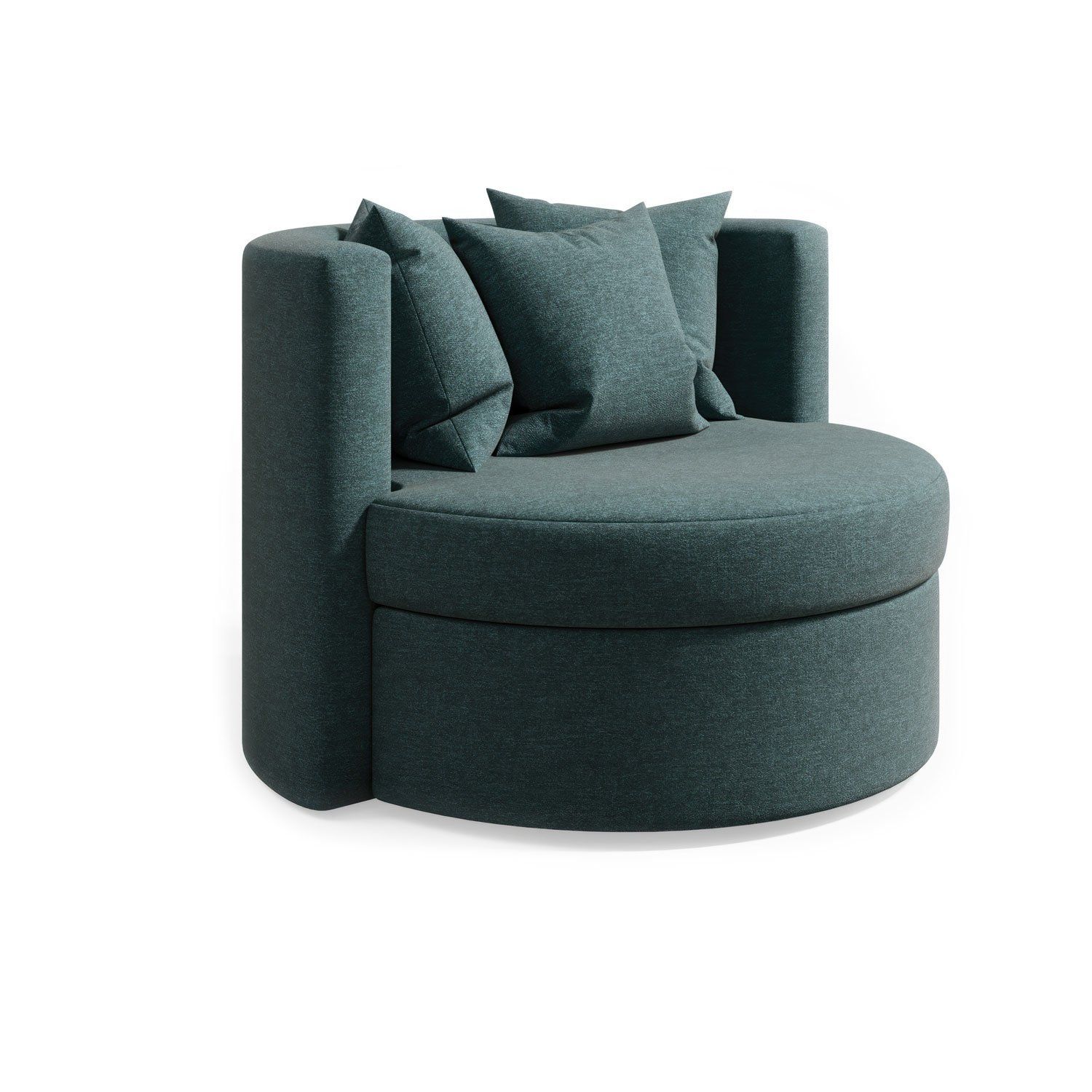
Get Amazon-ready main images
Pure white background renders for every ASIN and color, made from one 3D model and ready to upload, without shipping a single sample.
See silo rendersFAQ
What are the Amazon main image requirements?
The main image must show the real product on a pure white background (RGB 255, 255, 255), filling 85% of the image, fully in frame, from one side, as one unit. Text, logos, watermarks, props that aren’t included and packaging are not allowed.
What size should Amazon product images be?
Amazon image requirements set a range of 500 to 10,000 pixels on the longest side. Images of 1,000 px or more enable zoom, and for furniture we recommend 2,000 px or more so shoppers can see materials up close.
Can you use 3D renders for Amazon product images?
Amazon asks for realistic, professional-quality images that accurately show the product’s scale, quantity and color. A photoreal render that matches the real product meets that standard; illustrations and stylized images don’t.
Can an Amazon main image be a lifestyle photo?
Only for six product types: BED, BED_FRAME, MATTRESS, RUG, RUG_PAD and SOFA. Even then, the image can’t include text or extra logos. Every other product needs a pure white background.
Can Amazon product images have text?
Not the main image. Additional images can carry dimensions, feature callouts and infographics, but not customer reviews, star ratings, claims like free shipping, or Amazon logos and badges.
Why was my Amazon listing suppressed for its image?
The most common reasons are a background that isn’t pure white, text or logos on the main image, extra items or props, a cropped product, a product that’s too small in the frame and a blurry image. Replace the main image with a compliant one and allow up to 24 hours.