A shopper considering a sofa on Amazon has questions that a front view cannot answer. How deep is the seat? What does the back look like? Will the chaise overwhelm the room? For the brand, each unanswered question is a possible reason to lose the order or disappoint the customer after delivery.
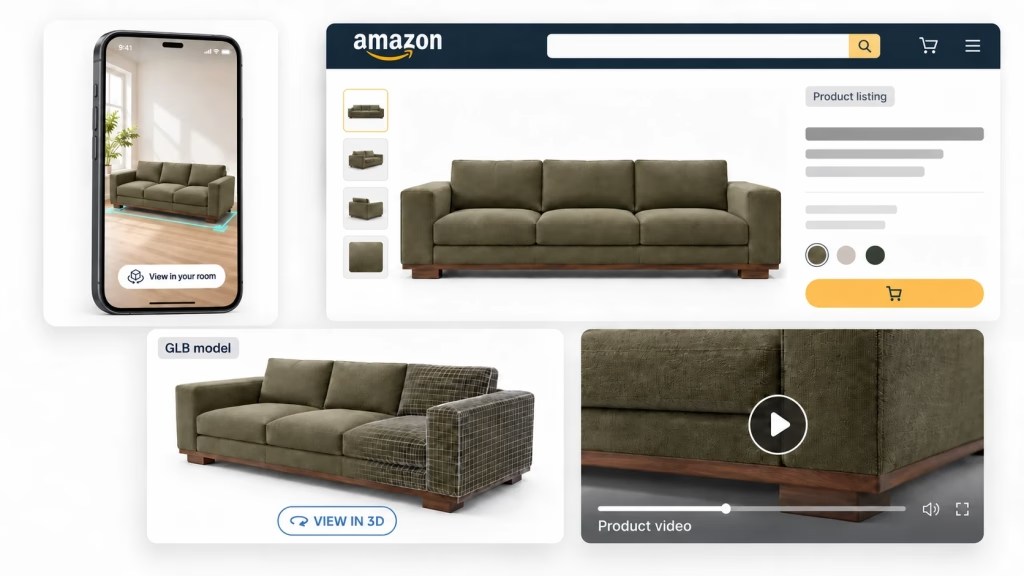
Amazon 3D content, product video and A+ Content give sellers different ways to answer those questions. Together with clear listing images, they can help customers understand what they are buying. An accurate product model also gives the brand a starting point for producing several of those assets without rebuilding the product for each format.
Amazon publishes encouraging performance data. The useful part is understanding what each number measures and choosing content that addresses a real gap in your listing.
What Amazon data says about 3D and rich content
The figures below come from Amazon publications. They describe different experiences and measurement groups, so they should be read separately.
| Content or experience | Reported result | What Amazon measured |
|---|---|---|
| View in 3D or Virtual Try-On | 2x conversion | Average purchase conversion improvement observed when shoppers clicked these features on enabled listings. US program data from 2022. [1] |
| View in Your Room | 9% higher sales | Average sales improvement with the feature enabled. Amazon identifies this as a 2023 study. [2] |
| Basic A+ Content | Up to 8% higher sales | Amazon’s published sales claim, based on internal data. [3] |
| Premium A+ Content | Up to 20% higher sales | Amazon’s claim for well-implemented Premium A+ Content. [3] |
| Shoppable product video | 23.8% higher sales | Average sales difference between detail pages with and without shoppable videos. Amazon internal data from 2024. [4] |
The 2x figure applies to shoppers who opened the experience. It does not mean that adding a model doubles total listing sales. Those shoppers may already have stronger purchase intent. The video comparison also does not isolate the effect of video from every other difference between listings.
The A+ figures are upper-bound claims, not average lifts. None of these percentages should be added together to forecast a combined result. They support testing richer content; your own catalog data determines whether the investment pays off.
How better product content supports Amazon visibility
Amazon’s SEO guidance includes relevant titles and descriptions, strong product images and competitive pricing. It also distinguishes Best Sellers Rank, which reflects sales within a category, from the position of a product in search results. [5]
For a furniture brand, the practical connection starts with the shopper. A clear main image helps someone recognize the product. Supporting content helps them decide whether it suits their needs. If more qualified visitors buy, the listing’s commercial performance improves.
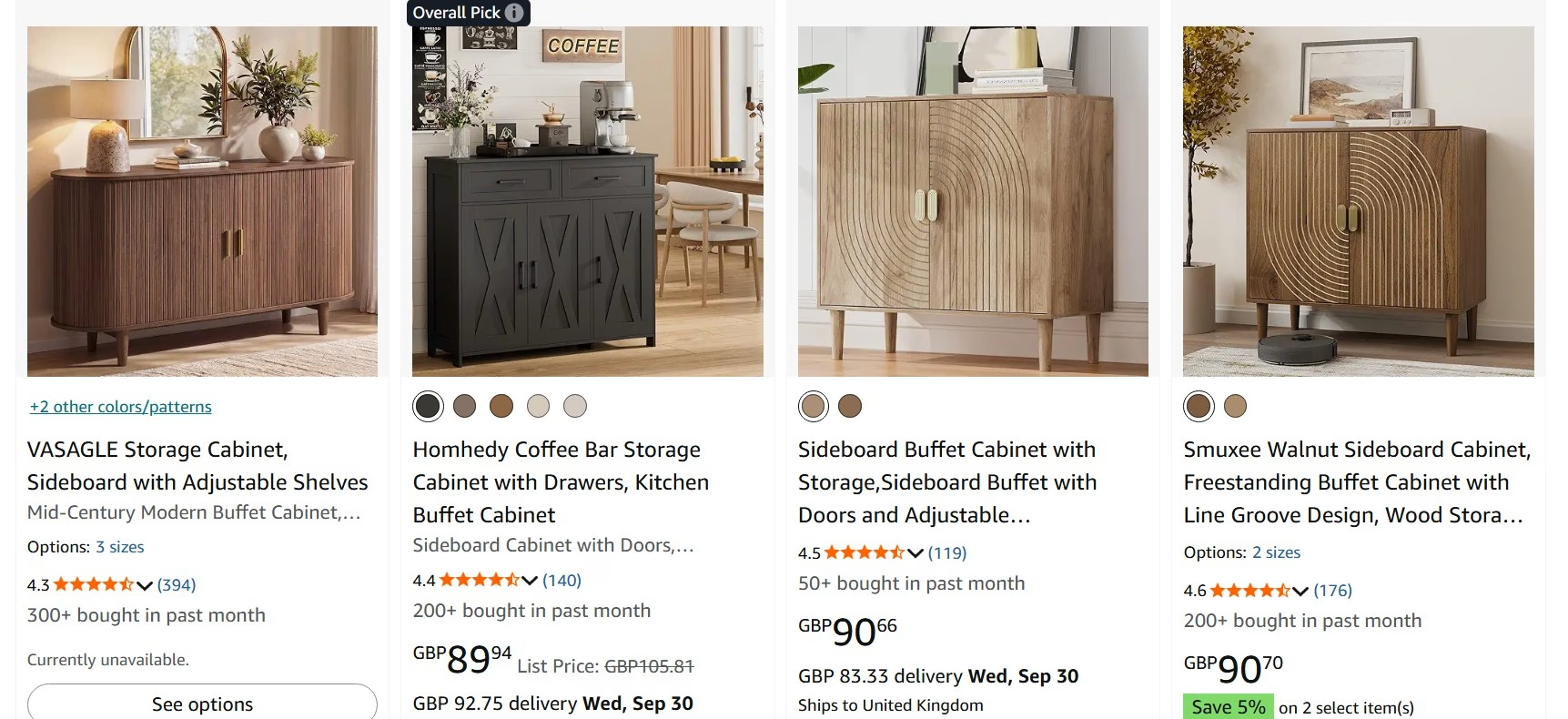
That is a reasonable business case for better content. A precise ranking promise would require evidence Amazon’s public guidance does not provide. There is no published formula here assigning a fixed ranking bonus to a GLB file or video, and no universal conversion threshold that guarantees a top position.
Keep content work connected to availability, price and delivery. A well-explained product still needs an offer the customer wants to buy.
Give each content format a clear job
Product images answer the first questions
Review the current image sequence before commissioning anything. Does it show the exact variant? Can the buyer read the dimensions on a phone? Is the upholstery visible close enough to judge its texture?
A useful furniture image set can cover five distinct needs:
- A clear overall view of the item being sold.
- Dimensions, including relevant details such as seat height or under-table clearance.
- A room scene that makes the product’s proportions easier to judge.
- Close views of the finish, upholstery or construction details.
- A feature or configuration that could otherwise be misunderstood.
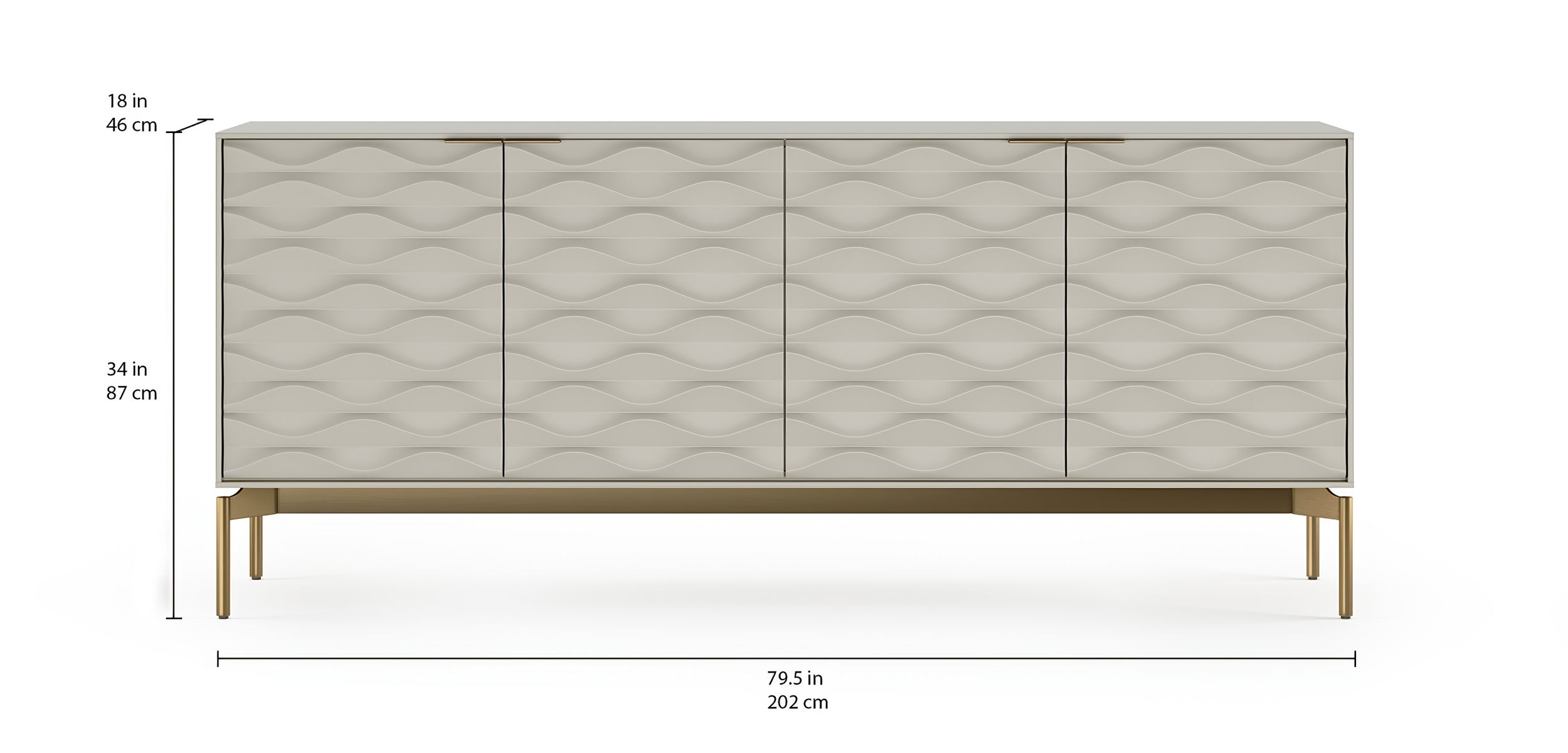
The mix should follow the product. An occasional chair may need a view of its back; a storage bed may need its compartment shown open. Avoid filling the gallery with near-identical angles while leaving the buying question unanswered.
Amazon’s general image guidance recommends clear, well-lit views, plain white backgrounds and a product that fills most of the frame. Check the applicable category and main-image rules when preparing the final assets. [5] 3D product rendering can supply supporting views and room scenes from approved product geometry and materials.
Interactive 3D and AR explain shape and scale
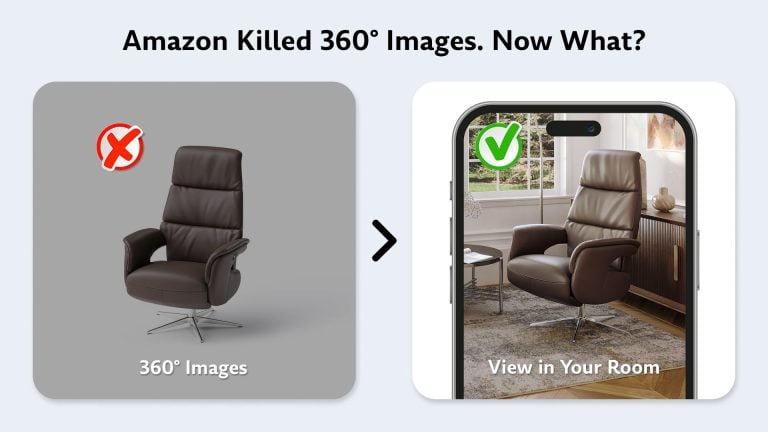
For furniture sellers, two experiences are particularly relevant. View in 3D lets shoppers rotate and inspect the item. View in Your Room lets them preview it in their own space using augmented reality. [6] Brands can create these models in-house or through an Amazon 3D content service provider.
These experiences address different uncertainties. A shopper might rotate a sideboard to examine its legs and rear profile, then place it against a dining-room wall to judge its visual scale. AR is still a preview: doorway access and installation clearances should be checked with actual measurements.
The BDI Ripple 7629 credenza as a live 3D model, the same product that rotates on BDI’s own product page. Drag to rotate, switch the finish, or open it in AR on a phone.
Availability depends on the product, region and device. Virtual Try-On serves categories such as shoes and eyewear, so it is not an additional furniture feature unlocked by every model. [2] [6]
Video demonstrates a useful action
For furniture, movement earns its place when it explains something. Show how a dining table extends, how a recliner opens, or where the storage compartment sits. A decorative camera orbit may look attractive, but a demonstration can resolve a specific hesitation.
Start with the finished product, then show the action clearly. Keep any text large enough for mobile viewing and make the sequence understandable without sound. If the mechanism is animated, it must match the real product’s movement and clearance.
3D product animation can use the same product geometry as the still images, with additional work to prepare moving parts and the sequence.
Plan placement before uploading. Amazon’s published shoppable-video guide says a product must have fewer than six images for video to appear in the main media block. Check the current guidance and the live listing before deciding which images to retain. Video may also appear in other placements, including search results. [4]
Enhanced content helps buyers compare options
A+ Content adds space for explaining a product beyond the initial gallery. Basic A+ supports images, text and comparison charts. Premium A+ adds options including video, larger images and interactive hotspots. Eligibility determines which tools a seller can use. [3]
Use that space for decisions a buyer still needs to make. A dining collection might compare table lengths and seating capacity. An upholstered range might explain the difference between a fixed sofa and a sleeper. A cabinet listing could show the internal layout with doors open. On your own site, a 3D furniture configurator can let shoppers switch these options on one model.
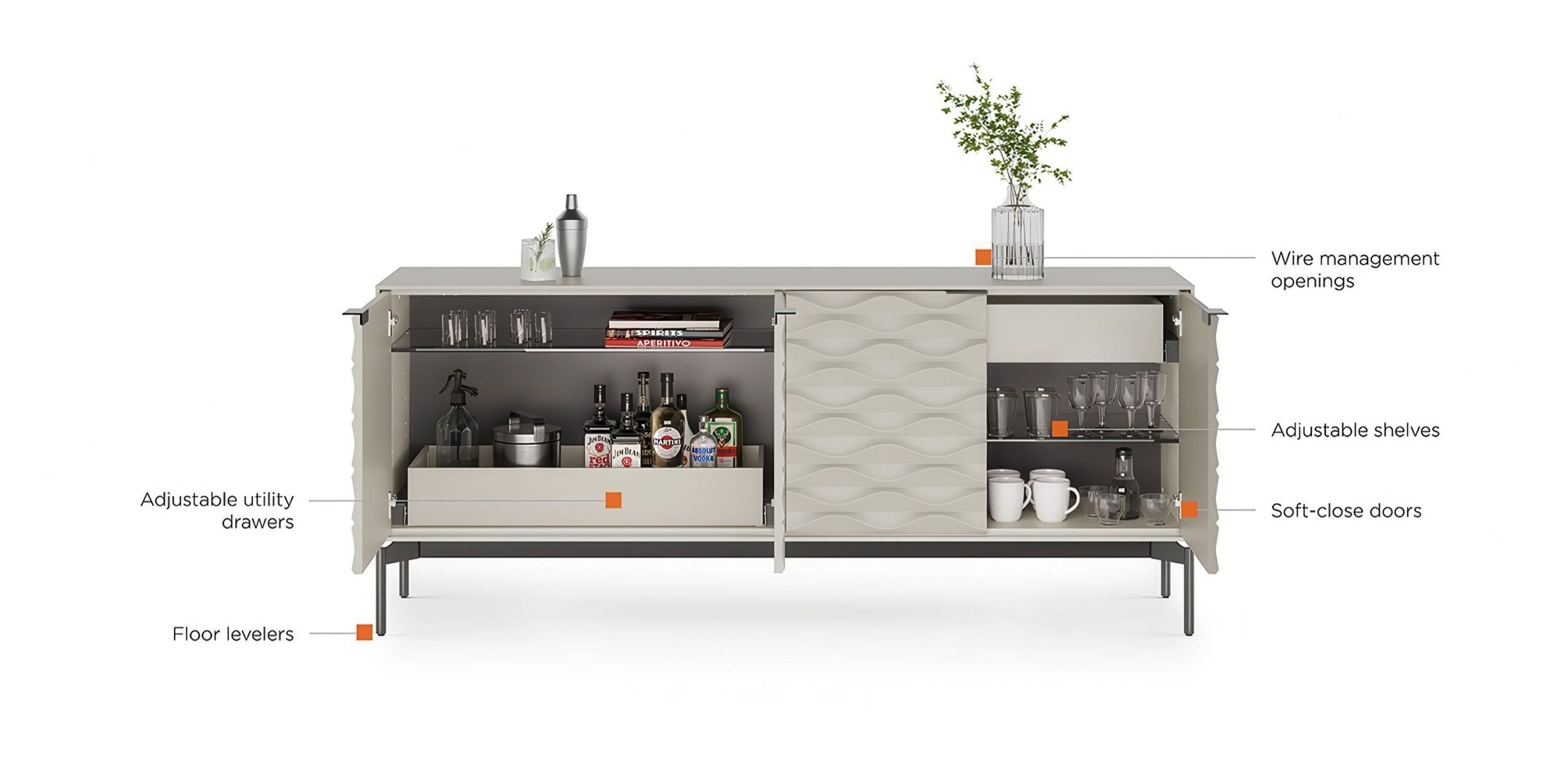
Choose modules around those questions. Repeating the same lifestyle image throughout the page adds little information, even if the image itself is strong.
One product model can support the full listing
The production advantage begins with a reusable source model. It records the product’s shape and dimensions, with materials developed against reliable references. That source can support still images, room scenes, an interactive asset and animation.
The production model and the Amazon upload are usually different deliverables. An optimized GLB may simplify geometry and textures to work efficiently in an interactive viewer. Detailed close-ups or mechanical animation can require additional geometry, material work or animation setup. A single upload file does not automatically contain a finished campaign. A studio that builds 3D models in GLB format can prepare that lighter version from the production model.
Consider a sideboard already modeled for a catalog. The existing geometry can provide front and three-quarter views. An approved oak material can be reused across the image set. Opening the modeled doors can reveal the storage layout. The team can then prepare an optimized version for interactive viewing.
Room styling, lighting, camera work and editing still need to be done, but the team is working from the same product reference. If a handle changes, the source model gives them a defined place to update it before regenerating the affected assets.
Amazon accepts GLB or glTF models and requires accurate dimensions. Models that do not match the product shown on the detail page can be rejected. [2] Our guide to GLB files for Amazon explains the upload workflow in more detail.
When commissioning new work, request the editable source and agree which exports are included. This makes later variants and additional content easier to plan. An optimized GLB can also serve your own store; see our guide to GLB models for ecommerce.
Accurate visuals can address some reasons for returns
An item that looks smaller, darker or less textured than expected can leave a customer dissatisfied even when it is technically the correct product. Clear dimensions and faithful materials help set expectations before purchase.
For a sofa, check that cushion proportions, seams and the selected fabric stay consistent across the gallery, video and interactive model. For a cabinet, confirm that the interior layout and included fittings match the SKU. A convincing image of the wrong variant is still inaccurate product information.

The return-rate benefit should be measured by reason. Visual content may help with complaints about appearance or misunderstood dimensions. It cannot resolve shipping damage, missing hardware or manufacturing faults.
Avoid treating a general percentage reduction from another retailer as a forecast for your Amazon catalog. Track whether the specific misunderstandings addressed by the new content become less common.
Keep product information consistent for AI shopping
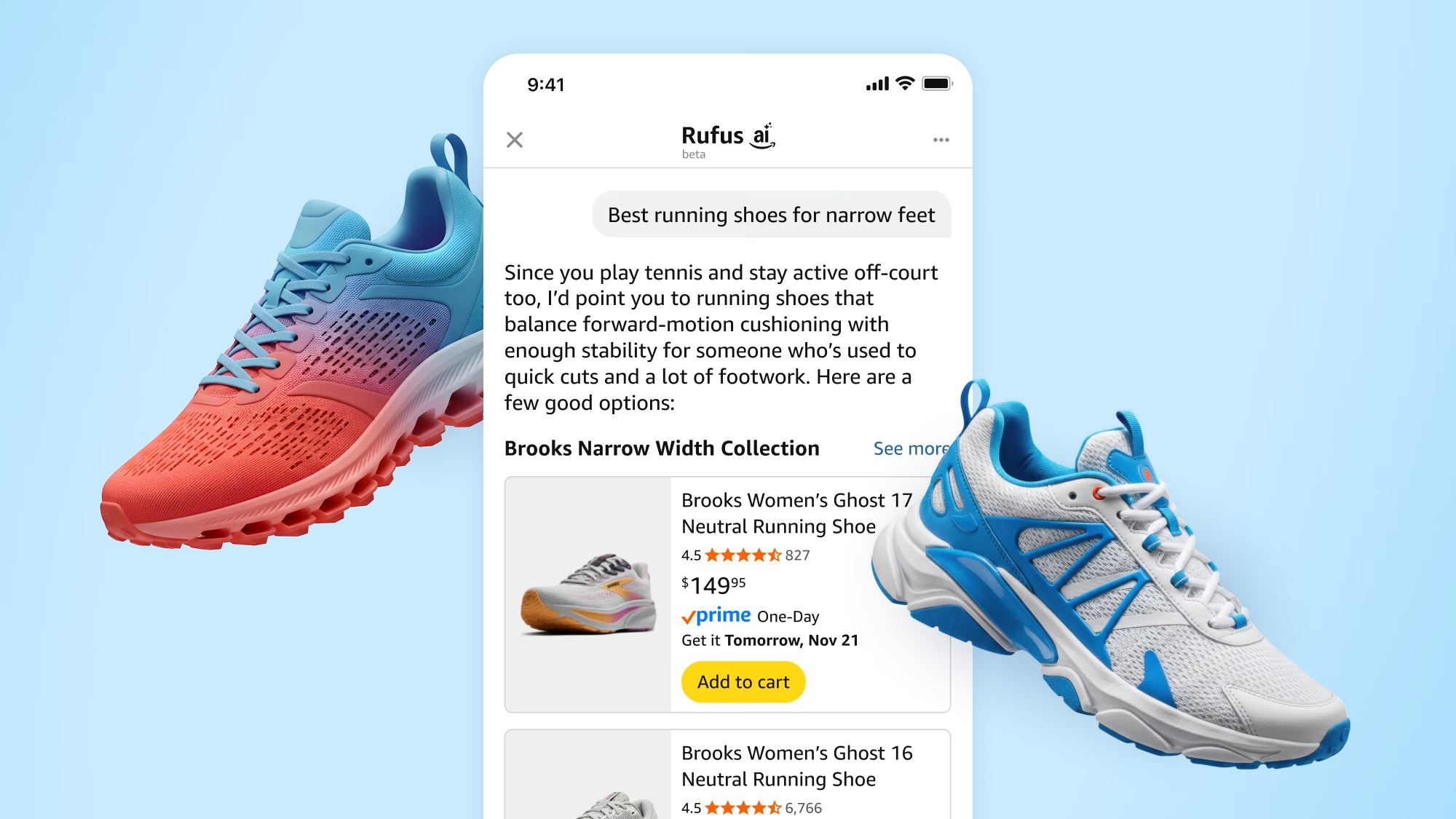
Amazon renamed Rufus to Alexa for Shopping in May 2026. Its published description explains that the assistant draws on product information, reviews, customer questions and other sources to help people research and compare products. [7]
Our recommendation is to make essential facts easy to find and consistent across the listing. If a desk is 120 cm wide, that measurement should agree with the attributes, copy, dimension image and model. If a sofa has a reversible chaise, explain the configuration in text as well as showing it.
This gives customers clearer information wherever they encounter the product. Amazon’s description does not establish a guaranteed AI visibility boost from a particular image, or a fixed timeline for listing changes to appear in answers.
Start with a pilot you can measure
Choose products that already receive meaningful traffic and have an identifiable content problem. Repeated questions about size, an important mechanism that is never shown, or inconsistent finish imagery give the pilot a clear purpose. Existing CAD files or usable 3D models can reduce the production work needed.
Before changing the listings, record the conversion metric you use, sales, return reasons, price, promotions and availability. Use comparable definitions and periods when reviewing results. Returns need enough time to develop after the orders were placed.
For eligible products, Amazon’s Manage Your Experiments can compare versions of images and A+ Content. It randomly assigns shoppers to content versions and reports performance. Access requires the appropriate selling account and brand role, and products need enough traffic for valid results. [8]
Amazon’s published list of supported experiments does not include switching an interactive 3D experience on and off. For a 3D rollout, compare the pilot with similar unchanged products and record other changes that could influence results. Treat a before-and-after improvement as an observation, with those limitations attached.
If learning which format works is the priority, avoid changing every element at once. If the immediate goal is a complete listing refresh, evaluate the combined result without assigning all the improvement to one asset. Expand when the gains justify the content cost and the workflow can be repeated accurately.
Build your Amazon content from the product assets you have
Start with the models, CAD files and approved visuals already available for your catalog. Identify which buyer questions they answer and which still need content.
CGIFurniture provides AR 3D modeling services alongside product rendering and animation. Send us your Amazon ASINs, existing models or reference images to discuss the assets your listings need.
Amazon-ready models, renders and animation
Send your ASINs, existing models or reference images. We will tell you which assets your listings still need and build them from one accurate product model.
Book a DemoFAQ
Which 3D file formats does Amazon accept?
Amazon accepts GLB and glTF. The model also needs to meet its current technical and visual requirements; the file extension alone does not establish compliance. [2]
Does Amazon charge for adding 3D and AR?
Amazon states that adding these experiences to product listings has no additional charge. Creating or adapting the content can still involve production costs. [6]
Will every shopper see the 3D and AR options?
No. Availability depends on eligibility, marketplace and device support. Review the enabled listing on the devices and in the markets relevant to your customers. [2] [6]
Can an existing furniture model be reused?
Often, yes. It should first be checked for accurate dimensions, current product details and suitable materials. Interactive viewing may require a lighter export, while animation may require preparation of separate moving parts.
Do 3D models replace the rest of the listing content?
Plan them as part of the content set. Images provide an immediate overview, video demonstrates actions, and interactive 3D lets the shopper choose a viewpoint. Each can answer a different product question.
Can the source model be used beyond Amazon?
The same source can support website imagery, other marketplace assets and interactive projects. Each destination needs its own export and quality checks, so agree the intended uses when briefing the work.
Sources
Sources checked on September 24, 2026. Reference numbers in the article correspond to the links below.
- Amazon: Getting Started With 3D Content on Amazon. Spring 2023 guide. Source for the 2x purchase-conversion observation.
- Amazon Seller Forums: Step into Augmented Reality and go 3D this Prime Day. Amazon staff post. Source for the 2023 sales study, formats, quality checks and eligibility limitations.
- Amazon: A+ Content. Source for the up-to-8% and up-to-20% claims and supported content modules.
- Amazon: product video guide. Published May 12, 2025, citing 2024 internal data. Source for the 23.8% comparison and video display guidance.
- Amazon: SEO guide. Source for listing optimization, image guidance and the definition of Best Sellers Rank.
- Amazon: 3D models and augmented reality. Source for shopping experiences, device support and the absence of an additional upload charge.
- Amazon: AI shopping assistant overview. Includes the May 2026 naming update and information sources used by the assistant.
- Amazon: Manage Your Experiments. Source for supported content tests, random assignment and eligibility.