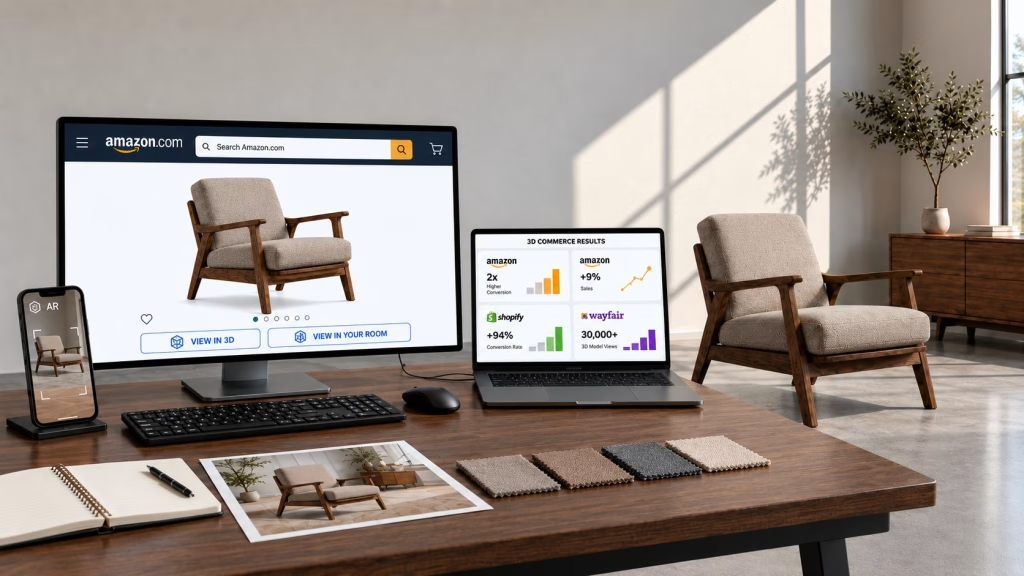
A GLB model is an interactive digital twin of a product. On a product page, shoppers can rotate it, zoom in on details, and, where supported, view it at true scale in their space.
It does not replace strong product photography. It helps answer questions that a standard photo gallery may leave open: What does the back look like? How deep is it? Will it fit? What changes when I select another finish?
The same core asset can be adapted for a brand’s website, product configurator, Shopify store, Google Shopping, Wayfair, Amazon listing, and other sales content.
How BDI Uses GLB Models on Product Pages
BDI is a CGIFURNITURE client: we create the source models and the production GLB files that power its product pages. Shoppers can rotate the furniture, inspect construction details, compare finishes, and launch AR without leaving the brand’s website.
For high-consideration products such as media consoles, the experience gives customers a clearer understanding of scale, materials, and construction before they buy. BDI introduced these 3D and AR features to help shoppers explore products more clearly and purchase with greater confidence.
Below is the GLB model created for BDI and used on its product page. Drag to rotate it:

A CGIFURNITURE model delivered to BDI, shown in a live product-page layout. Drag to rotate; on a phone it also opens in AR. See it live on bdiusa.com.
One Source Model, Four Commercial Outputs
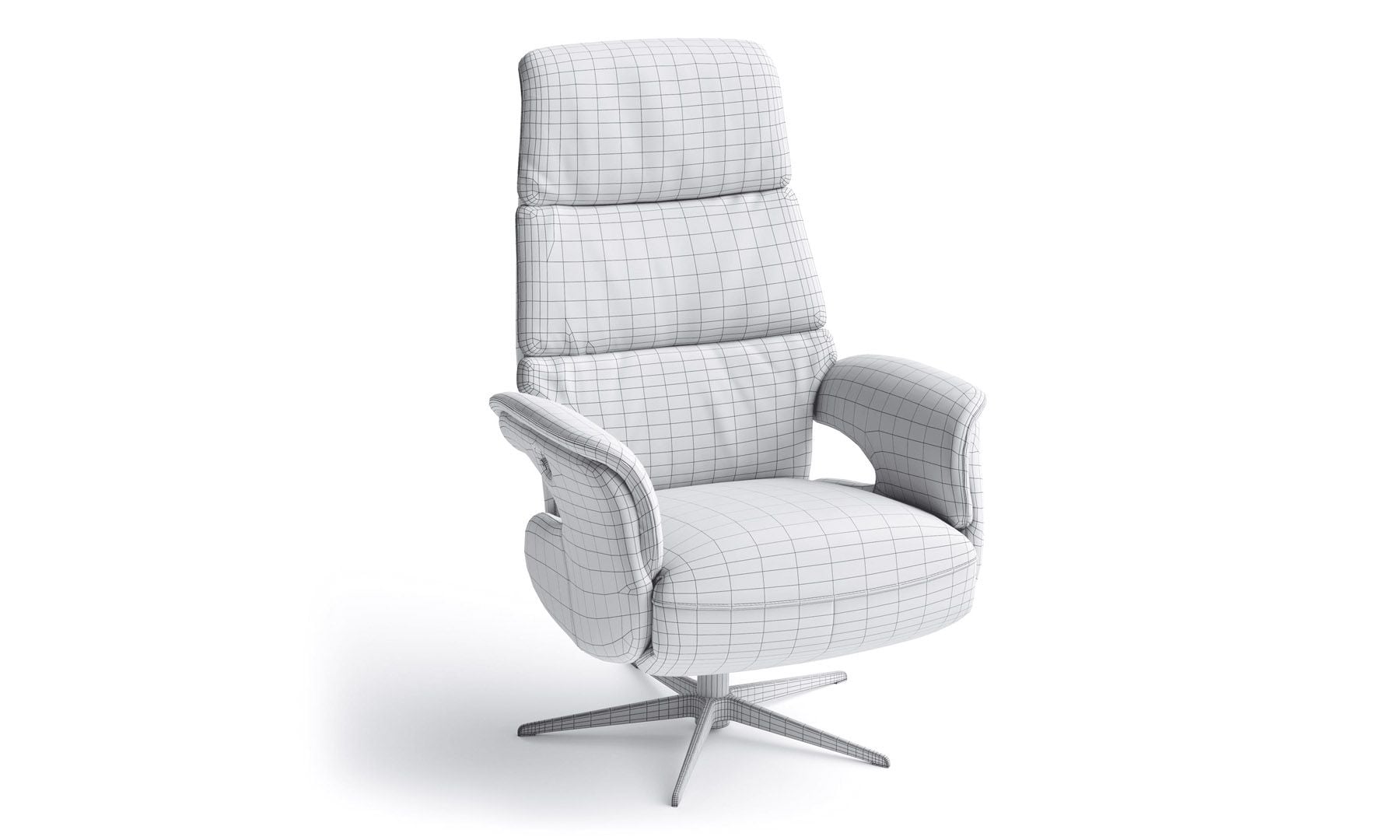
A GLB is one delivery format created from an approved source 3D model. That source model contains the accurate geometry, dimensions, construction, and materials needed to produce multiple types of e-commerce content.
Once approved, it can support:
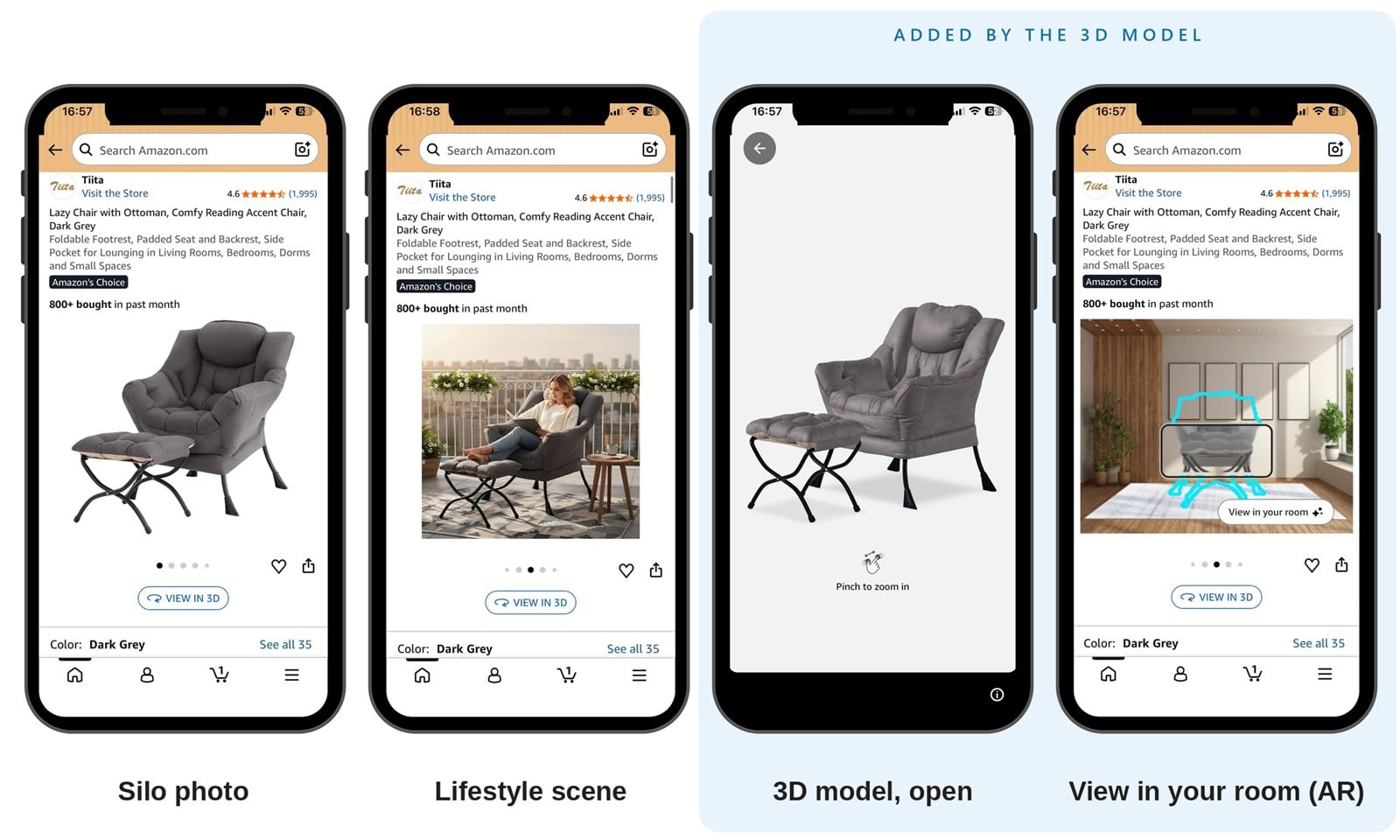
- A clean silo image for product pages, marketplaces, and catalogs.
- A lifestyle image without transporting the physical product to a studio.
- An interactive 3D view for websites and supported e-commerce platforms.
- An AR experience that presents the product at real-world scale.
Where AI Helps and Where a Production GLB Is Still Essential
An AI image generator can create an attractive product visual, but it does not provide dependable geometry, verified dimensions, or reusable materials. The result cannot be rotated, viewed from another angle, configured, or positioned accurately in a customer’s room.
AI-assisted 3D tools are improving, but their output still needs to be validated against the real product. An invented seam, altered component, or incorrect scale undermines the accuracy that interactive 3D is meant to provide.
At CGIFURNITURE, we use AI where it adds speed without compromising product accuracy. Our AI background generator creates professional settings around product imagery, while the product itself remains based on an accurate, verified 3D model.
Where a Production-Ready 3D Asset Can Be Used
The identical file is not uploaded everywhere without checking. Each platform has its own technical limits, display options, and review process. For Amazon specifics, see our update on GLB files for Amazon.
What the brand reuses is the approved core asset. We then optimize and validate the required version for each selected channel.
Your Own Website
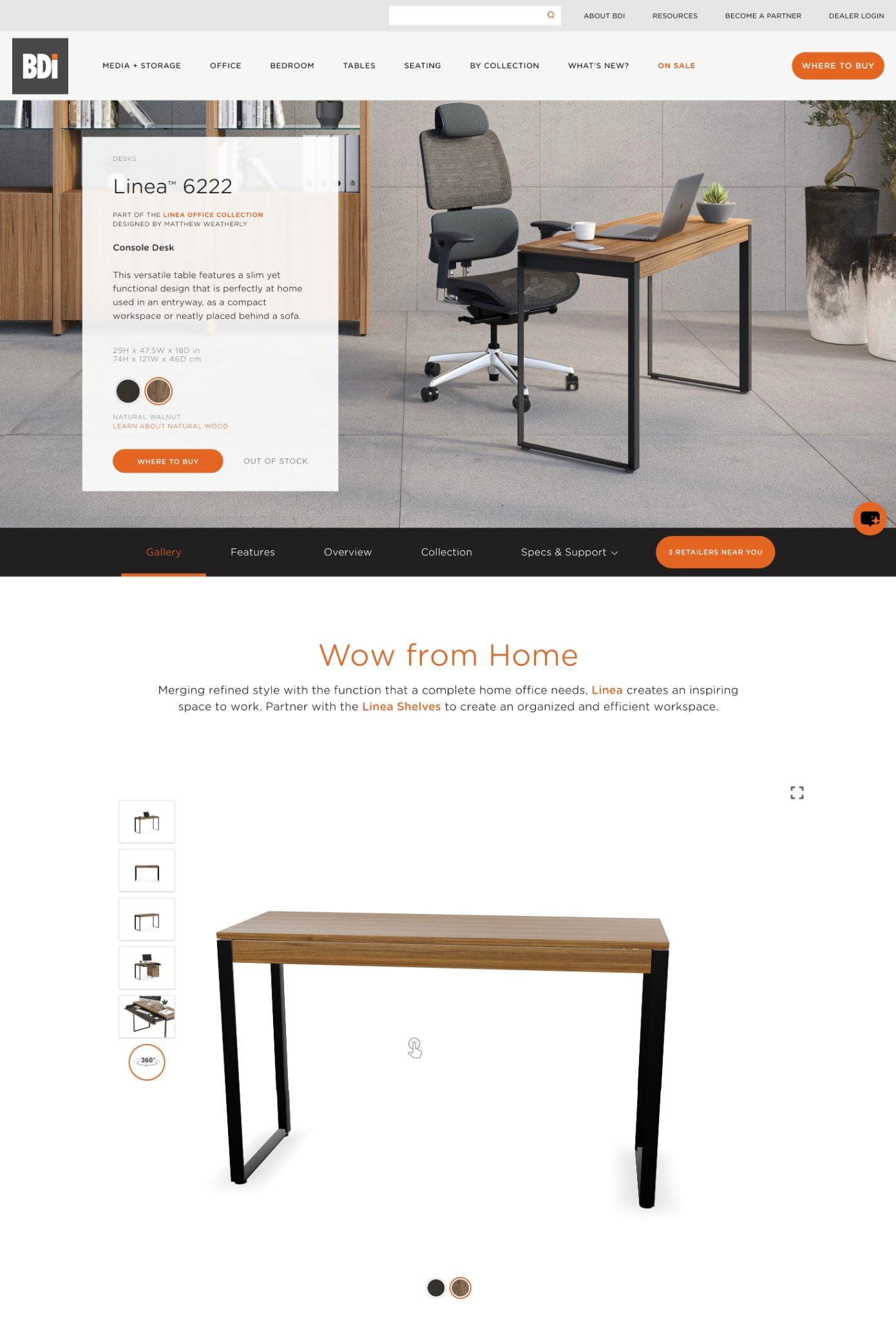
A GLB model can sit next to the product gallery, dimensions, finish selector, or add-to-cart area. The BDI product page above is one example of this approach. That fuller picture is a big part of 3D visualization in the furniture industry.
For custom and headless storefronts, Google’s open-source model-viewer component can display interactive GLB models in modern browsers and provide supported AR functionality. A similar viewer can also be integrated into platforms such as WooCommerce and Adobe Commerce.
The customer stays on the product page while examining the item, rather than opening a separate application or leaving the purchasing journey.
Product Configurators
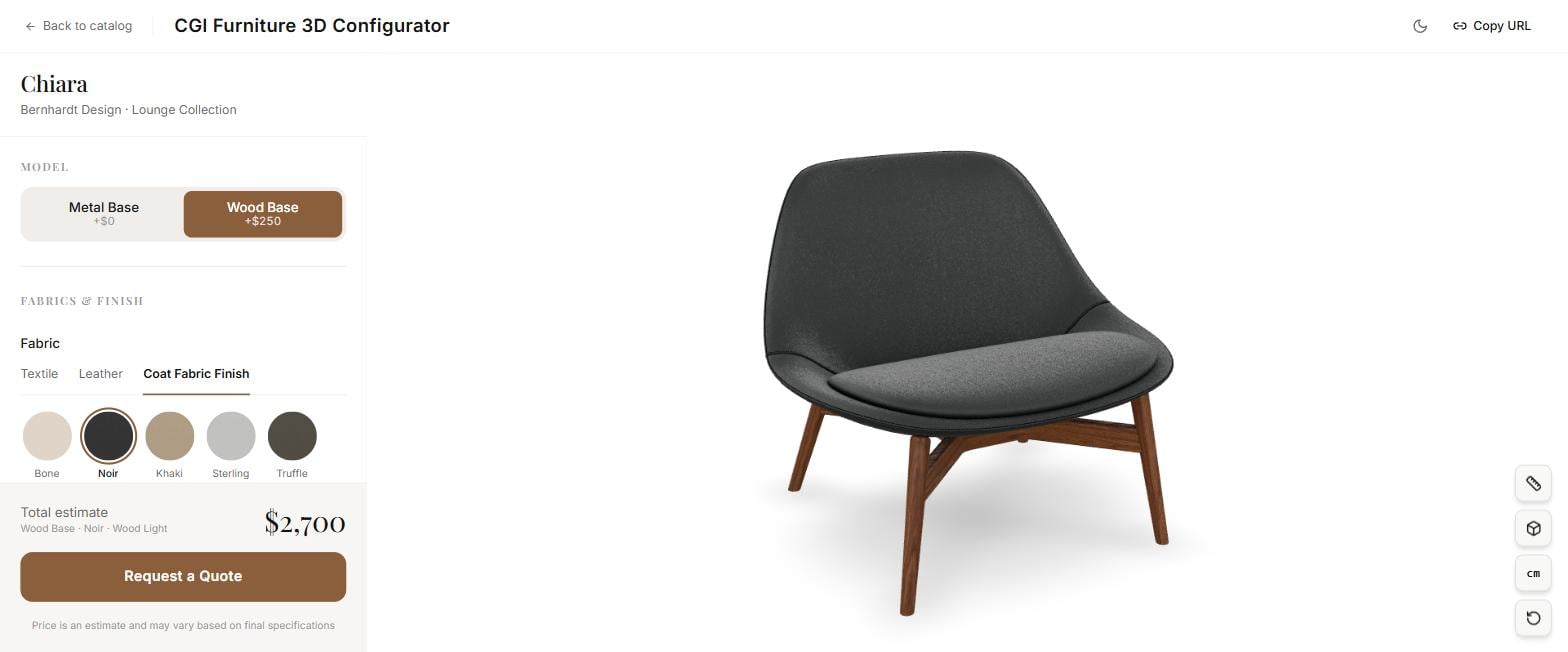
A configurator turns a list of product options into something the customer can see. The same validated source model can also power it: our own CGI Furniture 3D Configurator lets shoppers switch bases, fabrics, and finishes on a live model, with the price updating as they choose. For more on the format, see our overview of the 3D furniture configurator for ecommerce.
Wayfair
Wayfair demonstrates how GLB assets can support e-commerce visualization at marketplace scale. Its official Realtime 3D Model API documentation describes a library of production-grade 3D assets, with enterprise access to more than 30,000 models.
Each model record can include product information, real-world dimensions, and a direct URL to the GLB asset. External developers can use these assets in compatible 3D viewers, room-planning tools, and other product visualization applications.
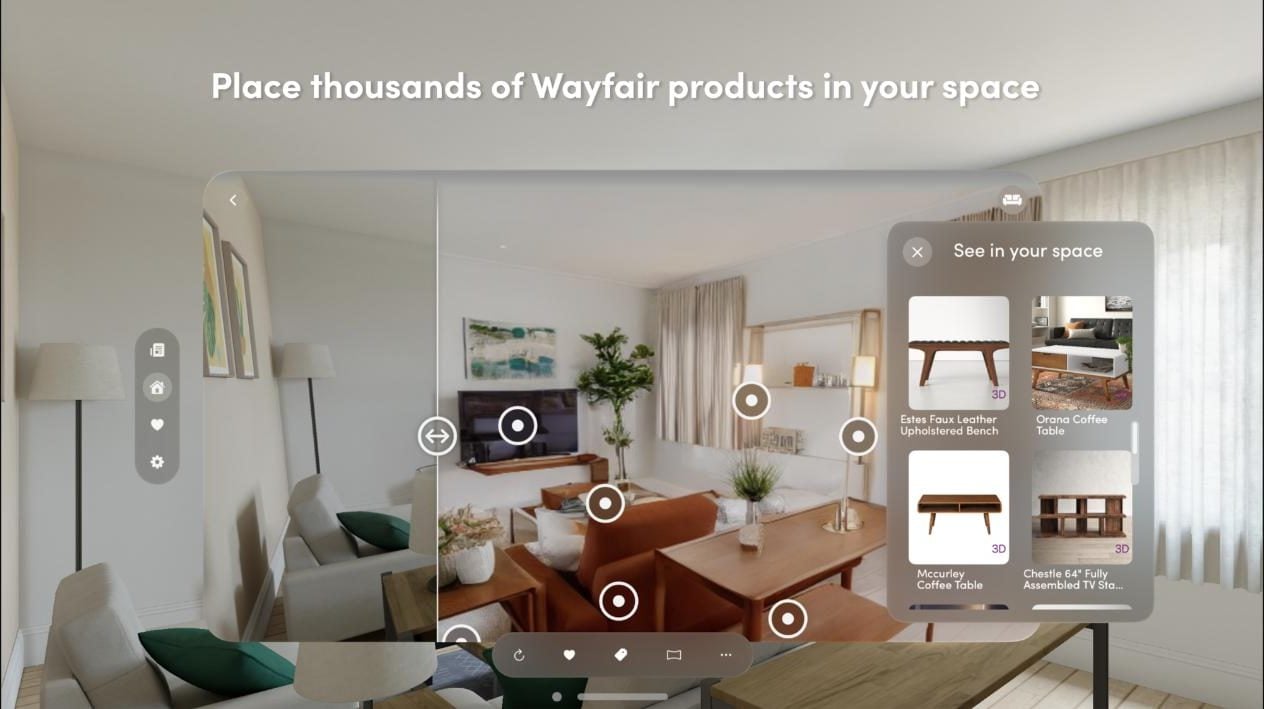
Wayfair has also used true-to-scale 3D products in its View in Room experiences, helping shoppers evaluate whether furniture will fit both their space and their style. It is a clear example of augmented reality in the furniture industry at scale.
This works differently from Shopify, Google, or Amazon. Wayfair does not present the API as an open self-service upload route for merchants. Instead, it shows how accurate, structured GLB assets can become reusable product infrastructure across a large furniture ecosystem.
Shopify
Shopify supports GLB and USDZ files as standard product media. With a compatible theme, a 3D model can appear in the product gallery alongside images and videos. On Amazon, the same model can also feed other Amazon 3D content, such as product video.
Shopify also converts uploaded models to provide both GLB and USDZ versions, supporting compatible Android and iOS experiences, including AR. The current requirements are available in the Shopify Help Center.
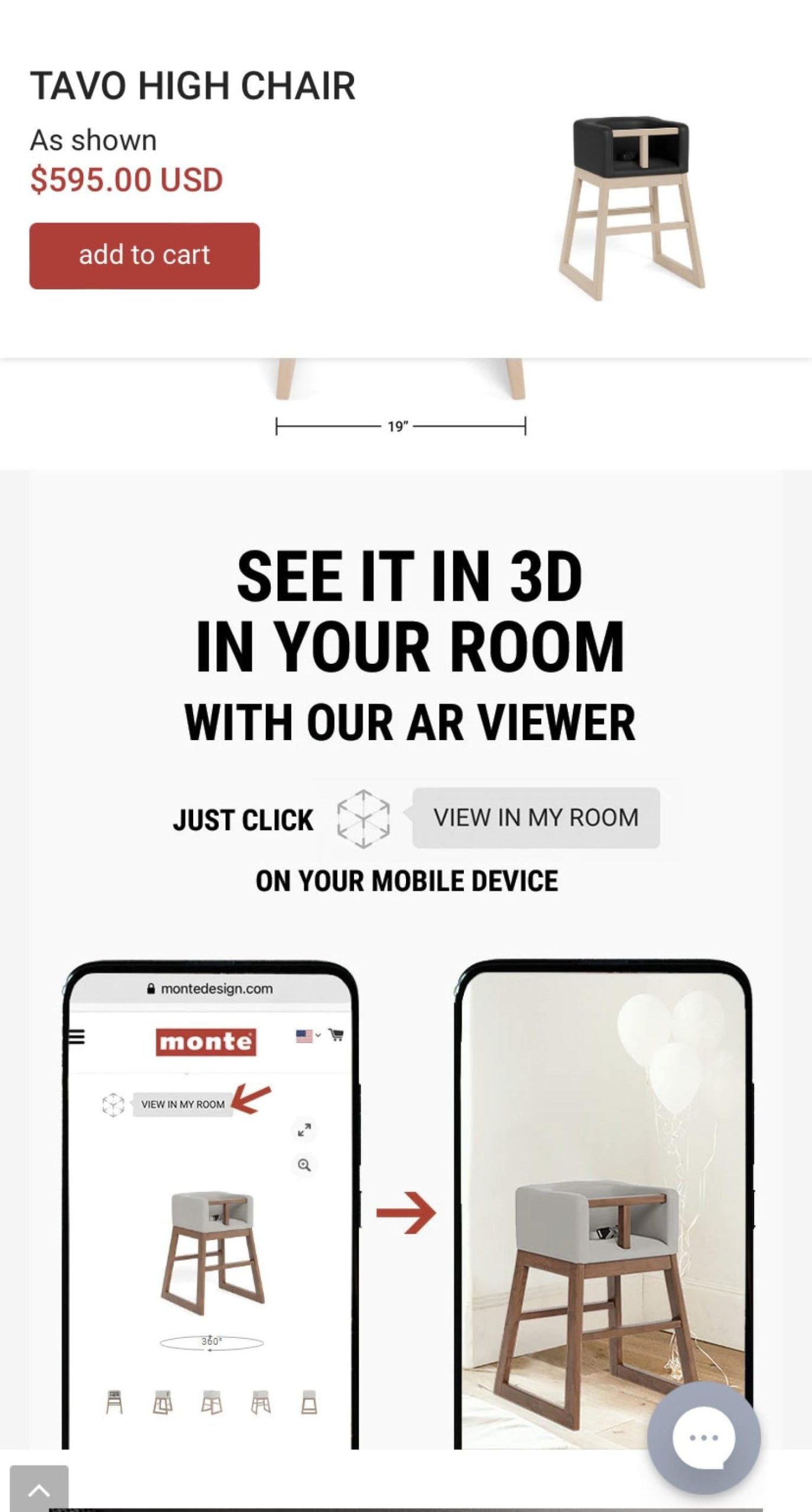
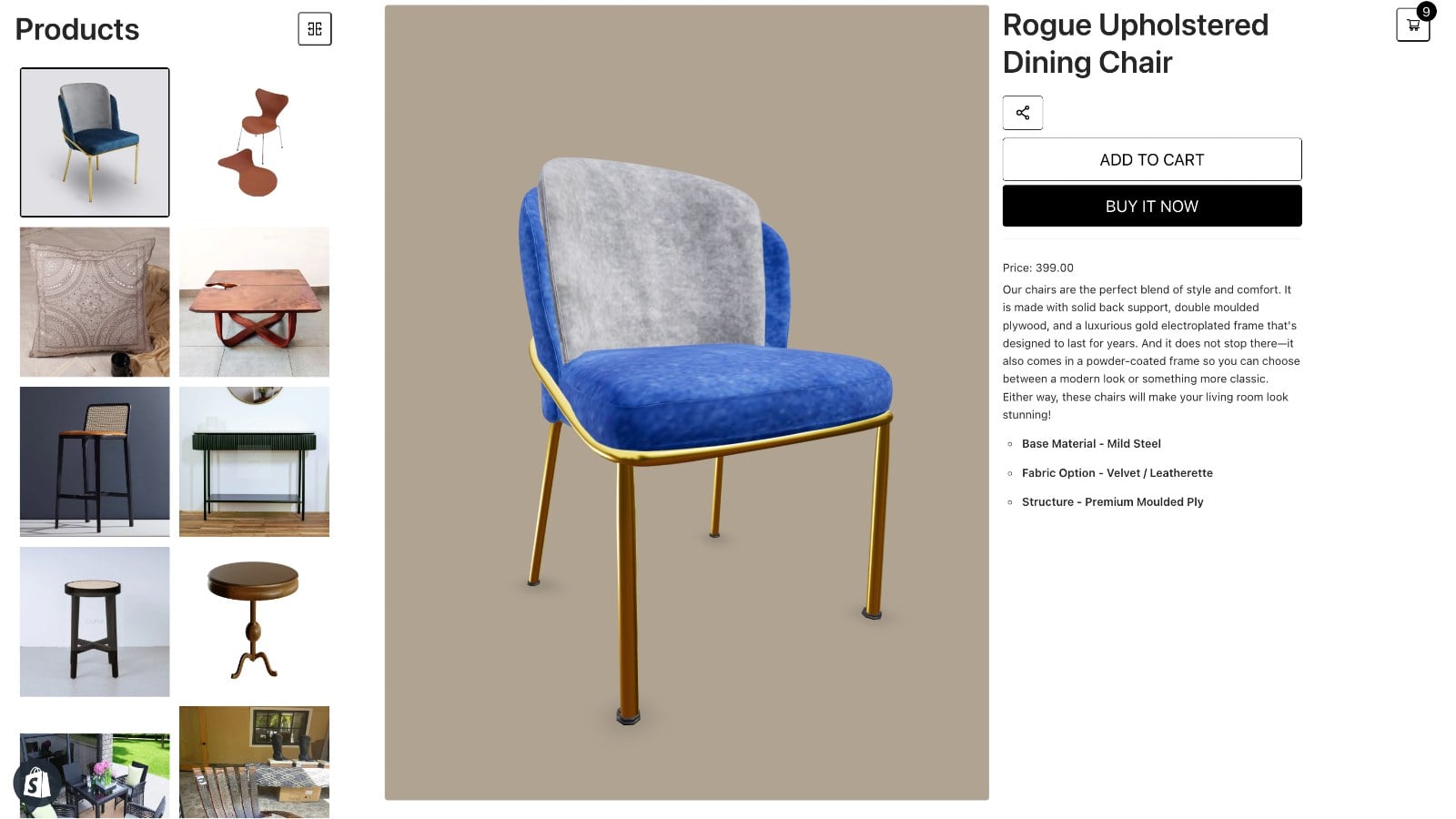
According to Shopify, merchants that add 3D content to their stores see a 94% conversion lift on average.
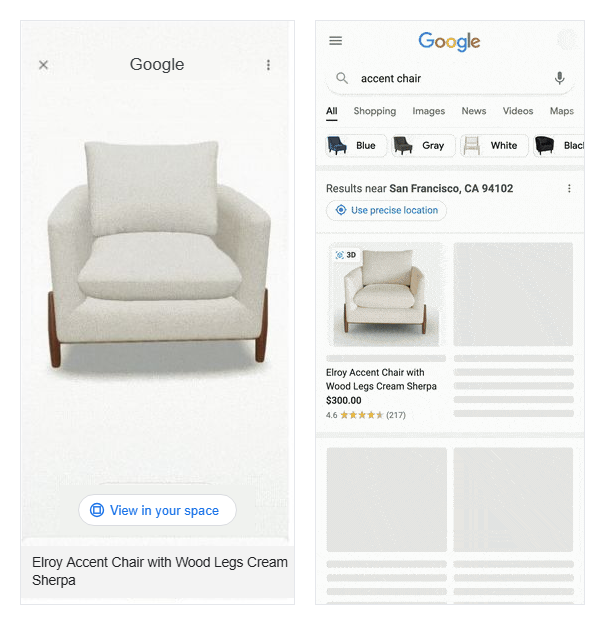
Google Merchant Center allows retailers to submit a public GLB or glTF file through the virtual_model_link attribute. Once approved, eligible products can appear as interactive 3D models across supported Google surfaces. On compatible listings and devices, shoppers may also be able to view the product in their own space.
This gives a production-ready 3D model value beyond the brand’s website. Google notes that products presented through 3D and AR often receive more interactions than 2D-only listings. Availability depends on the product category, target market, listing type, and device.
See the Google Merchant Center documentation for the complete 3D model requirements.
Amazon
For eligible ASINs, an approved 3D model can enable View in 3D and, where supported, View in Your Room. See how the Amazon 3D product view compares with 360 spins and AR.
“View in 3D” allows customers to rotate and zoom in on the product. View in Your Room lets them place the item in their environment using a compatible mobile device.
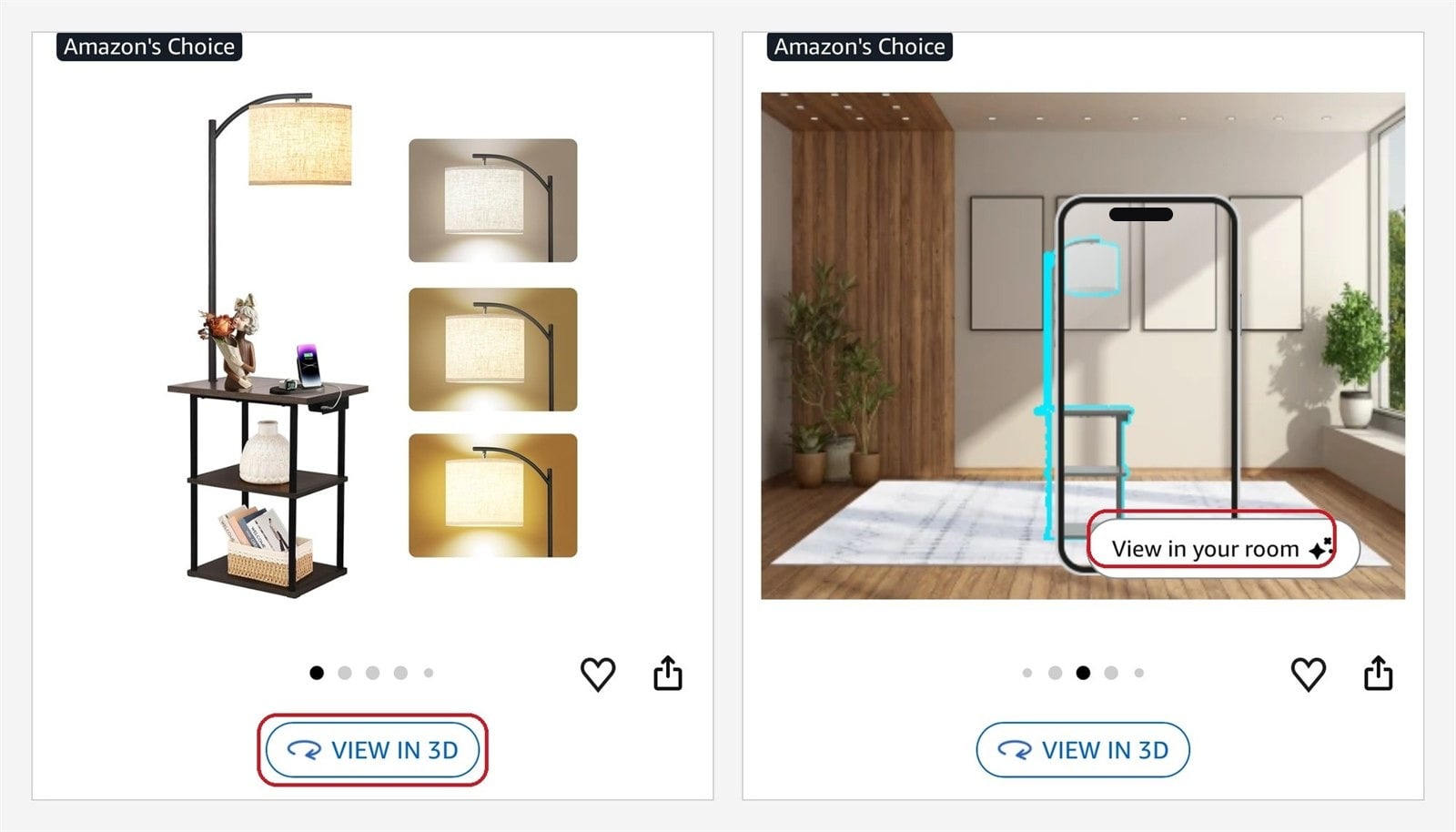
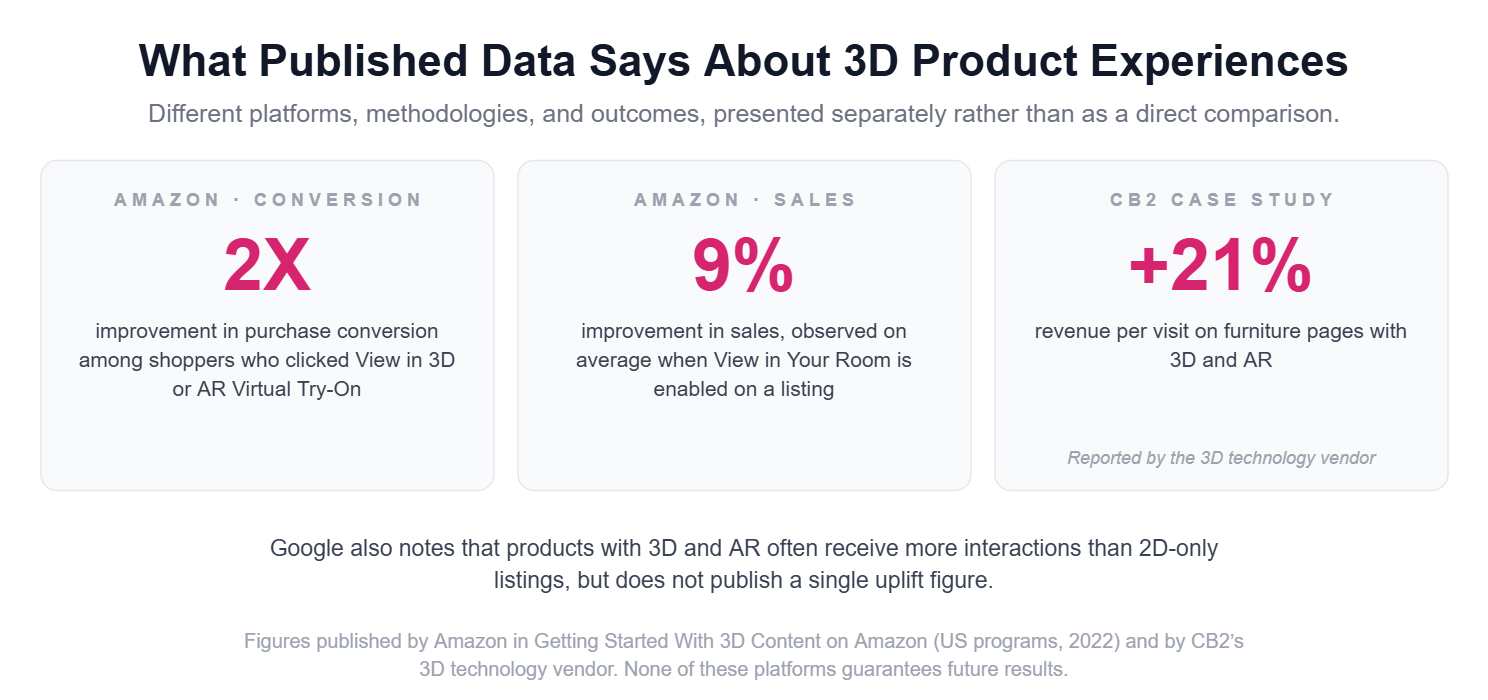
Amazon’s US program data reports a 2× improvement in purchase conversion among shoppers who clicked the View in 3D or AR Virtual Try-On buttons on enabled listings. The data comes from 2022, and Amazon notes that past performance does not guarantee future results.
The figures and program overview are available in Amazon’s Getting Started With 3D Content guide.
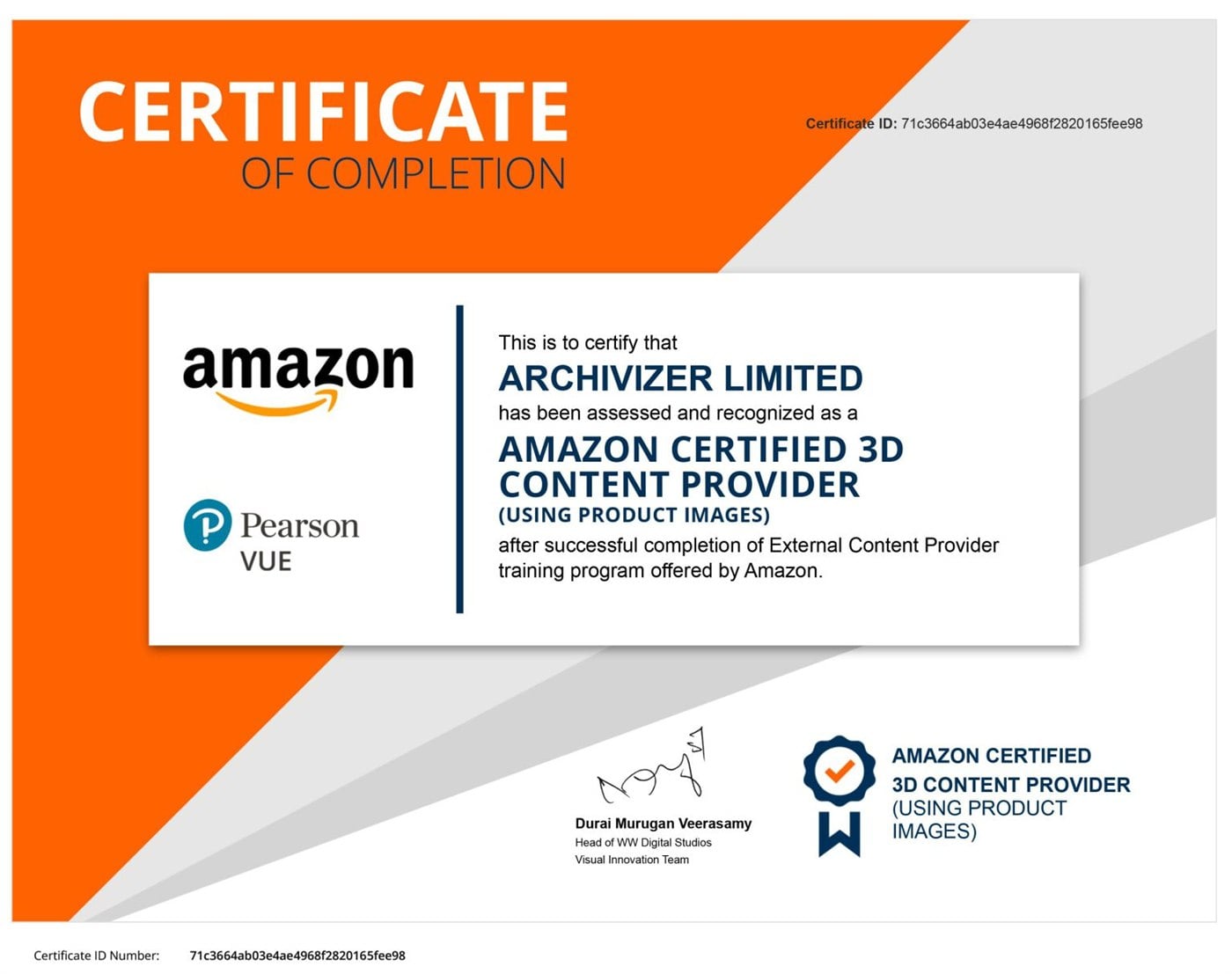
CGIFURNITURE is an Amazon Certified 3D Content Provider. The models we prepare are optimized for Amazon and go through its technical and visual review as part of the service.
Why Add GLB to a Product Page?
A product gallery is quick to scan, but it limits shoppers to the angles and combinations the brand has chosen to show. An interactive model gives customers more control over how they examine the product.
| What the shopper needs to determine | Photos only | With a 3D model |
|---|---|---|
| How the product looks from the back or underneath | Often not shown | Free rotation from any angle |
| Whether it fits the intended space | Dimensions must be interpreted | True-to-scale AR where supported |
| How details and construction look | Visible only in selected shots | Zoom and close inspection |
| What another finish or configuration looks like | Requires another photo | Materials and components can change interactively |
| How its proportions compare with existing furniture | The shopper has to imagine it | The product can be viewed in context |
Every unanswered question adds friction. For a large, expensive, configurable, or difficult-to-return product, removing even one important doubt can make the buying decision easier.
What a Typical Delivery Includes
You receive production files that are already prepared for each channel’s technical requirements. Before handoff, every delivery version is checked against the current specification of its destination: This checklist is the standard scope of our GLB 3D model services.
- a single GLB file with embedded geometry, materials, and textures, plus a USDZ export for iPhone AR
- file size tuned per channel: around 10 MB for Google (which sets a 15 MB cap), lightweight builds for your own product pages, larger masters where a platform allows them
- geometry optimized for real-time viewing, so rotation stays smooth on mobile devices
- PBR textures at resolutions each platform supports, so finishes look accurate without slowing the page
- correct real-world scale and orientation, so AR places the product at true size
- pre-submission checks for platforms that review models, such as Google and Amazon
The goal is not simply to deliver a file. It is to prepare an asset that your team can use across the channels where customers discover and evaluate the product.
How a Project Starts
You do not need production-ready 3D files to begin. Four simple steps:
Send what you have
One product link, photos, dimensions, and CAD or existing 3D files if available.
Get a scope
Required formats, estimated cost, and a production timeline.
Review the pilot model
We build the source asset and validate a delivery version for each channel.
Launch and scale
Add the model to your site or feed, then roll it out to more products.
Not sure what to send? Our guide on how to write a brief for a 3D project covers the references that make production fast. Converting existing CAD and 3D files is part of our GLB 3D model services.
Start With One Product
Send us one product link and tell us where you want to use the model. We will recommend the right formats and the most practical way to launch it.
Send One ProductFAQ
What Is a GLB Model?
A GLB file is a single container that packs everything a 3D product model needs (shape, materials, textures, and real-world dimensions) into one file that browsers and apps can open instantly. It is the standard format for interactive 3D and AR in ecommerce.
What Is the Difference Between GLB and USDZ?
Both can store the same product model. GLB is the web standard used by most platforms and browsers, while USDZ is Apple’s format used for AR on iPhone and iPad. In practice a product usually needs both. Some platforms, like Shopify, generate the USDZ automatically from your GLB.
Can One GLB Model Be Used on Different Ecommerce Platforms?
Yes, that is the point of the asset. The approved source model stays the same, and a validated delivery version is exported for each channel: your website, a configurator, Shopify, Google, or Amazon.
What Formats and Extras Can Be Delivered With a GLB Model?
Depending on the agreed scope and ecommerce channels, the delivery can include:
- an accurate, editable source model
- optimized GLB files for your website and selected platforms
- USDZ files for supported iPhone AR experiences
- finish and material variants
- platform-specific model validation and quality checks
- guidance for adding the asset to your website or product feed
- optional silo renders, lifestyle images, 360° views, and animation created from the same source model
Can You Create a GLB Model From Product Photos?
Yes. Product photos, dimensions, and material references are enough to start; the model is built to match them. If you already have CAD or other 3D files, we convert and optimize them instead, which is usually faster than modeling from scratch.
Does a GLB Model Replace Product Photography?
No. Photos and CGI stills stay essential for galleries, ads, email, and social media. The GLB model adds what they cannot: free-angle inspection, configuration, and AR. A strong product page uses both.
Can AI Create a Production-Ready GLB Model?
Not yet on its own. AI tools can speed up parts of the work, but an automatically generated model still has to be checked and corrected against the real product: geometry, scale, materials, and construction. Otherwise it risks showing customers a product that does not match what arrives.