A furniture brand with 50 products and 20 fabric options needs 1,000+ images. Add five marketplace channels and three seasonal campaigns, and that number climbs well past 5,000. Traditional photography simply cannot scale to meet that demand without multiplying budgets and timelines along with it.
AI product visualization arrived as a promising solution – and for some tasks, it delivers. Lifestyle backgrounds, seasonal scenes, and social creatives can now be produced in hours rather than weeks. But AI alone does not replace the structured, dimensionally accurate product assets that marketplaces, AR product viewers, and product configurators require. The brands seeing the strongest results are those that treat AI and 3D not as competing options but as two layers of the same system.
This guide explains how that combined workflow operates in practice – from the first CAD file to the final retail media ad – and helps you determine which tool is the right fit for each specific task in your content pipeline.
The Modern Content Pipeline: CAD → 3D → AI → Outputs
The most efficient furniture content workflows follow a single logic: start with a structured 3D asset, then multiply it. AI product visualization sits on top as a creative layer – the 3D model remains the master, the single source of truth for all outputs. Here is what that pipeline looks like in practice:
The Modern Content Pipeline:
CAD → 3D → AI → Outputs
One master 3D asset feeds every channel. AI doesn’t replace the 3D foundation – it’s a layer built on top of it.
CAD / Design Files
Everything starts with engineering truth – the product exactly as it will be manufactured.
3D Product Model
The single source of truth. Built once, dimensionally accurate, materially correct – and reused across every output below. Update the model, and every channel inherits the change.
Core Renders
Clean, controlled, catalog-grade imagery – the visual baseline every channel depends on.
AI Enhancement
AI multiplies the core renders into context – fast, on-brand, and grounded in a geometrically accurate product.
Marketing Assets
Channel-ready visuals generated from the same product truth.
Interactive Outputs
The master model goes live – straight into the shopper’s hands.
Every output – from an Amazon main image to a Christmas campaign banner – traces back to the same master asset. That is the core principle: model once, render everywhere.
When to Use AI vs. When Structured 3D Is Required
AI and 3D serve different functions. When comparing AI vs 3D product images, the deciding factor is not which technology is “better” but what each task technically requires. Lifestyle backgrounds need creative variety and speed – AI delivers. Marketplace compliance needs dimensional accuracy and consistent geometry – structured 3D product modeling for furniture delivers.
| Task | Best Tool | Why |
|---|---|---|
| Lifestyle backgrounds | AI | Speed, variety, low cost |
| Seasonal / campaign content | AI | Fast creative iteration |
| Social media creatives | AI | High volume, fast turnaround |
| Core product images (white bg) | 3D CGI | Accuracy, consistency |
| All fabric / finish variants | 3D CGI | One model, unlimited outputs |
| Multiple angles | 3D CGI | Consistent geometry required |
| Marketplace images (Amazon, Wayfair) | 3D CGI | Spec compliance, accurate dimensions |
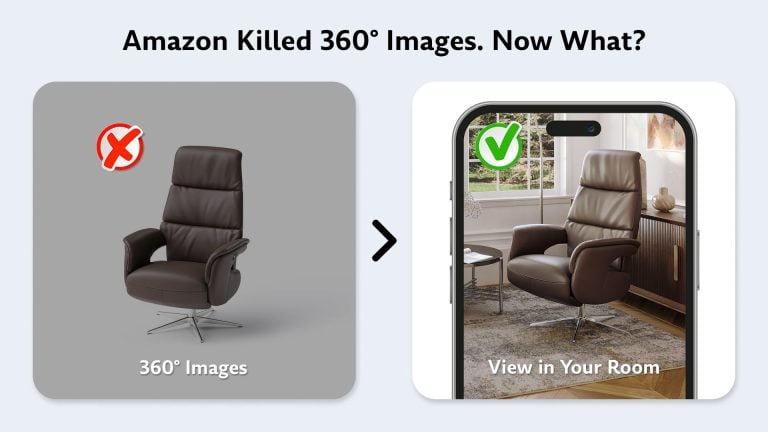
| AR viewer | 3D model | Structured geometry needed for spatial placement |
| 360° spin | 3D model | Structured geometry needed for rotation |
| Product configurator | 3D model | Real-time material swap needed |
| Retail media ads | AI + 3D | 3D base + AI creative variations |
The pattern is straightforward. Tasks that require creative volume and visual variety lean toward furniture AI workflow. Tasks that require structural precision, dimensional accuracy, or real-time interactivity require a 3D model as the foundation. AR experiences, for instance, rely on structured 3D geometry rather than generated imagery – they place a virtual product in physical space at accurate scale, which a flat generated image cannot provide.
To deliver enterprise-grade marketing content at scale, AI requires a reliable anchor – the pixel-perfect 3D digital twin.
– Adobe, on their 3D digital twin partnership with NVIDIA (March 2026)
From 3D Asset to Every Channel: The Full Distribution Pipeline
Creating the renders is only half the job. Getting the right image to the right channel, tagged to the right SKU, with the right specs – that is where DAM (Digital Asset Management) and PIM (Product Information Management) infrastructure becomes critical. Large furniture retailers commonly adopt DAM/PIM-style workflows to manage this process. Here is how brands structure their DAM/PIM pipeline:
| Stage | System | Output |
|---|---|---|
| Design | CAD / Design software | Dimensions, specs, BOM |
| 3D Modeling | CGI Studio | Master 3D asset |
| Asset Storage | DAM (Digital Asset Management) | All renders, variants, raw files |
| Product Data | PIM (Product Info Management) | Specs + images linked to SKU |
| Distribution | API / feed | Amazon, Wayfair, website, retail media |
| AI Layer | AI generation tools | Campaign creatives from approved 3D base |
The DAM stores all renders, variants, and source files in a single versioned repository. The PIM links each image to its SKU and pushes it to every marketplace and sales channel. The AI layer sits on top, generating campaign creatives only from approved 3D-rendered base images – never from scratch. This structure means one model update propagates everywhere without manual re-uploads, and every asset on every channel traces back to a verified source.
AI + 3D for Retail Media and Campaign Content

Retail media is where the AI + 3D workflow delivers some of its most immediate returns. The same 3D asset feeds both organic product listings and paid advertising, with AI product rendering generating the creative variations.
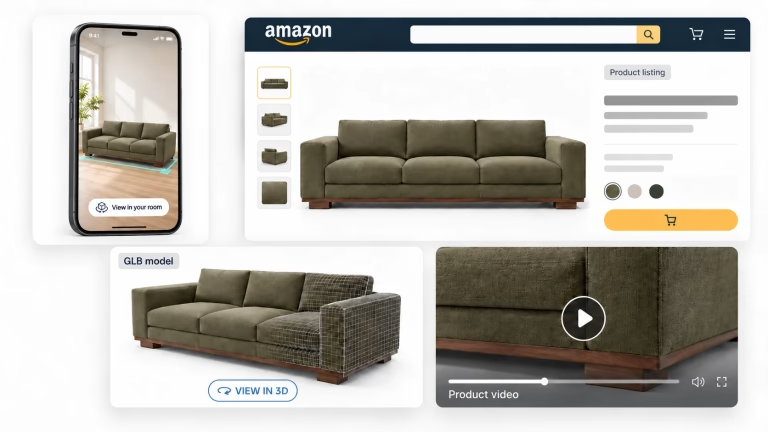
Here is how one asset moves through the retail media ecosystem. A 3D render on a white background becomes the Amazon main image, compliant with marketplace specs and dimensionally accurate. That same render with an AI-generated lifestyle background becomes a secondary image – a living room scene or a styled bedroom vignette. AI variations of that lifestyle scene become seasonal ad creatives: a Christmas setting, a summer patio, a Black Friday promo. And the underlying 3D model powers the Amazon Brand Store AR feature, letting shoppers place the product in their own room.
The same logic applies across channels. Google Shopping uses clean white-background renders. Pinterest Shopping Ads perform best with AI-generated room scenes built on 3D-rendered product imagery. Retail media networks like Wayfair Ads and Target Circle use brand store content where one 3D base generates everything from hero banners to collection pages – organic and paid, from the same asset.
Keeping AI Content On-Brand: Governance and Consistency
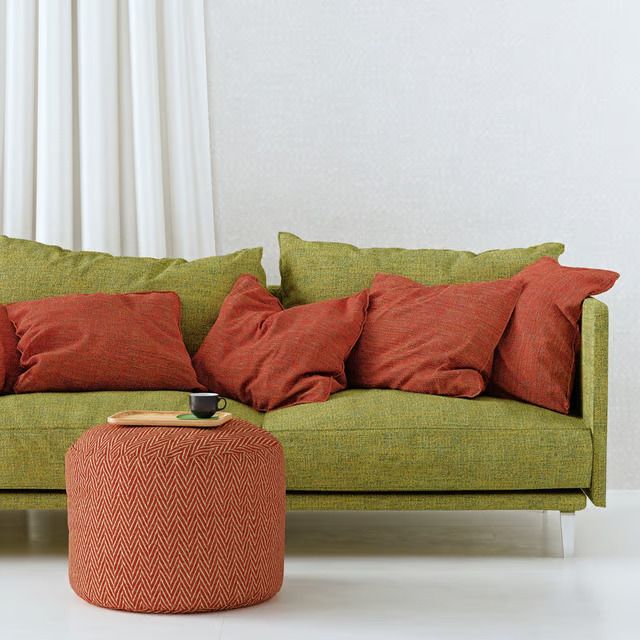
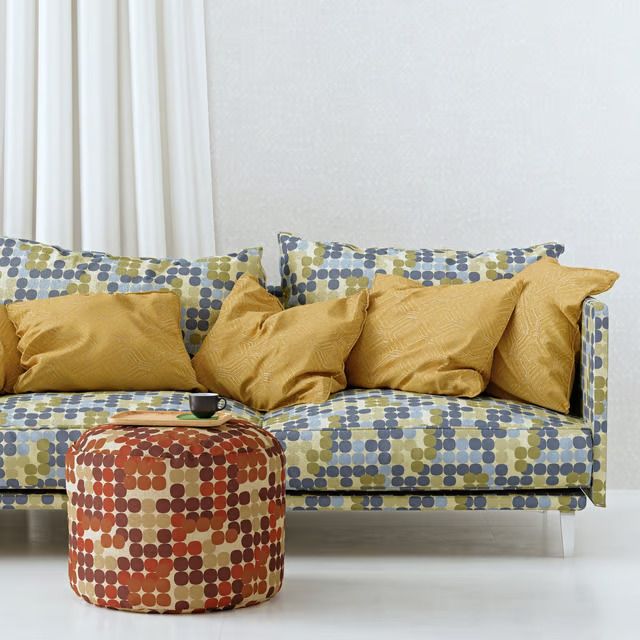
Scaling AI-generated content without losing brand identity is a real operational challenge. Each generation produces slightly different lighting, proportions, and styling. When running hundreds of SKUs, that inconsistency compounds fast.
The brands managing this well use a structured governance approach. An approved prompts library contains vetted formulations for AI generation – specific background descriptions, lighting setups, and room styles that produce reliable results. Brand style templates define the acceptable range of room environments, color palettes, and seasonal aesthetics. An approved materials library contains scanned fabric textures and finish options that are dimensionally accurate to the physical product.
AI generation guardrails define what gets generated (lifestyle backgrounds, seasonal decorations, regional room styles) and what does not (the product itself, materials, geometry). And a review workflow specifies who approves AI-generated content before publication – typically a creative director or brand manager, not the person running the prompts.
The Adobe and NVIDIA partnership, announced at GTC 2026, addresses this exact challenge at the platform level. Their cloud-native 3D digital twin solution creates virtual replicas of physical products that preserve brand identity, then uses generative AI anchored to that digital twin to produce packshots, composite imagery, and lifestyle content – all while keeping the product representation pixel-accurate.
New AI Labeling Laws: Why 3D Is Now the Safer Bet for Product Imagery
On August 2, 2026, the EU AI Act’s Article 50 came into force. Any AI-generated or AI-manipulated image that could be mistaken for a real photograph must now carry a visible disclosure label – with fines up to €15 million or 3% of annual turnover. As Dezeen reported, this directly covers photorealistic AI-generated product imagery, including renders of interiors and furniture.
Traditional CGI is not affected. A render built by a human artist from structured geometry, with manually assigned materials and controlled lighting, is not AI-generated content under the regulation – the Act excludes deterministic processes and human-directed workflows.
The trend is not limited to Europe. California’s AI Transparency Act (SB 942) went into effect on the same date, requiring provenance markers on AI-generated media. A bipartisan federal AI Labeling Act (S. 4915) is moving through the US Senate. New York and Texas already enforce their own AI disclosure requirements.
For brands running the AI + 3D workflow, this maps cleanly onto the existing pipeline. The 3D-rendered master asset remains label-free. AI-generated lifestyle backgrounds may require disclosure – but a small label on a seasonal banner is a minor operational detail, not a trust problem on the product page.
The ROI of an AI + 3D Workflow
The business case for a combined workflow comes down to speed, cost per variant, and asset reuse.
| Metric | Traditional Workflow | AI + 3D Workflow |
|---|---|---|
| Time to first product image | Weeks (prototype needed) | Days (from 3D model) |
| Cost per additional variant | New photoshoot required | 1–2 business days to render |
| Seasonal campaign content | New shoot or stock imagery | AI generation from 3D base |
| Asset reuse across channels | Limited – format-specific | One model → all channels |
| Scalability with catalog growth | Linear cost increase | Near-flat marginal cost |
| Break-even point vs. photography | – | ~15–25 SKUs |
| Cost reduction vs. photo shoots | – | Up to 60% |
The break-even point and cost reduction figures come from real production data. Visual production costs can drop by up to 73% compared to photography, with the advantage compounding as catalog size grows. A single 3D model pays for itself once a product has 3–5 fabric variants, because each additional variant is a re-render rather than a new shoot.
Beyond direct cost savings, there are structural advantages. Marketing launches can happen before physical production – 3D pre-production visuals enable pre-orders and dealer presentations from CAD files alone. And one master model feeds lifestyle furniture images, AR experiences, 360 product photography, configurators, product animations, and ad creatives without any reshooting.
Three Scenarios: Choosing the Right Workflow
There is no single workflow that fits every company. The right approach depends on catalog size, channel complexity, and where the brand is in its growth.
| Company Type | Recommended Workflow | Why |
|---|---|---|
| Startup / small brand | AI + Photography | Lower upfront investment; 3D later |
| Growing ecommerce brand | AI + 3D CGI | Scale variants without reshooting |
| Large manufacturer | Full 3D pipeline | 100+ SKUs, AR, configurator, B2B catalog |
| Marketplace seller | 3D + AI | Compliant images + fast campaign content |
| Custom furniture brand | 3D + AI | Pre-production visuals, pre-order sales |
Scenario 1: Growing Ecommerce Brand (20–100 SKUs)
The problem: too many fabric and finish variants to photograph, but not enough budget for a full 3D pipeline with DAM/PIM integration. The solution: 3D models for core product renders plus AI for lifestyle scenes and campaigns. A single 3D asset pays for itself at 3–5 fabric variants when compared against the cost of repeated photoshoots.
Scenario 2: Large Manufacturer (500+ SKUs, B2B + B2C)
The problem: a new season every six months, 20+ fabrics per model, five or more marketplaces, and a B2B catalog for dealers. The solution: a full 3D pipeline with DAM/PIM integration. AI handles retail media and seasonal campaigns. One master asset produces all outputs – marketplace listings, website PDPs, dealer catalogs, AR experiences – without duplicating production work.
Scenario 3: Custom Furniture Brand
The problem: products are built to order, so there is nothing to photograph before the sale. The solution: 3D visualization from CAD files enables pre-orders, dealer catalogs, and trade show presentations before a single piece is manufactured. AI generates lifestyle scenes and regional adaptations from those 3D renders.
Conclusion
The most effective furniture brands treat AI generation and 3D furniture rendering services not as alternatives but as a two-layer system. 3D models provide the structured foundation – accurate geometry, consistent materials, scalable outputs for AR, configurators, and marketplaces. AI product visualization provides creative speed – lifestyle backgrounds, seasonal variations, retail media assets – all built on top of that 3D foundation.
Together, they let brands produce more content, launch faster, and maintain catalog quality at any scale. The workflow is not theoretical. The tools exist, the infrastructure is maturing – Adobe and NVIDIA’s digital twin platform is the latest signal of where the industry is heading – and the ROI math is well-documented. The question is not whether to adopt this approach, but how quickly to get the pipeline running.

Download CGIFURNITURE price guide and learn the costs of top-tier 3D visualization projects of different scales
See our pricingCan AI replace furniture product photography?
For some tasks – yes. AI generates lifestyle backgrounds, seasonal scenes, and social content faster and more affordably than photography. For core product images requiring dimensional accuracy, consistent geometry across all SKUs, and marketplace compliance, structured 3D rendering remains the standard.
Can AI generate consistent product images for hundreds of SKUs?
Not with reliable results at present. Each AI generation produces slightly different geometry, lighting, and proportions. For catalogs with 50+ SKUs, this inconsistency creates visual cohesion problems across the product line. 3D models solve this by generating all variants from the same geometry under identical lighting conditions.
Why do AR experiences require 3D models and not AI images?
AR places a virtual product in a real physical space at accurate scale. AI-generated images are flat representations without spatial data. 3D models contain the structured geometry, dimensions, and material properties that AR engines need to render products correctly in any environment.
Can AI create accurate fabric textures for furniture?
AI can approximate the appearance of fabrics but cannot replicate specific weave patterns, material behavior under different lighting, or the exact color matching required for furniture catalogs. 3D studios use scanned material libraries for dimensionally accurate fabric and finish representation.
How do furniture brands maintain catalog consistency with AI?
By using 3D CGI renders as the source layer and applying AI only for lifestyle backgrounds and marketing creatives – not for core product images. This keeps geometry, proportions, and material rendering consistent across all SKUs while allowing creative variation in the surrounding environment.
What is a furniture content pipeline?
A structured workflow from CAD design through 3D modeling, asset management (DAM/PIM), to distribution across marketplaces, websites, and marketing channels. A well-built pipeline means one 3D asset generates all outputs – product images, lifestyle scenes, AR, configurator, ads – without repeated production.