Finding a perfect 3D rendering agency is a challenge that can only be overcome with careful planning and thorough analysis. To choose a provider for long-term cooperation, manufacturers and marketers need to know what to look at and what questions to ask. To make things easier, we broke the process down into steps. Let’s check them out.
Step 1: Browse for Options
The first thing to do is to google product 3D rendering companies. Then, it’s necessary to look through the highest-ranked studios and choose the 6 most suitable options. This is the shortlist of candidates to analyze in the next steps.
Step 2: Check Out Work Examples
Look at the studio’s or artist’s CGI portfolio to see their experience, quality of work, and the exact type of services they provide. If there are case studies on the website, that’s even better. Check them out too, to understand the company’s workflow, the project scales, how they communicate with clients, and deal with challenges.
What to Check in the Images
Open the images at full size instead of scrolling through thumbnails. The typical weak spots of furniture renders are easy to see once you know them:
- Scale. A chair that looks too big next to a table, or a rug that does not fit the room.
- Materials. Fabric with no visible weave or seams, wood with a stretched or repeating grain, metal without believable reflections.
- Lighting. Light that is too harsh or too dull, or shadows that do not match the light source.
- Styling. Decor and furniture in clashing styles, which makes a scene look assembled rather than designed.
Then check consistency. Look at several white-background images and several lifestyle scenes made for the same client. A good catalog looks like one shoot: the same camera height, background, and light on every product. If each image in the portfolio looks different, ask how the studio keeps a series uniform across dozens or hundreds of SKUs.
Specialization and Range
A studio that makes strong architectural exteriors is not automatically good at product close-ups, and the reverse is also true. Look for work in your product category and in all the formats you will need: white-background images, lifestyle scenes, detail shots, 360 spins, animation, and 3D models for AR or configurators. When one team produces all of them, models, materials, and style stay consistent, and you do not have to coordinate several vendors. Our overview of product visualization services explains what each of these formats is for.
Ask about tools, but judge fit rather than a list of logos. Product work is usually modeled in 3ds Max or Blender and rendered offline with a renderer like V-Ray when full photorealism matters, for example in hero images and print. Real-time engines like Unreal Engine are used for interactive content. A studio that works in both modes can reuse the same models as your needs grow.
Two more practical questions. Does the studio have its own library of ready-made scenes and props you can choose from for lifestyle images? And will it deliver files ready for your channels, in the sizes, formats, and transparent backgrounds your website and marketplaces require, at a file size that does not slow pages down? Check what your ecommerce product detail page needs before you ask.
What to Check in the 3D Models
A render is only as good as the model behind it. If the studio will also build the 3D models of your products, ask to see a few models, not only finished images: wireframe views or a link to a 3D viewer.
- Accuracy. Ask what the models are built from: drawings with dimensions, product photos, or a physical sample. Then compare a finished model with a photo of the real product: proportions, profiles, seams, and hardware.
- Clean geometry. A tidy mesh without stretched or overlapping faces holds up in close-ups and is easy to edit later for a new size or finish.
- Versions for different uses. Photorealistic images need a detailed high-poly model, while AR, configurators, and web 3D viewers need a lighter low-poly version. Ask whether the studio makes both from one source model.
- Reusable formats. Ask which files you get, for example the native 3ds Max or Blender file plus FBX or OBJ, and GLB or USDZ for web and AR.
If you are unsure, ask whether the studio can model one product as a test before you send the full catalog.
Step 3: Look for the Clients’ Feedback
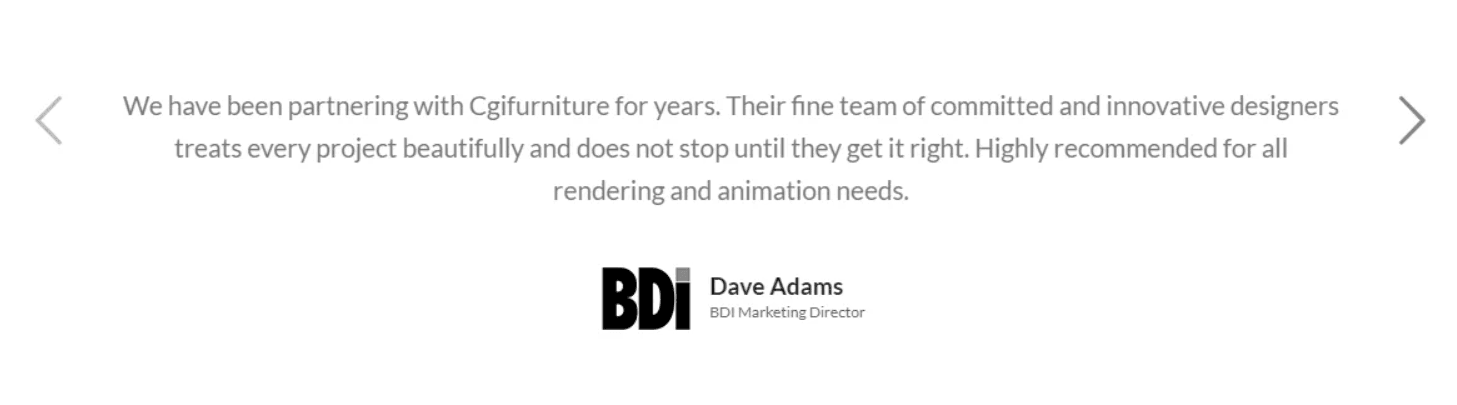
Testimonials and reviews are a valuable source of information. One needs to look at their number, at what they say, and at who writes them. After that, it’s wise to google the company reviews to see what can be found on other platforms.
Step 4: Enquire about Guarantees

When choosing a product 3D rendering services provider, it’s vital to make sure that the project information and business data will be safe and protected. This is what guarantees are for.
Freelancers can sure promise things and keep their words. However, they are not bound by law to deliver unless they sign some kind of contract.
In contrast, companies value their reputations and have whole strategies developed to nail their brand promises. This is why they can totally give guarantees on things that matter most, like speed or quality.
For instance, CGIFurniture has an “On time or for free” option. Those who apply for it are guaranteed that either they get their results on time, or we return the payment. We are that confident because we have state-of-the-art equipment, our own render farm, and a whole army of highly skilled specialists.
Sometimes, the guarantees available can be found right on the website, usually on the FAQ page. If not, it’s necessary to call the company. Here are the main things to ask about:
- Can they sign an NDA?
- Do they sign NDAs provided by clients?
- Do they have other ways to safeguard clients? What are they and what’s necessary to apply to them?
Revisions and Changes
Ask how revisions work before the first image is made: how many rounds are included, by when feedback has to be sent, and what counts as a change beyond the original scope, such as a new camera angle or a new product version. A clear answer upfront prevents disputes later.
Who Keeps the 3D Files
3D models, materials, and scenes are an asset you can reuse for new colors, new angles, AR, and future campaigns. Ask where they are stored after the project, whether you can access and download them, and in which formats. At CGIFurniture, each client’s models, scenes, and material samples are kept in a personal library on the project platform.
Step 5: Find out about the Communication Process
Effective communication is key to getting top-notch results. It’s vital to ensure that the 3D artists won’t disappear till the deadline, or that one won’t have to communicate in several channels with a dozen people who do not seem to share information between them. Those things can and must be avoided with smart professional management solutions. This is a common concern when working with a 3D outsourcing studio, so ask about it early.
Ask how a project starts. A good sign is a structured brief form, often called a scope of work, that lists everything the artists need, followed by a kickoff call where the team, the brief, and the milestones are agreed. Also ask who checks quality before images reach you, for example a project manager or a senior artist, and how the team handles a large batch of SKUs sent at once.
For instance, CGIFurniture had an online project management platform developed especially for communication, keeping information, project updates, and files storage. Now, all of those processes are easy and comfortable for our clients.
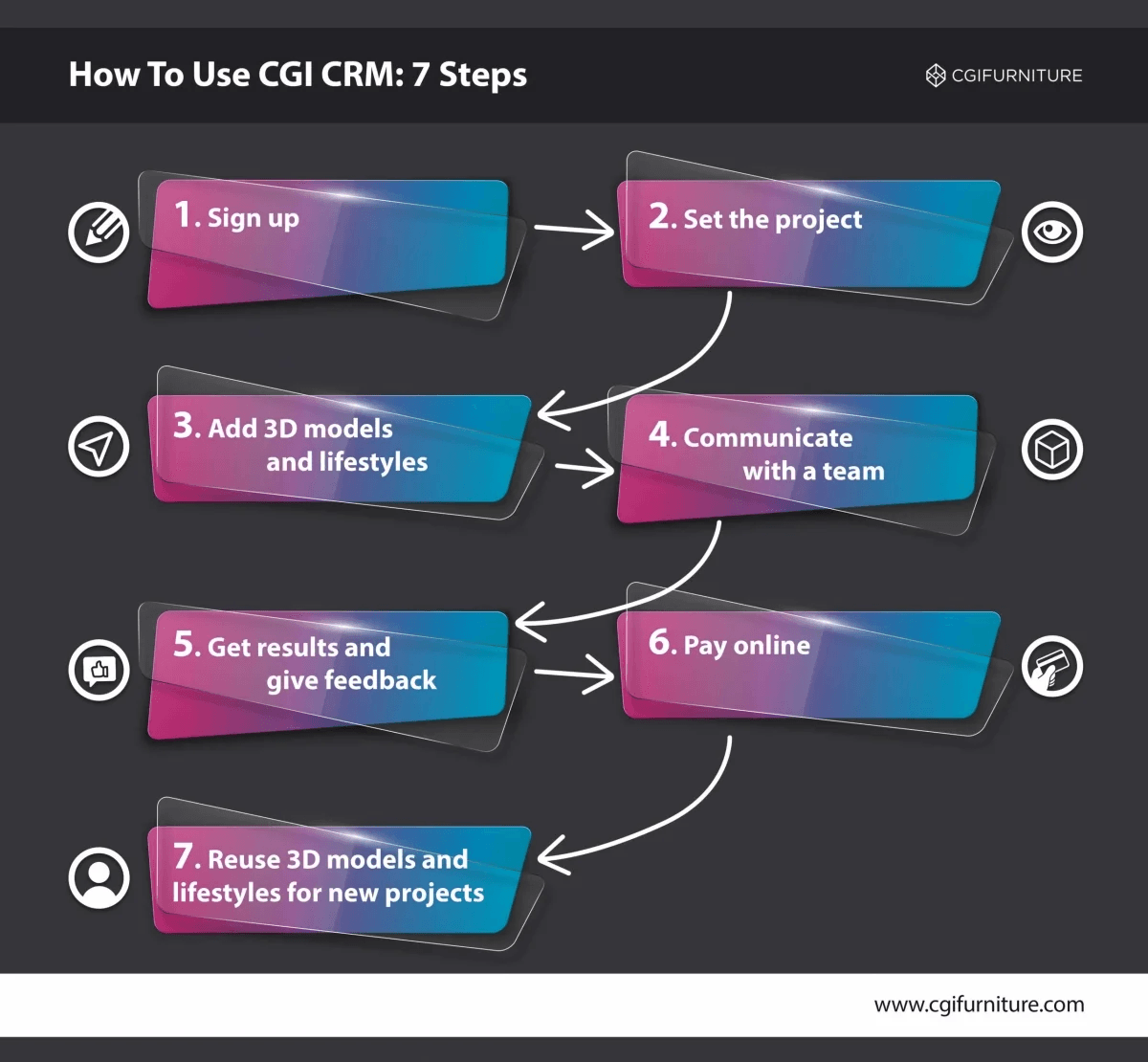
So to safeguard the project, it’s necessary to ask the following questions:
- Is there one single communication channel?
- Where will the information be kept?
- Who will be managing the project?
- How often will the studio share updates and intermediate results?
As you see, finding a reliable product rendering company is a matter of research and knowing what to look for and what to ask. It’s best to take the top-ranked google choices, study what they offer, and narrow down the list to the top 6. Then, it’s time to see the quality they deliver. The best way to do that is to check out companies’ portfolios and case studies. Having selected the top performers, it’s necessary to find out what cooperation experience they deliver.

Social Media Playbook for Your Brand
Templates and examples for reels, carousels, and 3D motion–tailored to your brand
Download Social Media GuideFor the workflow is crucial to a smooth work process and getting results on time. The best way to understand how a product rendering studio works is to read the reviews from clients, find out more about the communication process and the guarantees available. If the information cannot be found on the website, it’s worth calling the shortlisted companies. With all these answers, the choice should be obvious.