Due to the nature of hardware, there may be multiple variants of the same product in different finishes. Keeping the images consistent can be challenging. Knobs are small, and as they are metallic they reflect the studio. Hinges and slide mechanisms are harder again, as their internal workings are hidden inside the cabinet.
While a white background image allows the shape and finish of the hardware to be seen, it is also important to show it on an oak drawer front. Therefore, it is common for hardware to be photographed on multiple cabinets in multiple finishes, and edited to ensure consistency.
With furniture hardware visualization, each hardware component is given one accurate 3D model built from your CAD files. It is rendered as a standalone component and in place on furniture, in all finishes, and animations are possible. Handles, knobs, hinges, slides and lifts are all covered within this guide, with examples from our hardware projects.
What Is Furniture Hardware Visualization?
Furniture hardware visualization is the creation of images, animations and 3D models of furniture hardware components, such as handles, knobs, hinges, slides and fittings, without a photo shoot.
CAD or STEP files are used to create an accurate 3D model of the hardware. The model is then given a material for each finish required, such as brushed nickel, matte black, antiqued brass, or a custom finish. The model can be shown on a white background for specification documents, or on furniture for sales pages. Mechanisms are built as working assemblies.
As the same approved model is used, any new finish or cabinet only requires a new render. This makes CGI very useful for large catalogs of hardware with hundreds of SKUs.
Handles and Knobs: Close-Ups of the Machining
The most important thing with decorative hardware is close-up views. The rounded edges, knurling and highlight on a brushed surface can be seen in detail. However, in wide views showing a whole room, a drawer pull may only be a few pixels in size.

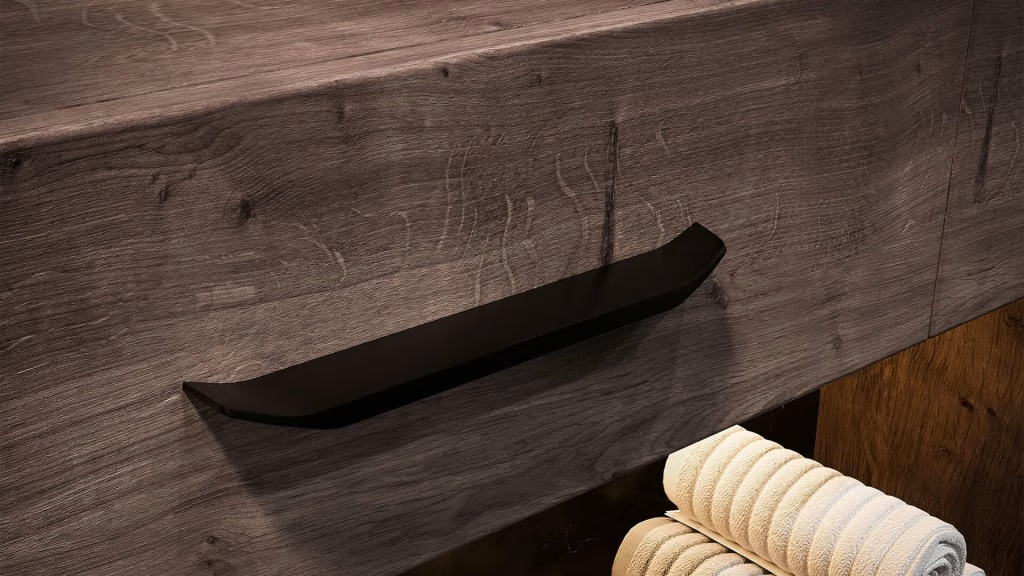
This approach has been used for Habco, a brand of decorative furniture fittings exported to 30 countries. In order to showcase the high quality of the metal finishes in a realistic scene, 12 close-up images were created of drawer pulls and handles on cabinets, drawers and doors. 14 scene images were also created. These included a bedroom, bathroom, kitchen, children’s cabinet, media unit and desk.
Within each scene, care was taken to ensure that the hardware can be seen without having to zoom in. The camera height, color of the front and lighting direction were all decided by the artist with this in mind. The renders have been used across Habco’s entire digital product catalog.

Make sure close-up views of handles are shown from the perspective that a user would see them in. So if it is for a kitchen, show it as if looking at it from the counter. Within a collection, light setups should also be consistent to allow for comparison of finishes.
Hardware Finishes: One Model, Every Finish
With multiple finishes available for each hardware item, there can be many variations of products within a range. If there are 3 lengths and 5 finishes available on a drawer pull, there are 15 SKUs, each requiring an image.
Within CGI, finishes are created using materials. Once a library of finishes has been created (polished brass, satin nickel, matte black, oil-rubbed bronze and/or custom finishes), all SKUs are rendered using the same lighting and camera. In the final images only the finishes differ, allowing for easy comparison by the customer.
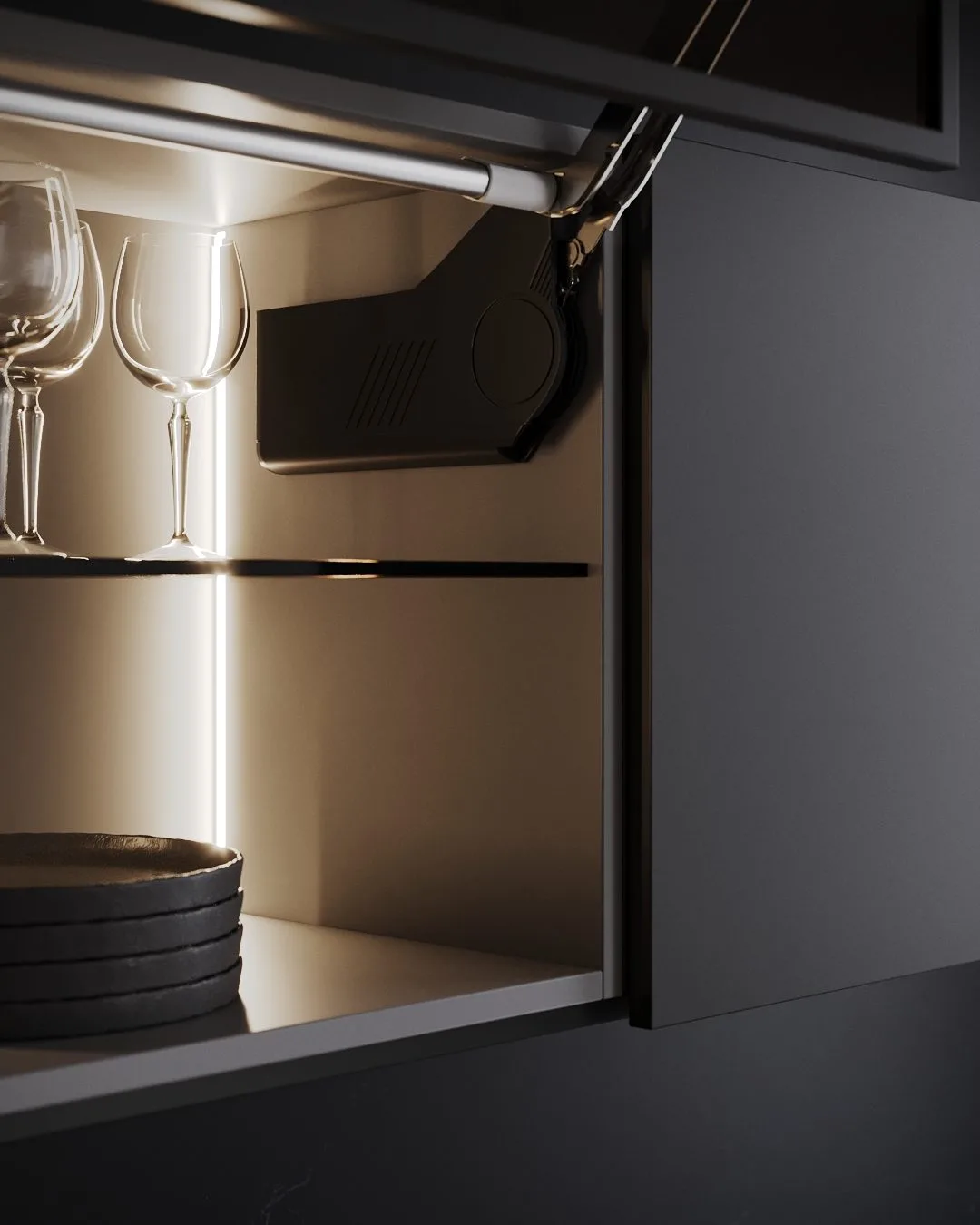
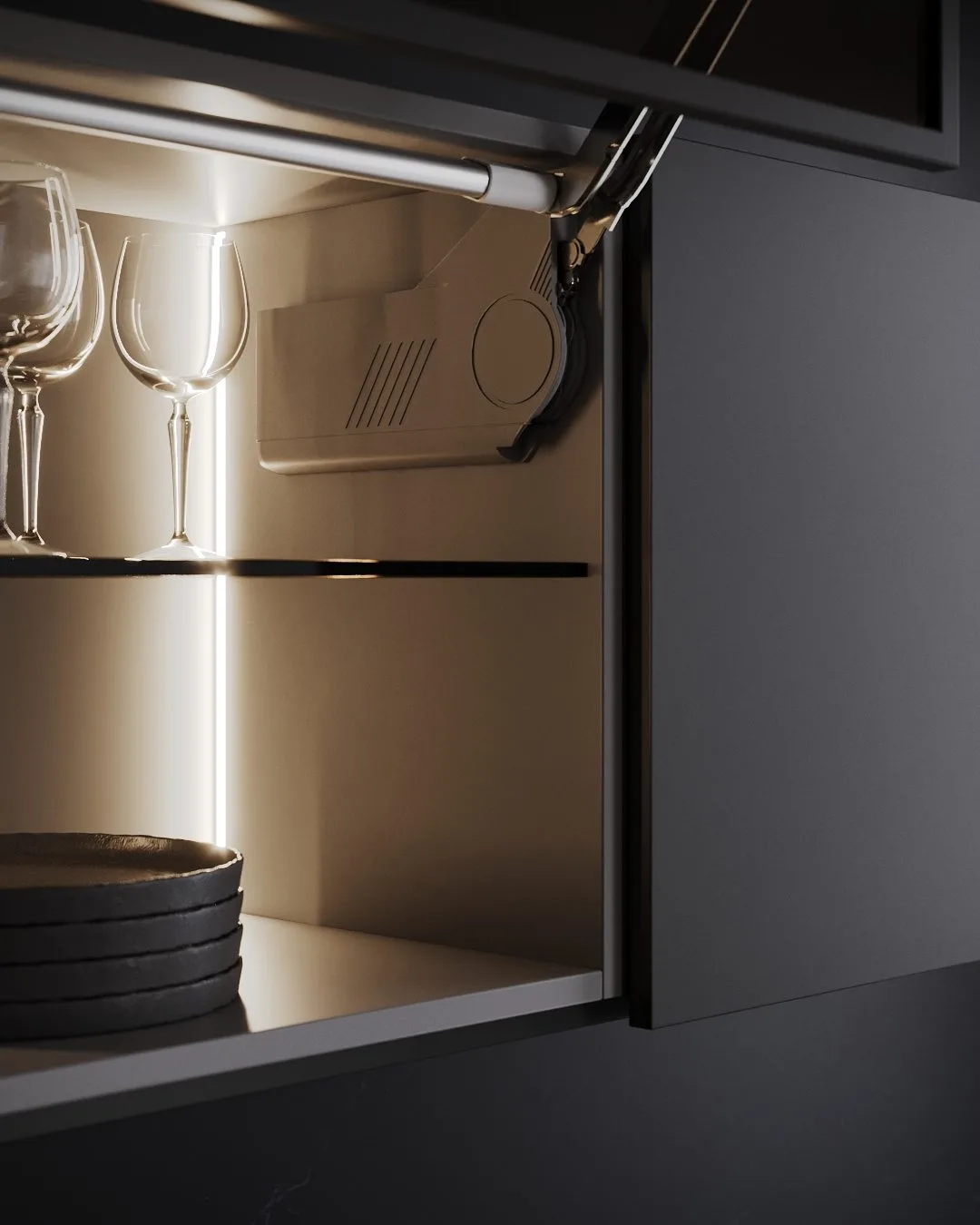
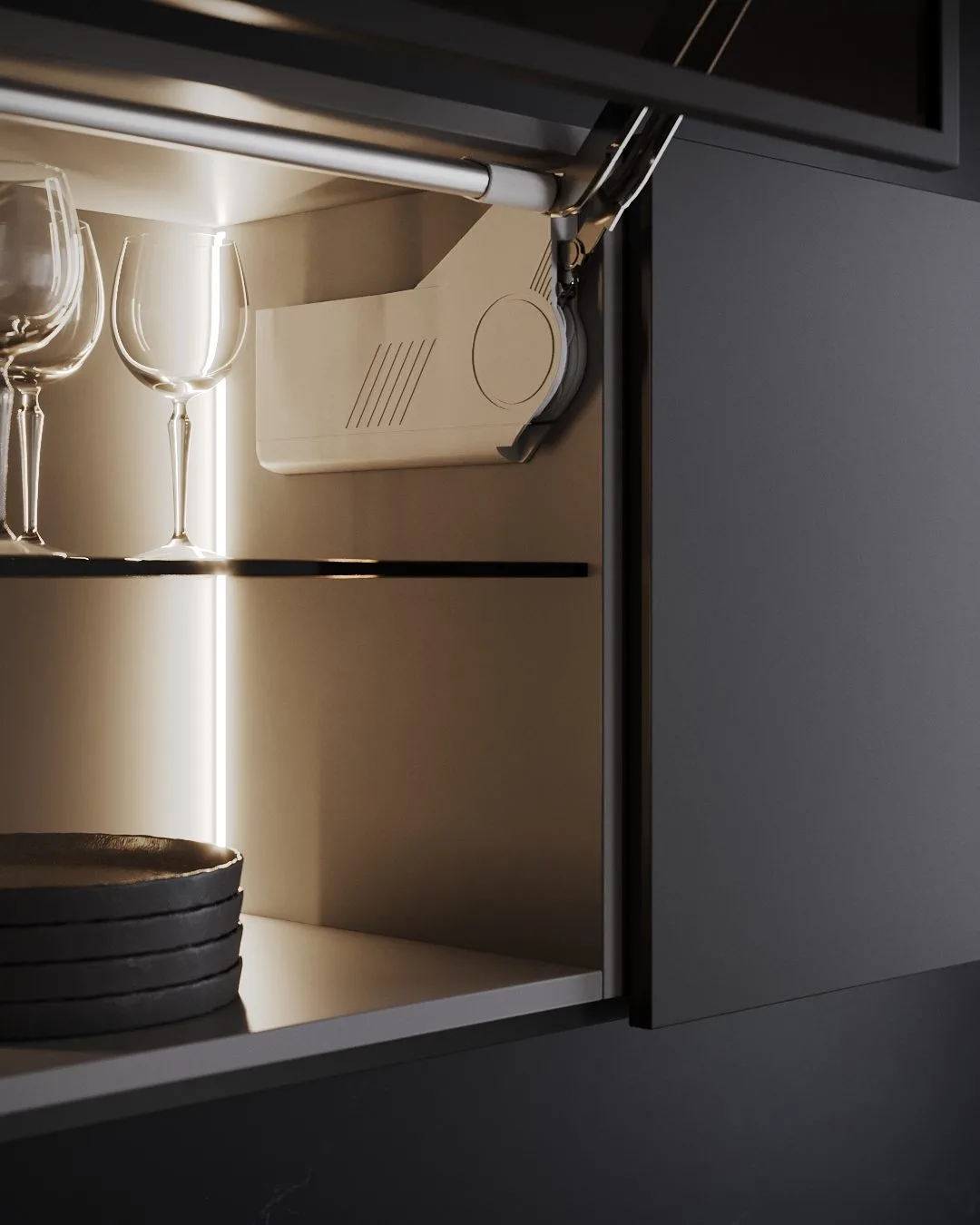
For metal items, care is taken to get the correct effect. Polished finishes reflect everything around them, so a specific scene is created, as explained for chrome in our bathroom rendering guide. For brushed and satin finishes, the grain direction must be correct. For powder coated finishes, a fine texture must be used, as otherwise it can appear plastic. We request physical samples for this. If an artist can see the real sample of a brushed nickel plate, they can replicate it very accurately compared to using an image provided by the supplier.
When creating a large range, batch rendering can be used. Using one setup, all the finishes and camera angles can be created in a matrix to form a complete range.
Hinges, Slides and Fittings: Show the Mechanism Working
Soft-close hinges and full-extension slides work internally within the furniture. While a drawer can be pulled out to show the slide running, the damper and hinge cups will be hidden behind the panel. Unless the manufacturer makes a cut-out sample, it will not be possible to see these parts. However, with renderings these panels can be hidden or cut out to show the dampers, slides and opening distance of the drawer.
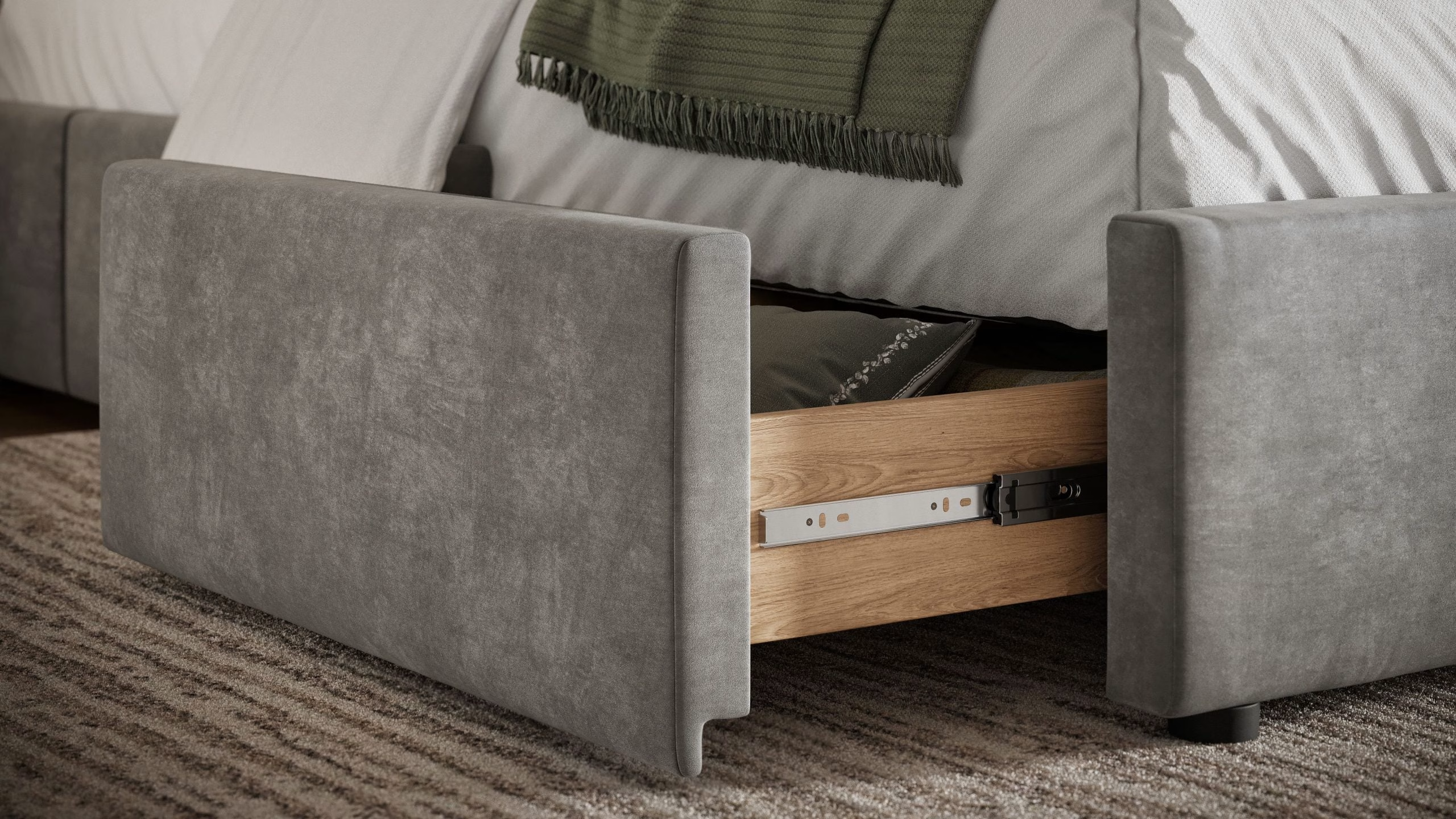
Each mechanism is made from individual components to provide moving pivot points and sliding parts, similar to the real product. This model can be used for:
- stills of the part open, closed and mid-motion
- close-ups of the damper, the mounting plate or the adjustment screws
- an animation of the full motion cycle
- an installation animation that shows the fitter where each screw goes
If you want to give an understanding of how the components fit together, an exploded view would be best. Please refer to our guide to exploded view drawings and renders.
Hardware Installed: On the Furniture It Ships For
For specification documents, the hardware should be shown alone. However, for sales pages, hardware should be shown in place. As a pull appears differently on white lacquer than on dark oak, it is important to show the product in combination with the furniture so buyers can decide if they like the combination.

Images in place are individually rendered from the approved model placed onto a modeled cabinet. This means that the same pull can be shown on bathroom vanities, kitchens and chests of drawers. The correct size and finish will be shown in each image.

Mechanisms can be shown in the same way. A lift mechanism is best shown within the wall cabinet it opens. Raising the door allows the user to see the arm, housing and space required.
Silo Renders and Technical Content for Catalogs
White background images are commonly used in hardware catalogs. These can be used in specification documents, product pages, marketplace listings and dealer price lists. As the model comes from CAD, measurements and annotations can be displayed in the image, meaning no additional drawings need to be made.
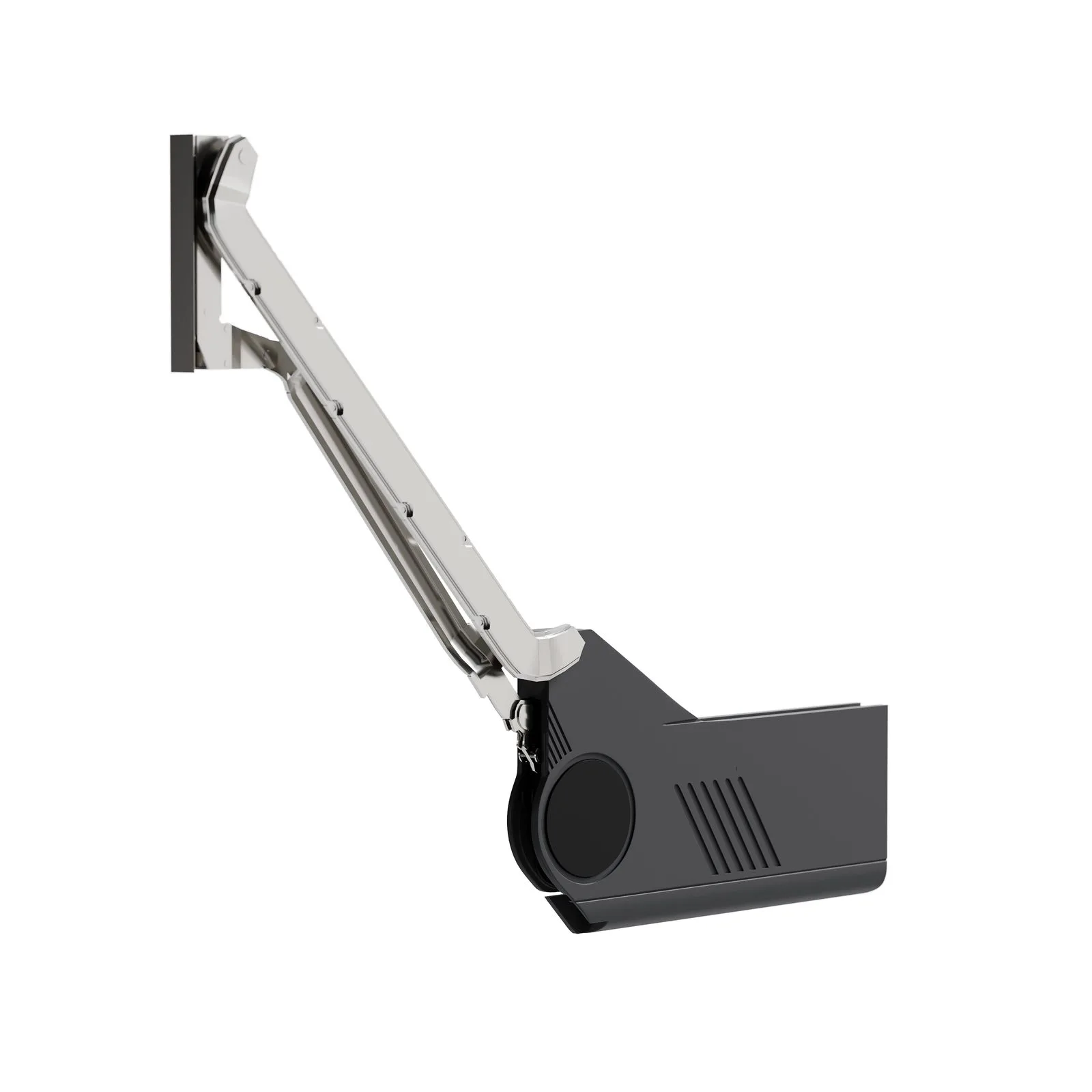
Hinge cups can be displayed with a cut through the door of the cabinet. Multiple slides can be shown next to each other to show the varying lengths. A dimensioned silo can be used directly in specification documents. Iconography, badges and benefit information can be added around the image as a separate task. Please refer to our product infographics guide.
What to Send to Start
- CAD or STEP files for each part (drawings with dimensions also work if you have no CAD)
- the finish list, with the codes used in your catalog
- physical finish samples, especially for brushed, satin and textured metals
- reference photos of the real part, close up and installed
- the furniture each part is sold for
- your SKU naming, so files come back named to match
If something hasn’t been included, your project manager will be able to tell you what is needed for the selected format.
Which Product to Render First
Choose one popular handle or hinge in one finish. Get the geometry approved (grey clay render), then get approval for the finish. 3 images will be produced: a silo, a close-up and an in-place image.
Once the model has been approved, all other finishes and new cabinets can be created with just a new render. Other products in the range can be added, as well as animation for products with mechanisms requiring explanation.

See furniture hardware visualization on your own part
See how one 3D model becomes a silo render, a close-up and a scene on the furniture it is made for.
Explore Hardware RenderingFAQ
Can you render our whole finish library from one model?
Yes. As the geometry is consistent across all images, only the material is changed. As the lighting and camera settings are also consistent, the finishes will align.
Can you show hinges and slides moving?
Yes. Mechanisms are created as assemblies, so they can be shown in open, closed or intermediate positions in still images. Full movement can be shown in animations or video.
Do the models work for AR and configurators?
Yes. Rendered models are usually too heavy for real-time applications. However, we can create a lighter version of the approved model for viewing in AR or configuration tools.
What file formats do we receive?
Static images will be in PNG, JPEG, TIFF or WebP. Animations will be in MP4 and 3D models will be in OBJ, FBX or GLB. File names will follow your SKU structure.