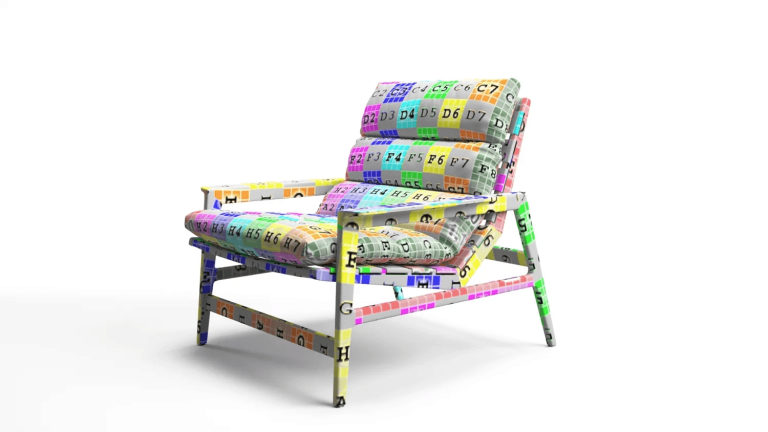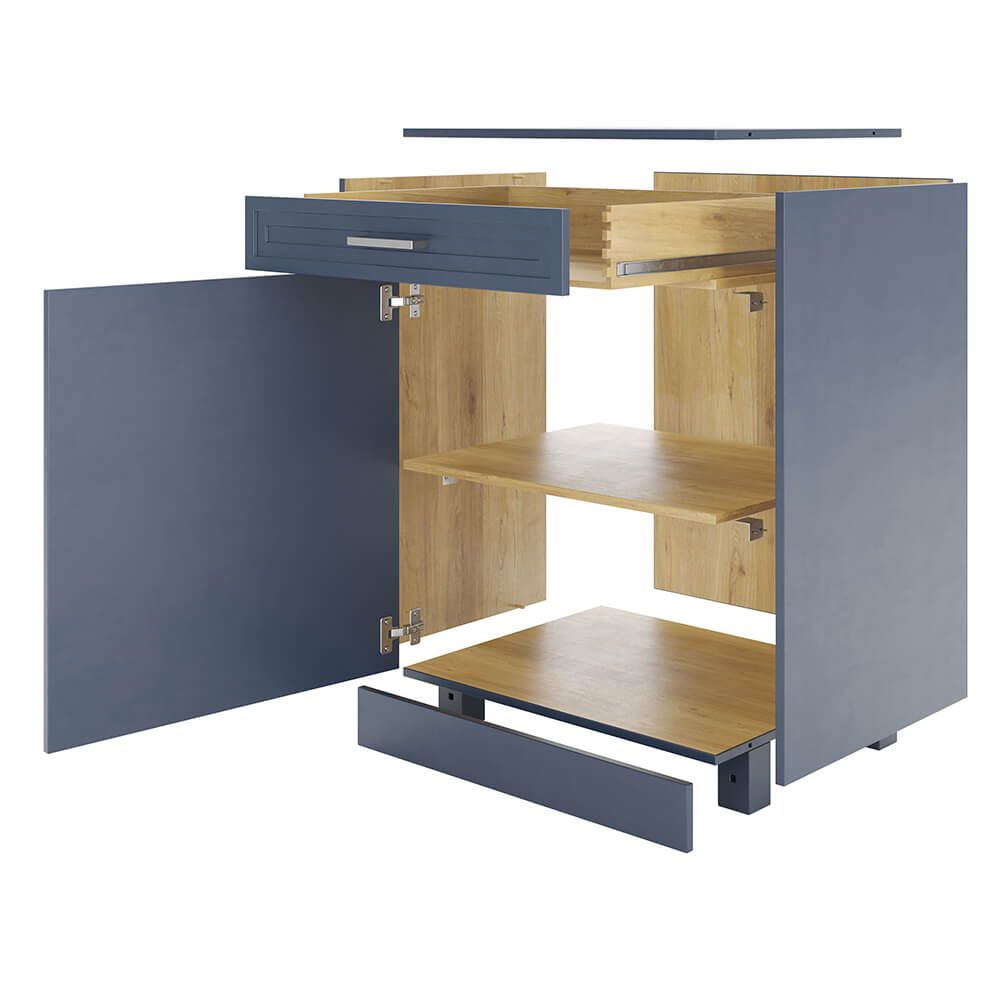
An exploded view drawing shows an object with its parts pulled slightly apart, each one kept in its correct position and order, so you can see how everything fits together. Engineers use exploded views in assembly instructions, spare-parts catalogs and patents. Product brands use photoreal exploded renders to show what is inside a product: the layers of a mattress, the construction of a cabinet, the parts of a lamp.
What Is an Exploded View?
An exploded view is a picture of an assembly taken apart along the directions in which it goes together. The parts are moved away from each other just far enough to be seen separately, but they stay lined up, so the eye can follow how each one slides, drops or screws into place. Thin guide lines often connect the parts to show the assembly path.
You will also see it called an exploded diagram, an explosion drawing or an exploded assembly drawing. In technical documents each part usually carries a number that links to a parts list, also called a bill of materials. In architecture and design, an exploded axonometric drawing does the same for a building or an interior: floors, walls and roof are lifted apart in a 3D projection.
Types of Exploded Views
| Type | What it looks like | Where it is used |
|---|---|---|
| Exploded technical drawing | Line drawing with numbered callouts and a parts list | Assembly manuals, spare-parts catalogs, patents |
| Exploded axonometric | 3D projection of a building or a space, layer by layer | Architecture, interior and urban design |
| Exploded 3D render | Photoreal parts with real materials and lighting | Product pages, catalogs, sales decks, trade shows |
| Exploded animation | Parts fly apart and come back together on video | Product videos, assembly guides, launches |
A cutaway view is a close relative, but it is not the same thing. A cutaway removes part of the outer shell to show what is inside, while an exploded view keeps every part whole and moves it outward.
Where Exploded Views Are Used
- Assembly instructions. A customer sees every part and the order it goes in, without reading a paragraph of text.
- Spare parts and service. Numbered exploded diagrams let a customer or a technician order the exact part they need.
- Patents. US patent drawing rules explicitly allow exploded views, with the separated parts embraced by a bracket, to show how parts relate or the order of assembly.
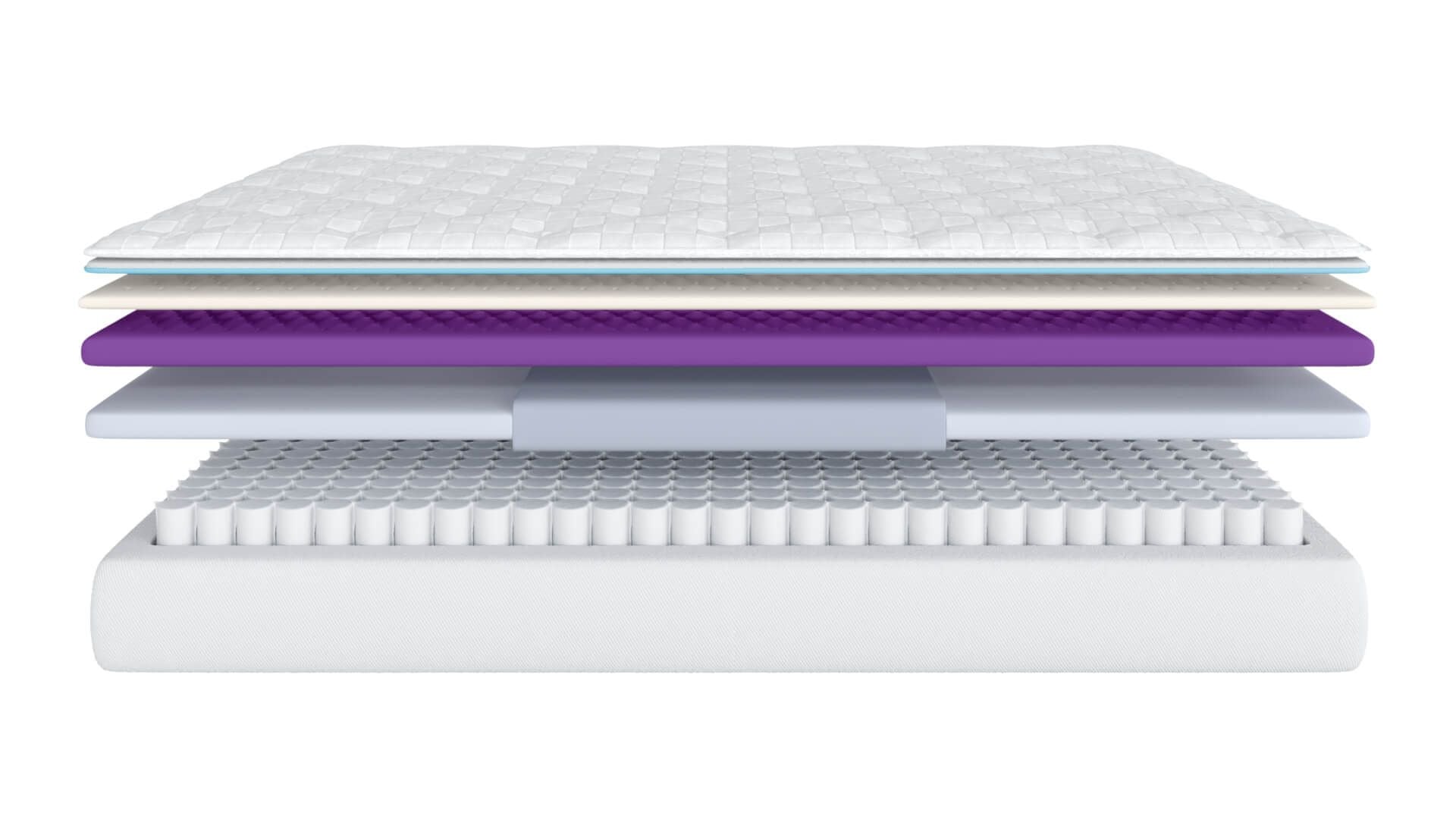
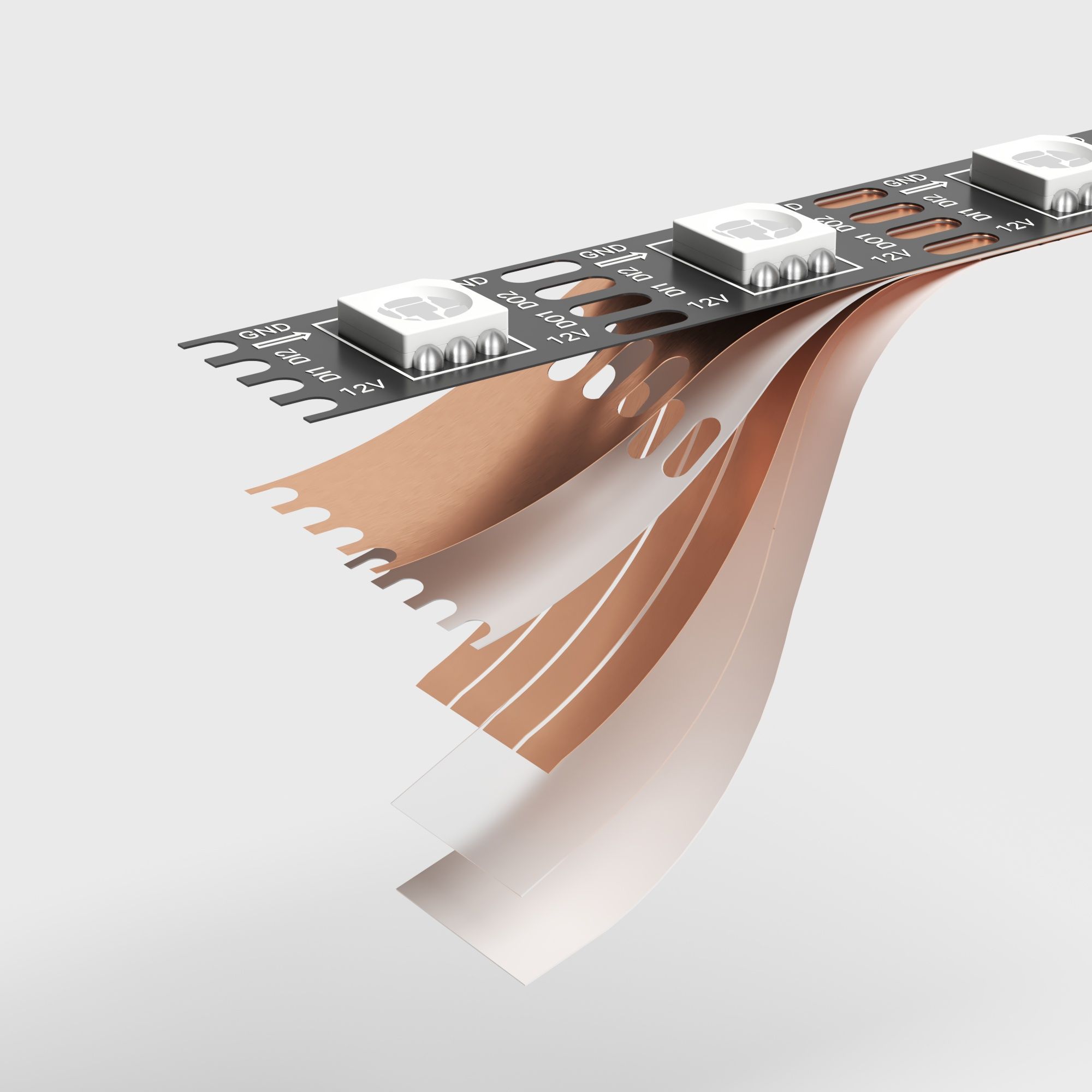
- Product pages and catalogs. An exploded render explains what a customer is paying for: the pocket springs inside a mattress, the solid-wood frame of a sofa, the layers of an LED strip.
- Sales and trade shows. Buyers and distributors understand a complex product faster when they can see its construction.
Exploded View Examples from Product Brands
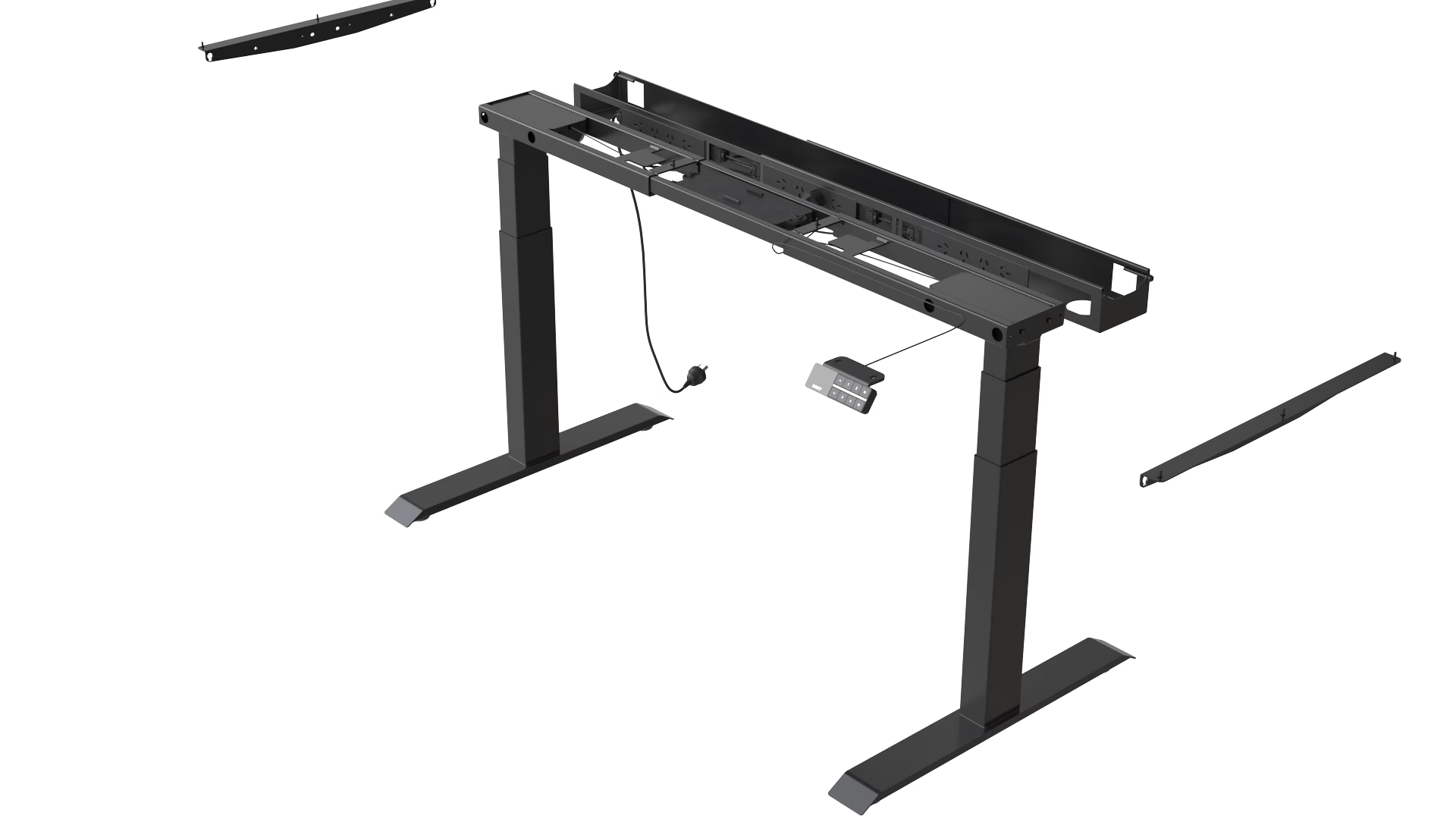
These exploded renders were made by our team for furniture, lighting and sleep brands. Each one answers a question a customer would otherwise ask. For Hilti, we built CGI that shows how tool components fit into larger systems, used in both sales and training materials.

How to Make an Exploded View
Every exploded view starts with a 3D model of the assembly, built part by part. From there, the steps are the same whether you need a technical drawing or a marketing render.
- Start from a 3D assembly. Use the CAD model if you have one. If you only have the physical product, it has to be modeled first; our guide on how to create a 3D model from photos explains what that takes.
- Choose the view angle. Pick the angle that shows the most parts with the fewest overlaps, usually a three-quarter view from above.
- Move the parts along their assembly axes. Pull each part in the direction it is installed: drawers forward, tops up, legs down. Keep small parts such as screws close to where they go.
- Keep the order. Parts that go on first should sit closest to the core of the product.
- Add guide lines and callouts. For a technical drawing, add trail lines, part numbers and a parts list. For a marketing render, keep it clean and add only the labels that sell.
- Render or export. Export the drawing to PDF, or light and render the 3D scene with real materials for a photoreal image or an animation.
Most CAD programs have a built-in tool for this: Exploded View in SOLIDWORKS, exploded views in Onshape assemblies, presentation files in Autodesk Inventor and the Animation workspace in Fusion. They are made for engineering drawings. For photoreal marketing images, the model usually goes into a rendering program such as 3ds Max or Blender, where materials and lighting are set up.
Tips for a Clear Exploded View
- Explode along straight lines that match the real assembly, never at random angles.
- Leave equal gaps between parts so the picture reads as one product, not a pile.
- Do not let parts overlap in a way that hides how they connect.
- Show fasteners and hardware if the customer will handle them.
- For complex products, split the explode into several images, one sub-assembly each.
- On a product page, pair the exploded view with a normal view of the finished product. A close-up shot of key details works well alongside both.
Exploded Drawing or Exploded Render: Which Do You Need?
| Exploded drawing | Exploded render | |
|---|---|---|
| Goal | Explain assembly and parts precisely | Show quality and construction to a buyer |
| Look | Line art, part numbers, parts list | Photoreal materials, light and shadow |
| Made in | CAD software | 3D rendering software, from the same model |
| Best for | Manuals, service, patents | Product pages, catalogs, ads, trade shows |
Many brands need both, and one accurate 3D model can produce both. We make exploded renders as part of our product feature rendering services, and exploded or step-by-step videos through our 3D installation animation services.
FAQ
What is an exploded view called?
It is also called an exploded diagram, an explosion drawing or an exploded assembly drawing. In architecture, the 3D version is called an exploded axonometric.
What is the purpose of an exploded view?
To show how the parts of a product fit together and in what order, without taking the real product apart. It is used for assembly instructions, spare parts, patents and product marketing.
How do you make an exploded view?
Start from a 3D model of the assembly, choose the view angle, move each part along the direction it is installed, keep the assembly order, then add guide lines and callouts or render it with real materials.
What is the difference between an exploded view and a cutaway?
An exploded view moves whole parts apart to show how they assemble. A cutaway removes part of the outer shell to show what is inside the finished product.
Can you make an exploded view without CAD files?
Yes. A 3D artist can model the product part by part from photos, measurements and drawings, and then explode and render that model.