
3ds Max is the standard tool for product rendering in furniture and millwork, but the program alone doesn’t guarantee a realistic result. Realism depends on how the 3D artist handles the model, lighting, materials, composition and post-production.
Below are five tips that cover each of these stages. They explain what 3D artists do to make a render look real and what manufacturers should check in the brief and during draft reviews when they order 3ds Max rendering.
1. Build an Accurate 3D Model
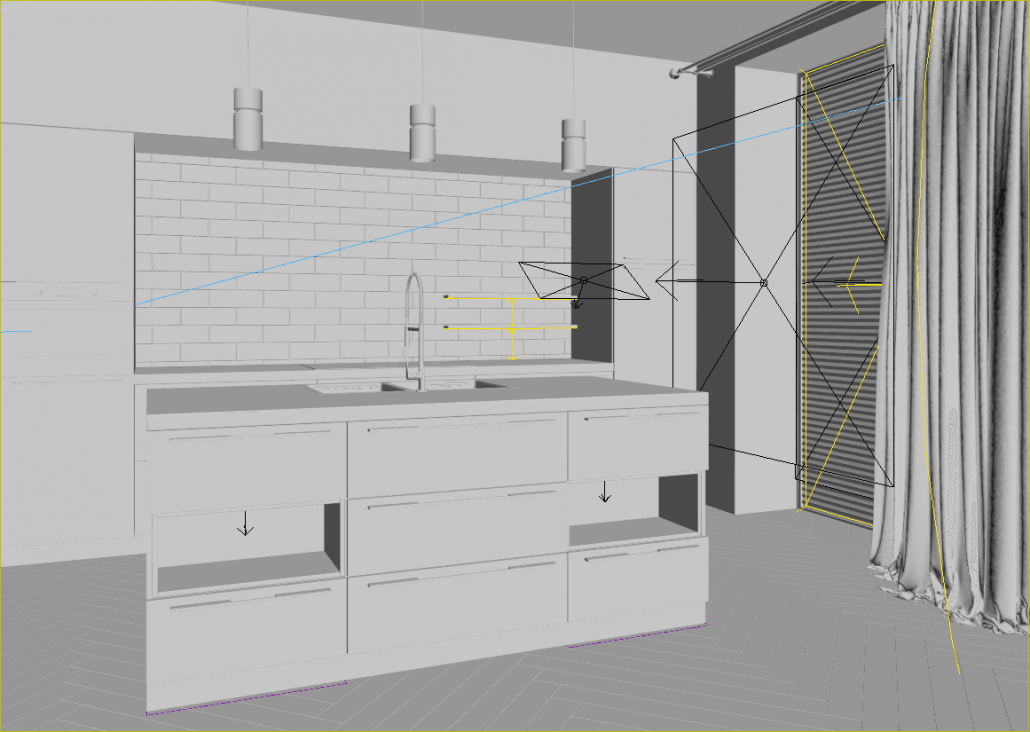
An accurate model starts with references. The basics for rendering in 3ds Max are drawings and photos, and clients can add material samples, sketches and moodboards. Proportions matter most: if they are off, the render won’t look like the real product, however good the lighting and materials are. Small details matter too, such as creases on upholstery or scratches on wood. They make the model read as a real object rather than a clean digital copy.
2. Use Different Sources of Lighting

Lighting changes how textures and design details look, so 3D artists recreate real-world lighting in the scene. Photo studios often use three-point lighting, and 3ds Max product rendering follows the same principles: several light sources, often with natural and artificial light mixed. For exterior scenes, artists pick an HDRI environment map that matches the time of day and weather they need.
3. Match Materials and Textures to Real Ones

3D rendering software comes with standard material libraries, but they rarely match a specific product. For realistic surfaces, CG specialists look for textures that match the client’s real materials, usually on online texture platforms. Surfaces in 3ds Max furniture rendering also shouldn’t look perfectly smooth, because natural materials aren’t. The roughness of stone or the grain of wood adds as much realism as texture quality.
4. Apply Asymmetry in Composition

Asymmetry is one of the basic composition principles in 3ds Max rendering. Real interiors are never perfectly arranged, so decor shouldn’t be lined up too neatly, and the furniture layout can be slightly irregular as long as it follows other composition rules. Asymmetry still needs balance: in 3D product renderings, no area of the background or negative space should overpower the rest. Small imperfections like these are a large part of what makes realistic rendering read as a photo.
5. Add Visual Effects in Post-Production

Post-production is the last stage, where the artist polishes details. Color correction is the most common step, and the main rule is not to oversaturate the render. Levels and curves fix lighting and color problems by adjusting the black and white points. Sharpening brings out textures, and contrast helps highlight model details. Post-production is done in 2D graphics software and takes a separate set of skills. Studios that offer product rendering services usually handle this stage in-house, so the client receives finished images.
Why Studios Choose 3ds Max for Furniture Rendering
These five tips work in other programs too, but 3ds Max remains the default in furniture visualization for practical reasons:
- One program for the whole job. Modeling, texturing, lighting, cameras, rendering and animation happen in the same scene, so one setup gives you silo renders, lifestyle images and a CG video.
- Proven render engines. It works with V-Ray and Corona (see how they compare), plus simulation plugins such as Phoenix FD for liquids, smoke or fire.
- Tools that suit furniture. The Cloth tools help with natural folds on upholstery, and the Advanced Wood map builds realistic procedural wood.
- Easy file exchange. .MAX is the standard format in furniture and decor model libraries, and the program imports and exports FBX, OBJ, 3DS, DWG and DXF. Your CAD drawings or models from other software can be used without rebuilding them.
- Standard outputs. Renders are saved as JPEG, TIFF or PNG, ready for the website, print or further editing in Photoshop.
These tips show how 3ds Max artists get a realistic result and what manufacturers should check before they approve renders.

Download CGIFURNITURE price guide and learn the costs of top-tier 3D visualization projects of different scales!
See our pricingNeed realistic product images for your website or catalog? Order our 3ds Max product modeling services and get renders that are ready to use.