
Chapter 1
What Is 3D Product Rendering
3D product rendering is the process of creating flat images from 3D product models using specialized computer software. The same 3D model can be the basis for a clean white-background shot for an e-commerce listing, a product lifestyle image, a close-up detail view, a 360 spin, or a product animation. No photoshoot. No physical sample. Brands get content to go to market faster and keep visuals consistent for product variants without a photoshoot for each colorway or option. Product renders are going on a Product Detail Page (PDP), a marketplace listing, a catalog, or a paid advertisement.
3D Product Rendering Explained


3D product rendering definition
3D product rendering is the process of creating 2D product images from a digital 3D model using specialized software, without a photoshoot or physical sample. A CG studio applies surface materials to a 3D model, sets light and a camera angle, and render the final 2D image. The result is a commercial product visual that can be effectively indistinguishable from a traditional photograph. In plain terms: instead of booking a studio, shipping samples, and photographing your product, a CGI studio builds a digital version of it and renders images from that. The outputs look the same. The production process is entirely different.
Brands use photorealistic rendering to produce everything from clean PDP images to full campaign lifestyle scenes. What makes it commercially useful is that all of those outputs come from the same base model. Changes such as changing a colorway, adjusting a finish, or swapping a background occur within the file itself, not during a reshoot.
How it differs from 3D modeling

Modeling and rendering are two separate things, and mixing them up causes confusion when briefing a studio. Modeling is building the digital object — getting the geometry right, setting proportions, and creating the asset that represents the product. Rendering comes after. It's where materials and surface finishes get applied, lighting gets set up, the camera gets positioned, and the final image gets produced.
No model, no render. Most brands arrive with CAD files(computer-aided design files), technical drawings, or detailed references. The studio uses those to build the model. Rendering then turns that model into finished imagery. The two stages are sequential, not interchangeable.
What the final deliverables can include:

One 3D product model can produce a lot. Depending on what channels a brand needs to feed, the deliverables from a single modeling job can include the following:
- White background renders — clean silo images for e-commerce PDPs and marketplace listings
- Lifestyle renders — the product in a room, a setting, a scene. Context that helps a shopper picture it in their own space
- Close-up and detail shots — tight on the fabric, the finish, the stitching, the hardware
- 360-degree product spins — a full rotation the shopper can drag themselves through
- Product animations — motion content for social, launch teasers, or feature demos
- AR-ready and interactive assets — 3D files designed for augmented reality (AR) viewers and configurators, which allow users to interact with and visualize products in a virtual environment.
How 3D Product Rendering Works
Every project follows the same pipeline; however, the complexity varies based on how much is built from scratch compared to what is already available as existing files.

3D model creation or CAD preparation

Before anything gets rendered, there has to be a model. If one doesn't already exist, a studio builds it — usually from CAD files, technical drawings, product dimensions, or detailed reference photos. The quality of what you hand over at this stage has a direct impact on how accurate and efficient the modeling work will be.
Once the model exists, it becomes a reusable production asset. The same model accommodates various colorways, adapts to design modifications without requiring a complete rebuild, and seamlessly integrates into subsequent campaigns. And because it's digital, teams can review and sign off on a product before anyone's commissioned a physical prototype.
Materials, textures, and surface finishes

Once the geometry is completed, the next task is to make the surfaces appear realistic. Every material on the product — wood, metal, fabric, plastic, and glass — has to behave the way it actually would under light. Artists build texture maps for color, roughness, metalness, bump, and surface detail using Substance Painter and Quixel Mixer. Each map tells the renderer something specific: how reflective is this finish? Does the grain catch the light at an angle? Does the fabric absorb or scatter?
What you send as reference material has a direct effect on accuracy. Finish samples, swatches, sharp detail photos of the actual surface — all of it helps artists get the match right. For upholstered furniture, premium hardware, and specialty packaging, getting this stage right is what separates a product render that's indistinguishable from a photo from one that reads as "clearly CGI."
The Viasit project illustrates why this matters. The German office chair brand needed colorway renders — multiple fabric and finish options shown within a single image — for a new chair collection. Because the material references were precise, the team could cycle through every colorway variant from one base model without a new build for each. The full set came back consistent in lighting and finish accuracy across the range.
Lighting and scene setup

A well-built model with bad lighting looks flat and unconvincing. Lighting is where the image gets depth — it shapes how volume reads, pulls surface texture forward, and sets the tone of the whole shot. There's no fixing it in post if the setup is wrong from the start.
What the scene needs depends entirely on the intended use. A silo render wants clean, even coverage — nothing dramatic, just enough to make materials and edges read clearly. A lifestyle scene is a different problem: directional light, shadows that feel grounded, and reflections that make the setting look lived-in. The lighting isn't decorative; it's doing a job, whether that job is answering a buyer's question on a PDP or carrying a brand mood in a campaign image.
Camera angles and composition

Pick the wrong angle and a good product looks awkward. Focal length, depth of field, shooting height — all of it affects how the product reads. Does it look compact or imposing? Premium or approachable? Hero angles are chosen to show the product at its strongest. Supporting views answer the practical questions: scale, proportion, what the sides and back look like. Detail shots go tight on whatever justifies the price — the joinery, the fabric grain, the hardware finish.
Camera choices need to match the channel. E-commerce PDPs need angles that hold up consistently across a marketplace listing. Campaign images have more room to do something stronger. Either way, resetting a camera angle in 3D costs nothing. In a photo studio, it means calling the crew back.
Rendering and post-production

When the scene is set (materials, lighting, camera), the rendering engine takes over. It processes every light bounce, shadow, reflection, and surface interaction in the scene and produces the final image. Many studios use batch rendering at this stage, running multiple camera angles, colorways, or variants automatically in a single job. This method efficiently covers a large product family, eliminating the need to repeat the same setup work for each SKU.
Post-production comes after. Artists balance exposure, color, and contrast; sharpen detail; and prepare the files for their destination — web compression for a listing, high-resolution export for print, or formatted creative for a paid ad campaign. A proper quality control pass before delivery keeps the whole set consistent and ready to use.
3D Product Rendering Software

The 3D production pipeline breaks down into a few stages: modeling, texturing, rendering, and post-production. Each one tends to have its own tools.
3D Modeling and Scene Building
3ds Max and Maya are standard. Both are Autodesk products and capable of performing all processes. Cinema 4D has a reputation for being easier to pick up, so it's popular in agencies and motion graphics work. Blender is the outlier. It is open-source, free, and once considered a hobbyist tool. That reputation hasn't really held up. It's now used in serious production pipelines, and its development pace has been aggressive. All these applications handle geometry construction, scene layout, UV unwrapping, and animation rigging. The choice between them usually comes down to studio pipeline and file format requirements.
Texture and Material Creation
Surface detail is where renders either look convincing or fall flat. Adobe Substance 3D has become something of an industry standard for building PBR (physically based rendering) materials — wood grain, leather, woven fabrics, coated metals. Artists either build materials from scratch in Substance Painter or pull from its asset library and adapt from there. The output feeds directly into the rendering engine as texture maps.
Rendering Engines
V-Ray and Corona are often used for product and architectural visualization. Both use physically based lighting technology and are built for photorealistic output. Complex materials like glass, brushed metal, and fabric, that would be difficult or expensive to photograph consistently can be photorealistic showen on CG images. Arnold leans more toward film and high-end commercial work. These engines plug into the modeling applications above rather than replace them. A common setup would be Cinema 4D for modeling and scene layout, with Corona handling the final render pass.
Post-Production
Raw render output rarely goes straight to the client. Adobe Photoshop allow to polish the rendered work — color grading, exposure adjustments, adding backgrounds, and sharpening. For animation, After Effects takes over. This stage is where small issues get fixed and the overall image gets pushed to final quality. It's a short step in the pipeline but makes a visible difference in the end result.
What Is 3D Product Rendering Used For?

Product rendering shows up across the entire product lifecycle — not just at launch. Here's where teams actually use it.
E-commerce product pages and marketplaces

Retailers and brands use product rendering as a standard production method for e-commerce — and it's easy to see why. A single 3D model generates white-background hero images, supporting angles, and close-up shots for every product variant in the line, all consistent in lighting and composition. No separate shoot per colorway. No waiting for physical samples to arrive.
Global Industrial has been running this workflow with CGIFurniture since July 2024, covering everything from repair tools to cleaning supplies. Their website is a major e-commerce platform that requires large volumes of silo and lifestyle renders linked directly to product codes in their internal system — a requirement that only works reliably when imagery is produced from 3D files rather than managed through photography logistics.
The commercial case goes beyond efficiency. Clear, complete imagery reduces returns. Shoppers who can see a product accurately from multiple angles before buying it are less likely to be surprised when it arrives — and less likely to send it back. For marketplace listings, that consistency across SKUs also makes the catalog look more professional at scale, which can enhance customer trust and potentially lead to higher sales conversions.
Product launches and marketing campaigns


The product doesn't need to exist yet for the marketing to start. CGI lets teams build realistic visuals from design files alone — and use them for pre-order campaigns, paid ads, social content, and email sends before manufacturing wraps. Go-to-market prep runs in parallel with production instead of waiting for it. When inventory finally arrives, the assets are already complete.
Product design reviews and internal approvals

Before making any physical samples, manufacturers and product teams use renders to review designs. A 3D model allows for a high level of visual accuracy in examining colorway options, finish variations, and structural details. Stakeholders see exactly what they're approving. Feedback gets incorporated in the file, not on a reworked prototype. When changes are minor, that can save weeks, allowing for quicker approvals and faster time-to-market for the product.
Catalogs, presentations, and sales materials

Once a set of product renders exists, it works across a lot more than just the e-commerce listing. The same assets go into printed and digital catalogs, wholesale line sheets, sales decks, and trade show presentations — all with consistent lighting and composition. Teams don't have to source new imagery each time a new sales tool is created. The asset library does the work.
Types of 3D Product Rendering
Not every product needs the same set of visuals. What you order depends on the channel, the product, and what the image has to do. Most brands end up needing more than one type — and since everything comes from the same 3D model, adding outputs is far cheaper than running a second shoot.
Here's a summary of the main deliverable types and where they get used:
| Type of Render | Best Use | Typical Output |
|---|---|---|
| White background | E-commerce PDPs, marketplace listings | Clean studio shots, packshots, and silo images |
| Lifestyle | Campaign visuals, social media, brand storytelling | Styled scenes and contextual room or setting shots |
| Close-up / detail | Feature callouts, premium materials, packaging | High-res texture and finish detail shots |
| 360 spin | Interactive e-commerce, configurable products | Multi-frame sequence for interactive viewer |
| Animation | Product demos, launch teasers, social ads | MP4 / GIF / loop video |
| Interactive / AR-ready | Configurators, AR shopping apps | 3D asset package optimized for real-time use |
White background product renders

The workhorse of e-commerce. White background renders — also called “silo renders” or “packshots” — show the product on a clean neutral backdrop with nothing competing for attention. They're required for most marketplace listings, they work cleanly on product detail pages, and they make a catalog look consistent across dozens or hundreds of SKUs(stock keeping units, which are unique identifiers for each product).
Because the lighting is standardized and the background is flat, these images are easy to compare across a product range and repurpose across channels. They're usually the first deliverable any e-commerce team needs.
Lifestyle product renders

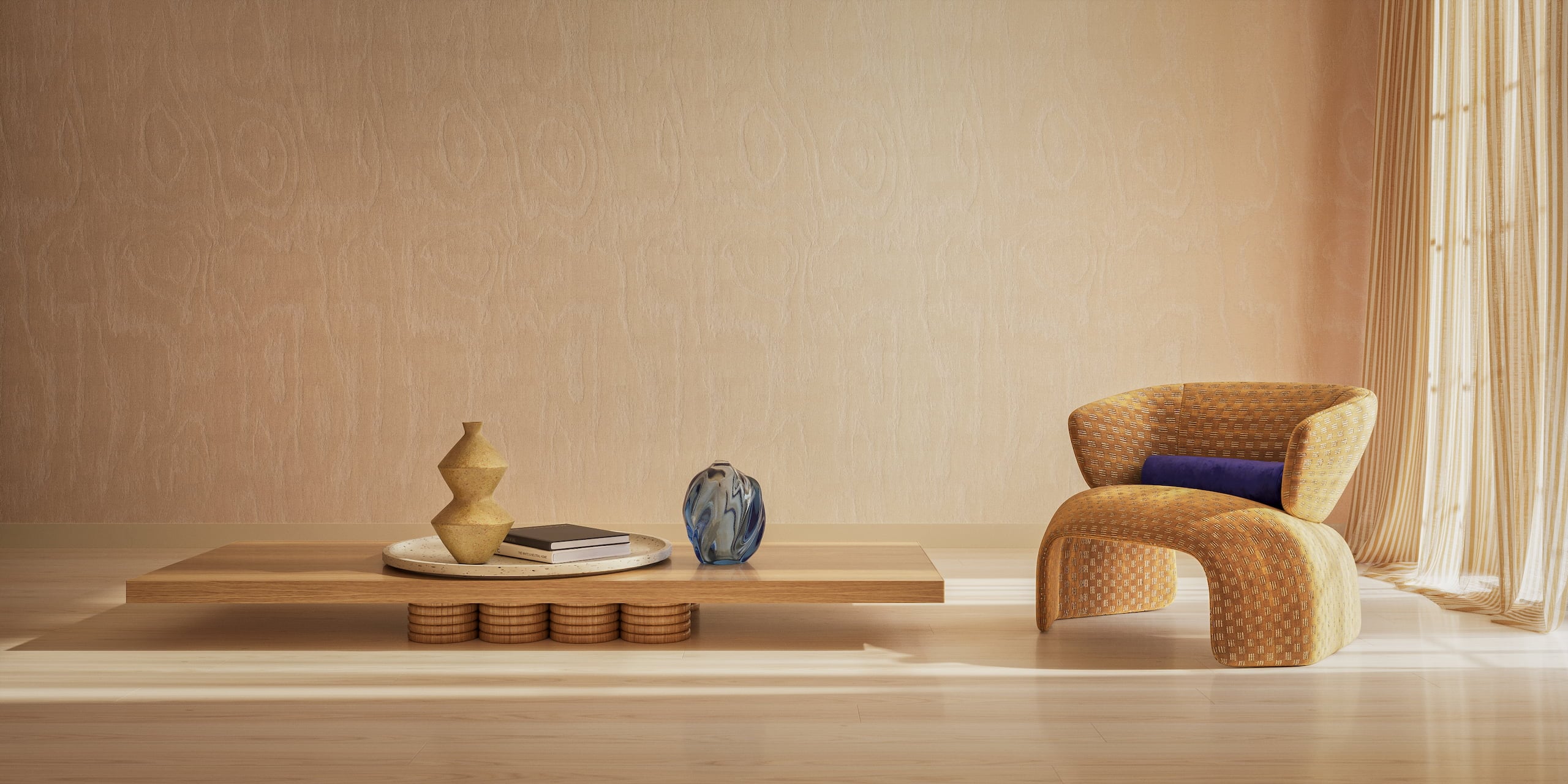
A silo render answers the question "What does it look like?" while a lifestyle render addresses "Where does it belong?" Drop a sofa into a real-looking room, and suddenly a shopper can picture it in theirs. For furniture and home goods, that's often the image that tips the decision by helping customers visualize how the item fits into their own living spaces and lifestyles.
In a photography studio, building that scene takes location scouting, prop sourcing, a full shoot day, and a lot of coordination. In CGI, you brief the scene, and the studio builds it. Different season, different lighting mood, different setting — it's all adjustable without rebooking anything. That's the flexibility that makes lifestyle CGI genuinely cost-competitive with photography at any real scale.
Close-up and feature renders

A hero image shows the product. A close-up sells it.The details, such as the tight weave of the fabric, the brushed metal finish, the placement of a hinge, and the stitching on a seam, highlight aspects that a wide angle fails to convey. Shoppers buying at a price point want to see what they're actually getting. A well-placed close-up answers that.
For premium products, these are often the most persuasive images on the page. Not the lifestyle. Not the hero. He was the one who demonstrated the quality of the product up close.
360 product spins and interactive views

Online shoppers can't pick a product up. A 360 spin, which is a draggable image sequence, allows online shoppers to rotate the product and view it from various angles. Interactivity removes real hesitation before the buy for products that have a back worth seeing, configurable options, or geometry that looks different from various angles.
From a production standpoint, generating 36 or 72 frames from an existing 3D model takes a few extra render hours. Doing the same thing on a turntable in a photography studio is a half-day shoot.
Product animation and advanced outputs
A product animation can show a feature demo, a product reveal, an assembly sequence, or a simple branded loop for social. Any of these would require a full film production setup in a traditional workflow. From a 3D model, they're an extension of the same pipeline, which refers to the series of processes involved in creating and producing digital content.
Brands that invest in a high-quality model upfront often expand into animation once the e-commerce and catalog content is covered — the asset is already there.
Benefits of 3D Product Rendering

The practical advantages stack up across the whole product lifecycle. Here's where brands consistently see the difference — illustrated with real examples from CGIFurniture projects.
Faster time to market

Marketing prep doesn't have to wait for the product to exist. With 3D rendering, launch assets, paid ad creatives, and pre-order pages can be built from design files and CAD data — while manufacturing is still running. By the time inventory arrives, the content is already done. That parallel workflow compresses timelines that would otherwise stretch across months of sequential steps.
Easyplant — a brand selling indoor plants in self-watering ceramic pots — needed detailed imagery to support e-commerce and social media before their products were available for wide distribution. CGIFurniture modeled the full product range from reference materials, produced silo sets and lifestyle scenes, and delivered content that went directly onto product pages and social channels. The production timeline ran parallel to their commercial rollout rather than trailing behind it.
Fewer prototypes, reshoots, and production delays


Design change? Update the file. Color shift? Adjust the material and re-render. With a physical sample, the same changes mean producing a new prototype, shipping it, waiting for it, reviewing it, and often doing it again. That cycle adds up — in cost, in time, and in frustration.
3D rendering removes most of those dependencies. Changes are made in the model. No new sample needed. No reshoot required. The iteration loop that used to take weeks now takes days.
Better Bona Furniture — a manufacturer exporting high-end bedroom furniture to over 30 countries — came to CGIFurniture needing visuals for a catalog that covered more than 80 individual pieces. Building and photographing physical samples for a product range that size would have been a multi-month production exercise. Starting from 3D meant the catalog was built iteratively, with adjustments made in file rather than on a reshooting schedule.
Easy product variants and reusable assets


A brand with 12 colorways used to need 12 separate shoots. With 3D rendering, all 12 come from the same model — the material gets swapped in the file and re-rendered. The same applies to material options, configuration variants, and size variations within a product family.
Those assets don't expire after one use either. The model and render files go into an asset library that carries forward into seasonal updates, new campaigns, and future catalog editions. The cost per image drops with every subsequent use.
The same logic applies to material options, configuration variants, and size variations. OMI Mattresses — a long-running CGIFurniture client since 2019 — has completed over 30 visualization projects using this model. Their silo sets and lifestyle images share a consistent visual language across the entire range, produced from a growing library of 3D assets rather than repeated shoots.
Scaling large SKU catalogs and omnichannel content

Calculating the costs of a traditional photography workflow for a large catalog quickly reveals significant challenges. Hundreds of SKUs, each with several colorways, needing angles for e-commerce, marketplace, catalog, and ads — that's a shoot schedule that takes months and a budget that climbs with every variant. 3D rendering changes the denominator. One model covers the whole product family. The same render set gets reformatted for every channel in a single production run.
The commercial case isn't just operational. Richer imagery — more angles, accurate material representation, and variant coverage that matches the actual range — directly reduces returns and lifts conversion. Shoppers who can see the product properly before they buy are less likely to be surprised when it arrives.
Ready-made scene library reduces per-image cost

CGIFurniture has a lot of scenes already made that can be used. We have a collection of 4,200 lifestyle scenes that can be changed to fit a brands style the type of product and what the campaign is about. When CG artists use these scenes they do not have to build everything from the beginning for each project. 3D artists start with what they have and focus on making the product look good and placing it in the right spot. This approach reduces turnaround time and keeps per-image costs predictable at scale.
Brands like CVL Luminaires, Fusion Furniture, and CMcadeiras have all used this approach — placing their products into existing room sets with targeted adjustments to materials, props, and lighting, rather than commissioning full custom environments for every visual.
Consistent visuals across channels

When every image in a catalog comes from the same 3D model, the geometry, materials, and proportions are identical across all of them. The product looks the same on the website, in the marketplace listing, in the catalog, and in the paid ad — because it is the same, rendered from the same file. Matching that consistency across three separate photoshoot sessions, with different crew and different lighting conditions, is essentially impossible at any real scale. For brands and retailers operating across multiple platforms, that baseline visual consistency isn't a pleasing finish — it's a trust signal.
Better control over presentation quality

Traditional photography has variables that can't be fully controlled — a shadow landing in the wrong place, a material reading differently under studio lights than in the showroom, and a composition that looked right on the monitor but felt off in print. In CGI, every element is a deliberate choice: where the light source sits, what angle the camera takes, how the surface finish reads, and what's in the background. Nothing happens by accident. That means brands can standardize how a product line looks across every image in the catalog and change any of it without booking another shoot.
How AI Is Changing Product Rendering

Speed was already one of the stronger arguments for CGI. AI is making that gap wider. Denoising is the most immediate change. V-Ray and Corona both ship with AI denoisers built in. The engine renders fewer samples, the denoiser reconstructs the clean result. Render times that used to run four or five hours finish in one. That's not marginal — it changes how many projects a studio can run in parallel, which shows up in turnaround and pricing.
Texture work is moving fast too. Substance 3D has added AI-assisted material generation. Studios use tools like Adobe Firefly to generate starting points that artists then convert into proper PBR maps. The process still takes skilled hands — it just starts from somewhere instead of nowhere.
Post-production follows the same pattern. AI upscaling means renders don't have to be output at final resolution to land at print quality. Background generation, masking, basic compositing — things that used to eat up a chunk of a working day now happen between other tasks.
Why AI doesn't replace 3D rendering — and probably won't.
The fundamental problem with AI-generated product imagery is that AI invents. It's very good at producing something that looks plausible, but plausible and accurate are different things. A sofa leg gets an extra curve. A fabric pattern shifts. A hardware finish reads slightly wrong. None of it is obvious until someone checks the output against the actual product spec — and that check requires a human who knows what they're looking for.
3D rendering works the other way around. The model is built from CAD files and technical drawings. Every dimension is deliberate. Every material is matched to a reference. The output is accountable to a brief in a way that generated imagery isn't.
Where AI genuinely earns its place in the pipeline is at the concepting stage — generating references, exploring directions, filling in gaps before production decisions are locked. And in post, where it handles mechanical tasks that don't require judgment. But the moment a brand needs an image that accurately represents a real product going to market, someone has to verify that what's in the frame is actually what's in the product. That's not a step AI can own yet.
3D Product Rendering vs Product Photography

Traditional photography isn't going anywhere — but it has real constraints. Reshoots cost money. Timelines stretch when a product changes after a shoot. Every colorway and variant requires its own shoot session, or doesn't get covered at all. And for products that don't exist yet, photography isn't an option.
CGIFurniture teams regularly hear the same pattern from incoming clients: they've been managing large catalogs with photography and it works until it doesn't — until the product line grows, a rebrand hits, a supplier changes a material, or a new colorway gets added two weeks before a catalog deadline. That's when rendering starts to look like the better system rather than just the cheaper option.
The best approach depends on your goals and the product's lifecycle.
When rendering is the better option
- The product doesn't have a physical sample yet — visuals are needed before manufacturing
- The product comes in multiple variants — colorways, materials, configurations
- The catalog is large and needs to scale efficiently across SKUs
- Visuals need to be reused, updated, and reformatted across campaigns over time
- Content needs to work across multiple formats: e-commerce, print, ads, and social media
When photography still makes sense
- The product needs to be shown with real people, in real use, with genuine interaction
- A finished physical product already exists, and the shoot is simple and one-off
- The brand aesthetic specifically calls for live-action texture and natural imperfection
- A single hero shot is needed quickly without going through a modeling stage first
When brands use both together
Many brands run CGI and photography in parallel rather than choosing between them. Renders handle catalog coverage and variant imagery. Photography covers selected hero campaign content — a lifestyle scene with real people and a brand shoot that requires a specific live-action quality. Some teams use rendering for full variant coverage and commission photography for one or two seasonal brand-level images. The hybrid approach often delivers the best commercial result at the most manageable cost.
Rendering vs Photography — at a glance:
| Factor | 3D Product Rendering | Product Photography |
|---|---|---|
| Physical sample needed? | No — can start from CAD or drawings | Yes — finished physical product required |
| Variant creation | Instant — swap color or material in the file | Requires separate shoot per variant |
| Speed of changes | Fast — update file, re-render | Reshoot required for most changes |
| Pre-launch readiness | Yes — visuals before production | No — product must exist first |
| Cost at scale | Efficient — one model, many outputs | Cost multiplies with variants and reshoots |
| Lifestyle flexibility | Full control — any scene, any setting | Limited by props, location, and budget |
| Multi-channel reuse | High — same model, different formats | Limited — each shoot produces one set |
| Reshoot dependency | None | High — changes mean new shoots |
What You Need to Start a 3D Product Rendering Project

To create accurate renders, a studio will typically need dimensions, materials, and visual references — photos or videos of the product work great. They may also ask for additional details depending on the project. Below is a handy checklist of what's usually requested.
| Input | What to Provide |
|---|---|
| CAD files or technical drawings | The primary modeling input. Dimensions and geometry must be accurate. |
| Reference photos or product samples | Used to verify shape, proportions, and surface detail. |
| Material and finish references | Swatches, samples, or high-res detail photos of textures and colors. |
| Required views and angles | Hero view, supporting angles, close-ups — specify what each will be used for. |
| Background direction | White background, lifestyle scene, or specific setting — make this clear upfront. |
| Target channels | E-commerce, catalog, social media, ads — format and resolution requirements vary. |
| Deadline | Realistic timelines help avoid rushed post-production and revision pressure. |
| Revision expectations | Agree on the number of revision rounds before production begins. |
Source files and dimensions
CAD files are the ideal starting point. They contain accurate geometry and proportions that let artists build a clean model efficiently, without guesswork. If CAD files aren't available, technical drawings, product dimensions, or a physical sample sent to the studio can fill the gap — with some added preparation time. The better the input, the faster and more accurate the modeling work.
Materials, finishes, and visual references
Material references are what make a render look like the real product and not a generic 3D object. Send physical swatches, finish samples, or sharp detail photos of the actual surface wherever possible. If you have Pantone codes, fabric codes, or material specification documents, include them. Clearly reference any hardware, accessories, or packaging that may appear in a render upfront.
Required views, backgrounds, and channels
Be specific about what the project needs to produce and where it'll be used. A PDP brief is different from a catalog brief, which is different again from a paid ad brief. How many angles? Lifestyle or white background? What resolutions does the final file need to hit? Knowing which channel each image is going to before production starts saves reformatting time at the end — and usually prevents a revision round or two as well.
Timeline, revisions, and deliverables
Agree on the deadline and scope before modeling starts. How many revision rounds are included? What output formats do you need — JPG, PNG, PSD, or raw passes? Will any assets need to be resized for different channels? These things are quick to confirm upfront and expensive to untangle at delivery. Timeline matters too: a longer runway lets the studio run more work in parallel and gives revision rounds room to breathe.
How Much Does 3D Product Rendering Cost

Most product renders land somewhere between $100 and $800 per image — but that range is wide for a reason. The variables below are the ones that move the number.
What affects pricing?
| Factor | Why It Changes Cost |
|---|---|
| Product complexity | More geometry, details, and parts mean more modeling time |
| Modeling needed? | Starting from scratch adds significant time vs reusing an existing model |
| Number of views | Each additional camera angle adds rendering and post-production time |
| Silo vs lifestyle | Lifestyle scenes require scene-building, props, and more lighting work |
| Animation / 360 | More frames, more render time, often more post-production |
| Variant count | Each colorway or material swap requires setup, even if the model is reused |
| Revision rounds | More rounds mean more production hours, especially late-stage changes |
What affects turnaround time?
The timeline depends on the quality of your input files, the complexity of the product, how many variants are needed, and how many revision rounds are in scope. A straightforward product with clean CAD files and a clear brief can turn around silo renders in a few days. Lifestyle scenes, large variant sets, and animation projects take longer and benefit from a longer runway. When in doubt, build extra time into the brief rather than into the delivery pressure.
Explore 3D Product Rendering for Your Brand
Whether you're preparing for a product launch, scaling e-commerce content across a large catalog, or looking to cut the time and cost of repeated photoshoots — 3D product rendering is a well-established, practical solution. The workflow is structured. The outputs are flexible. And the 3D models you commission don't expire after one use.
Frequently Asked Questions
What is 3D product rendering in simple terms?
How long does a product render take?
Is 3D rendering cheaper than product photography?
Can renders be created before manufacturing?
What files are usually needed?
How is CGIFurniture different from other rendering studios?
Get the Commercial CGI & Product Rendering Guide for Marketing Directors
Everything you need to scale product content with CGI.
Get expert insights, real project examples, and strategies with proven ROI.
Fill out the form to receive the guide directly in your inbox.