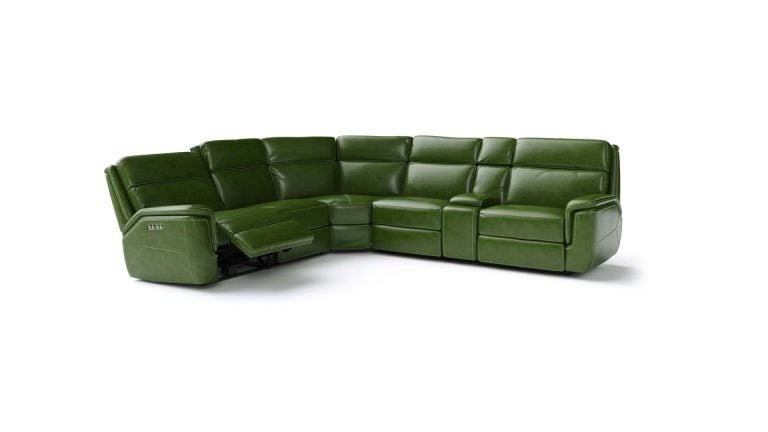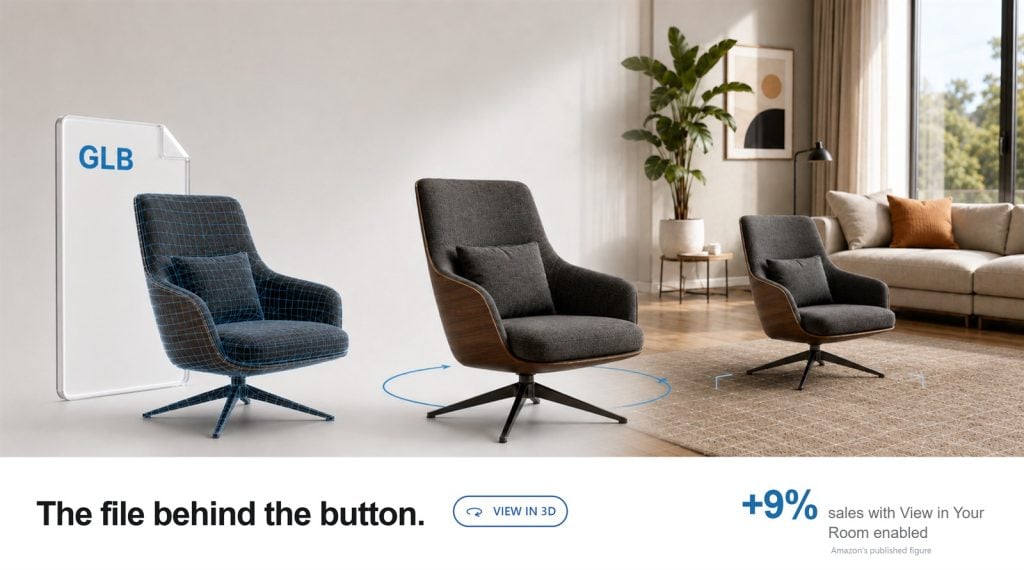
Amazon View in 3D is an interactive shopping feature that allows customers to rotate, tilt, and zoom in on a product directly from an eligible listing. For supported furniture and home products, Amazon may also offer View in Your Room, which uses augmented reality to place the item inside the shopper’s space.
These experiences depend on an approved 3D product model connected to the listing. An Amazon-ready GLB model provides the geometry, materials, textures, and real-world dimensions Amazon needs to display the product interactively.
If View in 3D is missing from your listing, shoppers have to rely on static images alone. A properly prepared GLB model can help eligible products qualify for Amazon’s interactive 3D and AR experiences and give customers more confidence before purchasing.
Can Amazon View in 3D Add 9% to Your Sales?
Figures published by Amazon in Getting Started With 3D Content on Amazon, from US programs. Amazon does not guarantee future performance based on prior results.
Static images force shoppers to make assumptions about the parts of a product they cannot see. An interactive model removes much of that uncertainty at the exact moment when the shopper is deciding whether to buy.
Illustrative example, not a sales forecast.
When two comparable products sit side by side, the listing that lets shoppers inspect the product from every angle and place it in their room asks them to take less risk. The listing without those options competes with less product information.
Photography can strengthen a listing, but it cannot enable Amazon’s interactive 3D features. Those experiences require an approved 3D asset associated with the ASIN. Amazon accepts GLB and glTF files; GLB is usually the more convenient delivery format because it packages the model into a single file.
| What the shopper needs to determine | Photos only | With a 3D model |
|---|---|---|
| How the product looks from the back and underside | Not shown | Free 3D rotation |
| Whether it fits the space | Dimensions must be interpreted | AR placement using real-world dimensions |
| How the material actually reads | Depends on the shot | Physically based materials |
| Proportions next to existing furniture | Assumption | View in Your Room |
| Construction and joinery detail | Only if photographed | Zoom from any angle |
Every row in the middle column is a question the shopper has to answer by guessing — and every guess is a reason to keep scrolling.
What Amazon View in 3D Gives the Shopper
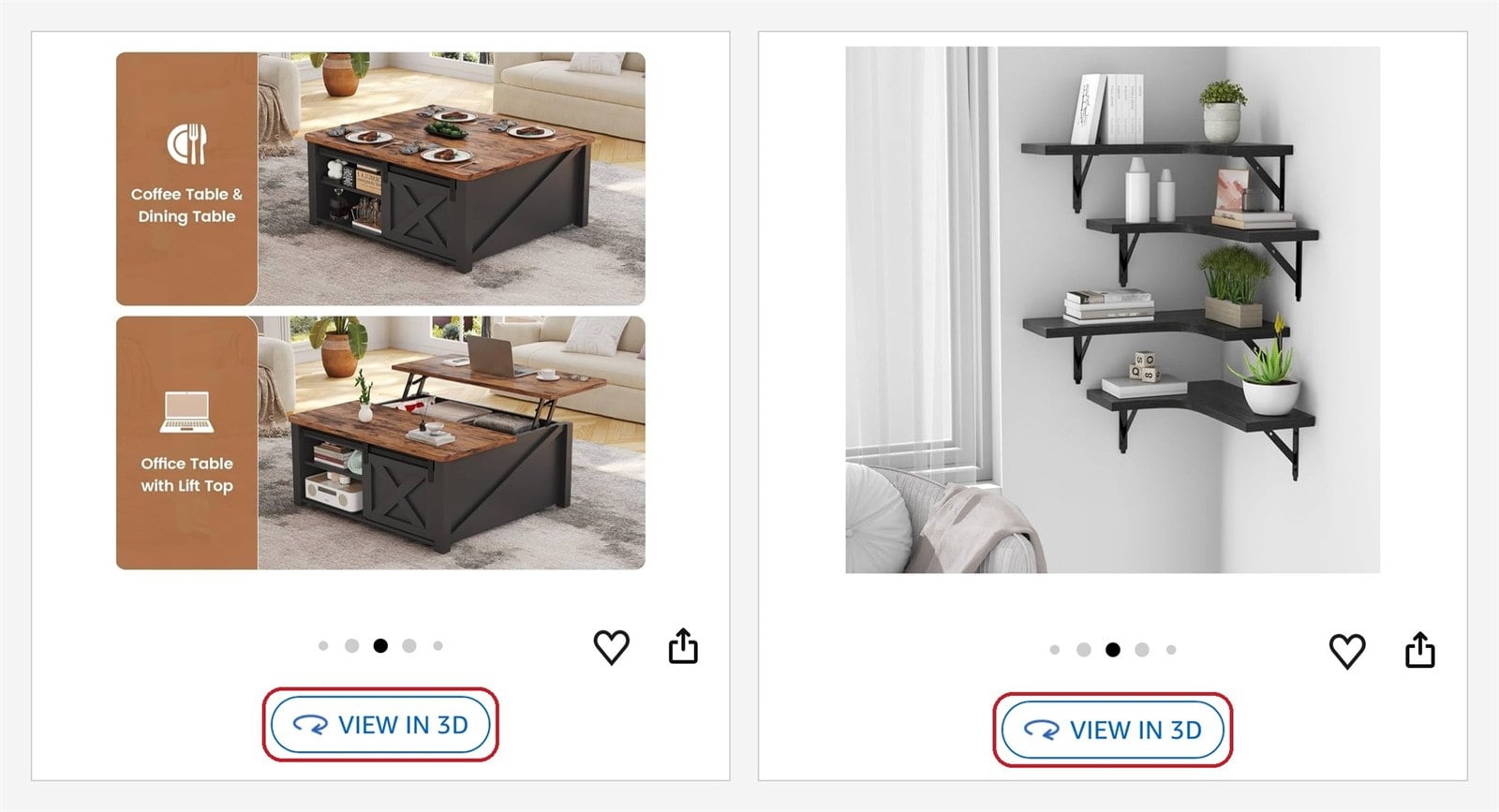
View in 3D replaces the guesswork of a photo gallery with an interactive model of the product itself. The shopper opens it from the listing and inspects the item from any angle — including the back, the top, and the underside that catalog photography usually leaves out.
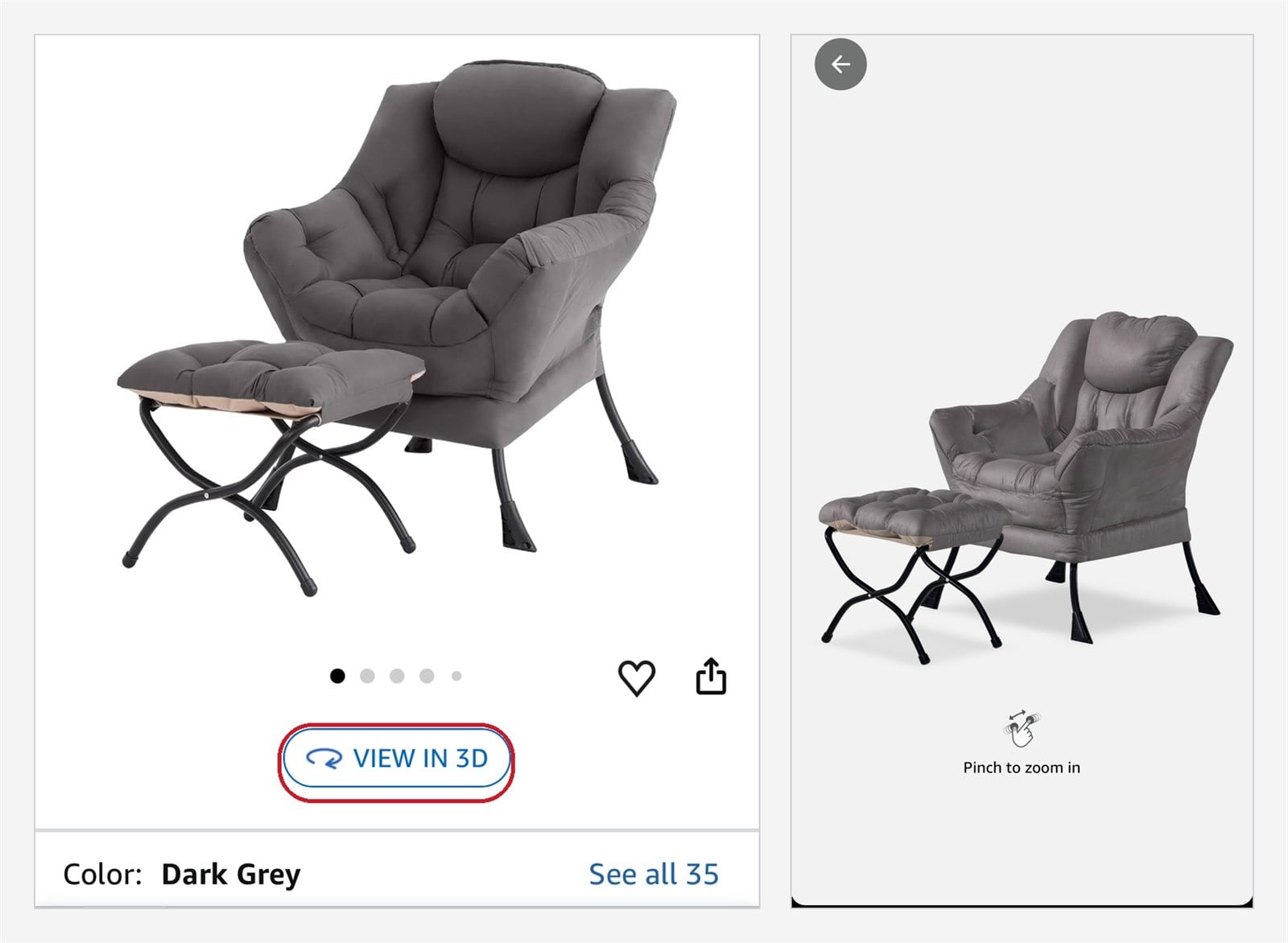
It is not a separate page or a plugin. Amazon renders the model inside the listing, using the 3D file attached to that ASIN. Availability depends on the product, category, region, and device, so the buttons do not appear on every listing.
Below is that same interaction running on this page. Drag to rotate the model, zoom in on the joinery, and look at the back and underside — the angles a photo gallery rarely covers. On a phone, tap the AR icon to place it in your own room.
Amazon View in Your Room for Furniture Products
For furniture, the second button is often the more decisive one. A sofa that photographs well can still be too deep for a narrow living room, and a shopper who cannot resolve that question usually closes the tab instead of ordering.
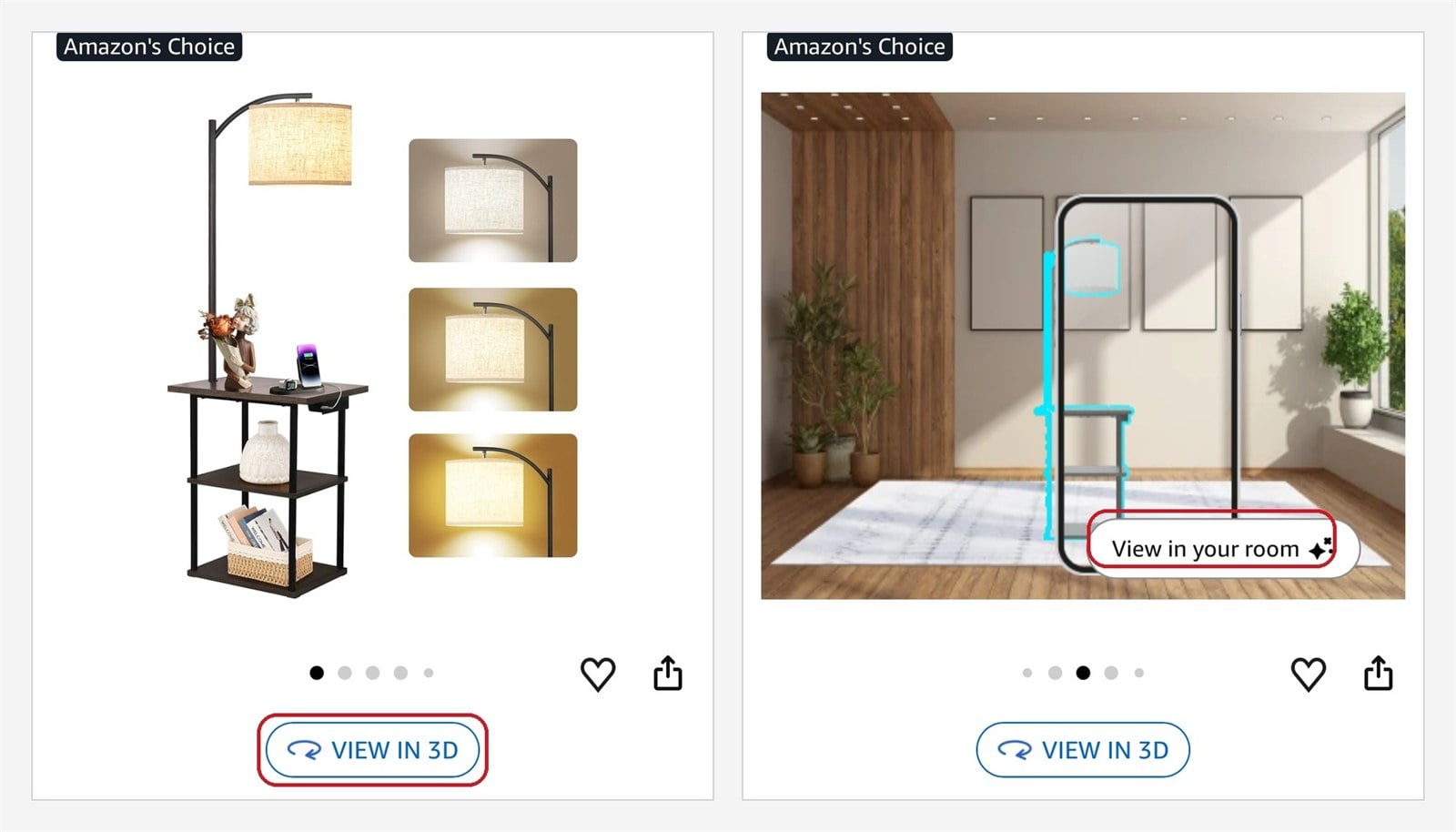
View in Your Room answers it before checkout. The shopper taps the button, allows camera access, and points the phone at the floor. Amazon places the model in the room using its submitted real-world dimensions, helping the shopper assess its scale and placement before ordering.
This feature is not available for every category, region, or device: it requires an AR-capable mobile device and an eligible product.
Rotate the model below to see what an Amazon-ready GLB looks like from every angle. On a phone, tap the AR icon to place it in your own room.
If the button is missing from your listing because no approved model is connected to the ASIN, the next step is to prepare an Amazon-ready GLB file.
Why Every Listing With View in 3D Starts With a GLB Model
Amazon cannot create an accurate interactive product experience from standard listing photos alone. It needs a three-dimensional asset containing the product’s geometry, scale, materials, and textures.
GLB packages this information into a single file that Amazon can process for interactive display. When approved and supported for the relevant ASIN, category, region, and device, one GLB model can power both View in 3D and View in Your Room.
However, uploading any GLB file is not enough. The model must accurately represent the physical product and meet Amazon’s current technical and visual requirements. Incorrect dimensions, excessive geometry, missing textures, inaccurate materials, or poor model orientation can delay approval or result in an experience that misrepresents the product.
What an Amazon-Ready GLB Model Should Include
A production-ready Amazon GLB model should include:
- accurate product dimensions and proportions
- optimized geometry within Amazon’s current limits
- properly mapped 2K–4K textures
- realistic PBR materials
- correct scale, orientation, and pivot placement
- clean presentation from every viewing angle
- GLB validation before upload
Amazon GLB technical requirements
Amazon’s current expectations for a listing model: geometry up to 200,000 triangles, textures in the 2K to 4K range, real-world scale with correct orientation, and physically plausible materials for the actual fabric, wood, metal, or glass.
From Your Photos to a Model Amazon Approves
1. References. The build starts from what physically exists: product photos, measured dimensions, drawings, and material or fabric samples. None of it has to be a technical file — it only has to be verifiable against the real product.
2. Modeling. The product is rebuilt as a measured digital twin: correct proportions, real-world dimensions, and the construction details that hold up when a shopper rotates the model to the back or underside.
3. Texturing. Materials are authored as physically based surfaces — fabric weave, wood grain, brushed metal, glass — so the product reads the same in Amazon’s viewer as it does in studio photography.
4. Optimization. Geometry is reduced to fit Amazon’s triangle limit and textures are baked to 2K–4K without losing the detail that sells the product.
5. Export and validation. The model is exported as a single GLB, then checked for scale, orientation, and pivot placement before it goes anywhere near Seller Central.
6. QA. Every visible surface is inspected, scale and orientation verified, and the model tested the way a shopper meets it — rotated on each axis and placed in a room in AR.
Certified by Amazon to do exactly this

In practice that means the technical numbers above are not something you have to manage. Optimization, validation, and preparation for Amazon’s review are part of the build.
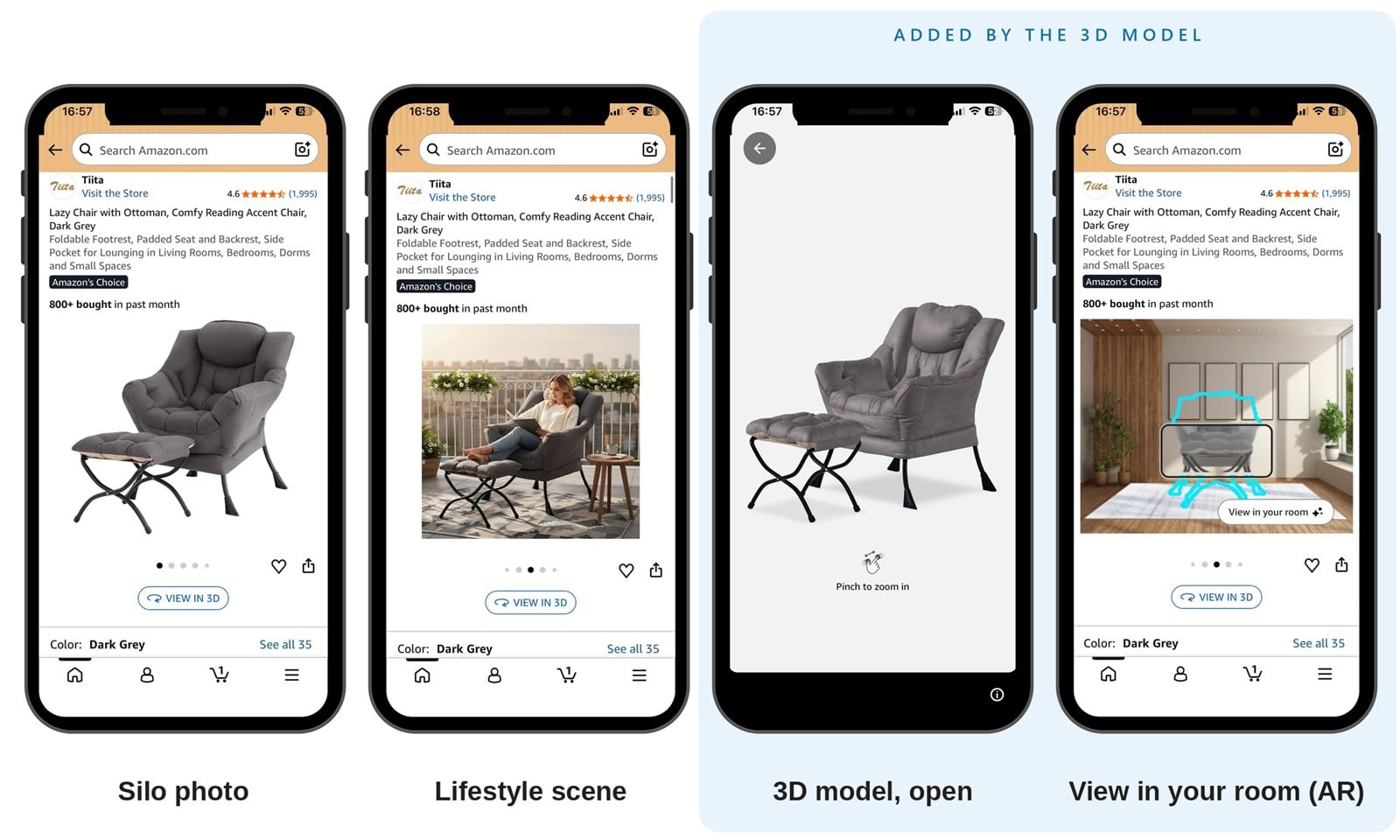
One model also stops being a single-purpose asset. The same source 3D model that drives View in 3D and the AR placement above produces silo shots, lifestyle scenes in any interior style, and 360° spins for your own site — which an AI-generated product image cannot do, because it has no geometry behind it.
See GLB 3D model services for scope and formats, or AR 3D modeling services if AR placement is the priority.
Get Amazon View in 3D on Your Product Listings
If you have product photos, dimensions, drawings, or material references, you already have the inputs needed to start. We turn them into accurate, Amazon-ready GLB models optimized for interactive viewing and prepared for Amazon’s technical and visual review.
Your customers get more than another product image. They can examine the item from every angle and, when eligible, place it inside their own room before purchasing.
Give shoppers the product information static images cannot provide — before they leave for a competing listing.
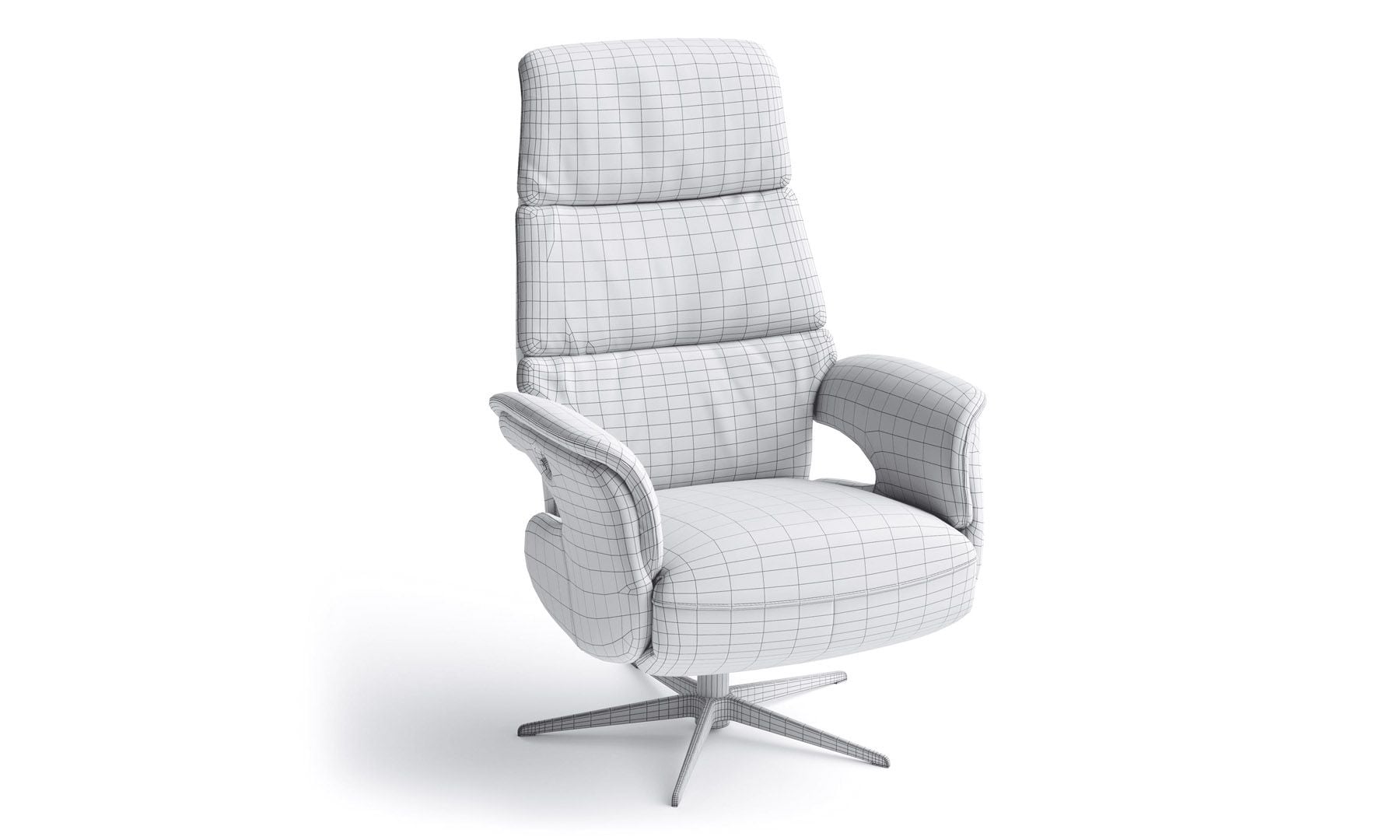
Start with an Amazon-Ready GLB Model
Send product photos, dimensions, and material references — we build the GLB and prepare it for Amazon’s technical and visual review.
Get an Amazon-Ready GLB ModelFAQ
Does my Amazon listing already have View in 3D?
Open the ASIN in the Amazon Shopping app and look below the main product image. If View in 3D is there, an approved 3D model is already connected to the listing.
Why is View in 3D missing from my listing?
Usually one of four reasons: no 3D model has been uploaded, the model has not passed Amazon’s review, the product category or region is not eligible, or the feature is not supported on the device you are checking on.
Does one GLB model power both View in 3D and View in Your Room?
Yes — one approved model can drive both experiences, provided the ASIN, category, region, and shopper’s device are eligible.
Is Amazon View in 3D available on desktop and mobile?
View in 3D appears on supported listings in the Amazon Shopping app and on supported product pages. View in Your Room requires an AR-capable mobile device, so checking only on desktop can make the feature look absent when it is not.
Which products are eligible for Amazon View in 3D?
Eligibility is set by Amazon at the category and region level, with furniture and home products among the supported types. Confirm your specific category in Seller Central before commissioning models for a full catalog.
Does every ASIN need a separate GLB model?
Yes. Each ASIN needs a model of that specific product. Variations that differ only in finish can often be produced from the same base geometry, which makes a collection cheaper to cover than the ASIN count suggests.
Can an existing 3D model be converted into an Amazon-ready GLB file?
Often, yes. Production or visualization models usually carry far more geometry than Amazon accepts and materials set up for offline rendering, so the work is retopology, texture baking, scale correction, and validation rather than modeling from scratch.
How do I upload a GLB model to Amazon?
Through the 3D model upload tool in Seller Central, alongside the listing’s other media. Amazon reviews the model before it becomes visible to shoppers.
How long does Amazon take to review a 3D model?
Amazon does not publish a guaranteed turnaround, and review times vary. Submitting a model that already meets the technical and visual requirements is the only part of the timeline you control.
What happens if Amazon rejects the GLB model?
The model can be corrected and resubmitted. Rejections typically come from geometry over the limit, wrong scale or orientation, missing or low-quality textures, or a model that does not match the product being sold — all fixable in the source file.