A GLB file is a 3D model saved in the binary version of glTF, the open 3D format maintained by the Khronos Group. One .glb file holds the geometry, materials, textures and any animation, so it opens anywhere without extra files. That is why GLB has become the standard for 3D on the web, in AR, and on marketplaces such as Amazon.
This guide explains what is inside a GLB, how to open and convert one, how it compares with glTF, USDZ, FBX and OBJ, and what a GLB needs to pass Amazon. The model below is a GLB file: drag it to rotate.
What Is a GLB File?
GLB stands for binary glTF (GL Transmission Format). Where most 3D formats were made for exchanging files between 3D programs, glTF was made for delivering 3D to screens: it loads fast and looks the same in every viewer that supports it. A GLB file typically contains:
- the 3D geometry (the mesh) of the product;
- PBR materials, which describe how each surface reacts to light: base color, metalness, roughness;
- the texture images, embedded in the same file;
- optional animations, such as a drawer opening or a recliner moving;
- real-world scale, since glTF uses meters as its unit.
A 360° spin is a sequence of photos, so it cannot be turned into a GLB. A GLB has to be built as a real 3D object, from your CAD data or modeled from photos and dimensions. Our guide on how to create a 3D model from photos explains what a studio needs for that. One GLB can then serve every channel, which is the idea behind GLB files for ecommerce beyond Amazon.
GLB vs glTF: What Is the Difference?
They are the same format in two packages. The content is identical; only the way it is stored differs.
| glTF (.gltf) | GLB (.glb) | |
|---|---|---|
| Files | A JSON text file, plus a .bin file and separate texture images | One binary file with everything inside |
| Best for | Editing and debugging, since the JSON is human-readable | Uploading and sharing: nothing can go missing |
| Used by | Developers and 3D pipelines | Amazon, Shopify, web viewers, Android AR |
If a platform asks for a 3D model for a product page, send GLB. It is one file, so a texture cannot get lost on the way.
How to Open a GLB File
You do not need paid software to look at a GLB. Any of these will open one:
- Online viewers. Drag the file into a browser viewer such as glTF Viewer, the model-viewer editor or the three.js editor. Nothing to install.
- Blender. The free 3D program opens GLB through File, Import, glTF 2.0. Use it when you need to inspect or edit the model.
- Windows. Microsoft 3D Viewer opens GLB on computers where it is still installed.
- Sketchfab. Upload the GLB to preview it and share a link with your team.
- Your phone. On Android, a GLB on a web page can open in AR through Google Scene Viewer. iPhones use USDZ for AR instead, see below.
How to Convert a GLB File
- GLB to STL for 3D printing: import the GLB into Blender and export STL. STL keeps only the shape, so colors and materials are lost.
- GLB to USDZ for iPhone and iPad AR: use Apple Reality Converter on a Mac (more in our guide to USDZ files), then check that the materials still look right.
- GLB to FBX or OBJ for other 3D software: import into Blender and export the format you need.
- Photos or a 360° spin to GLB: not a conversion. The model has to be built in 3D first.
GLB vs USDZ, FBX and OBJ
| Format | Made for | Materials | Typical use |
|---|---|---|---|
| GLB | Delivering 3D to web and AR | PBR, embedded | Product pages, Amazon, Shopify, Android AR |
| USDZ | Apple AR Quick Look | PBR, embedded | AR on iPhone and iPad |
| FBX | Exchanging scenes between 3D programs | Program-specific | Animation and production files |
| OBJ | Simple geometry exchange | Basic, in a separate .mtl file | Legacy pipelines, quick hand-offs |
Most product brands need GLB and USDZ for the web and AR, plus a high-detail source file for renders. Our overview of 3D file formats covers the rest.
What Makes a Good GLB for Product Pages
A GLB that opens is not the same as a GLB that sells. For a product page, the file should have:
- correct real-world dimensions, so AR shows the true size in a room;
- materials that match the real finish under neutral light;
- textures sharp enough for a close look, without making the file heavy;
- a file light enough to load quickly on a phone, within each platform’s own size limits;
- clean geometry with no holes or stray parts, which marketplaces check on upload.
Our GLB 3D model services build files to these rules from CAD or from photos and dimensions.
GLB Files on Amazon
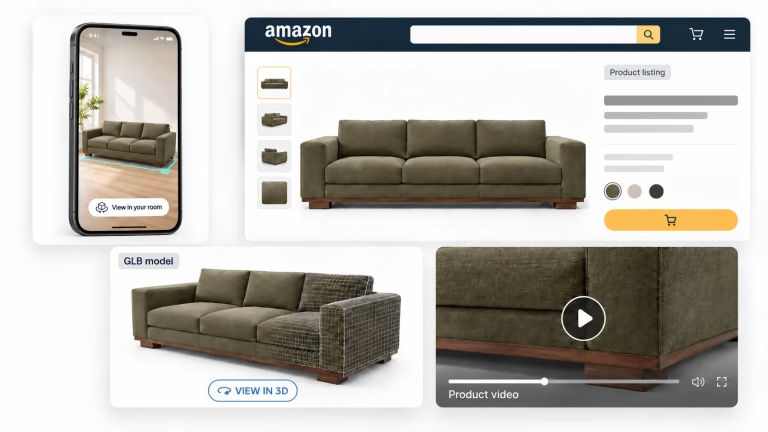
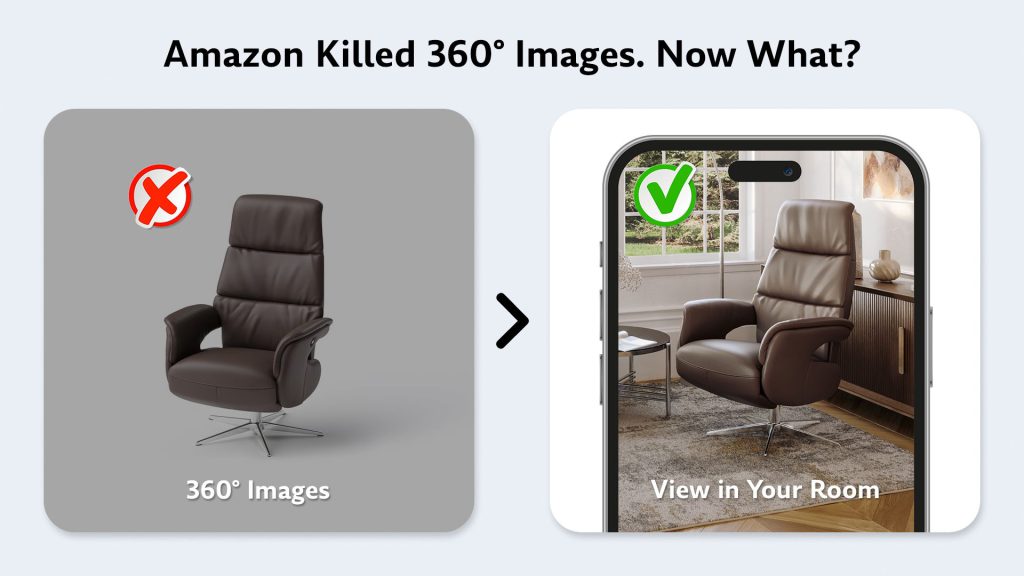
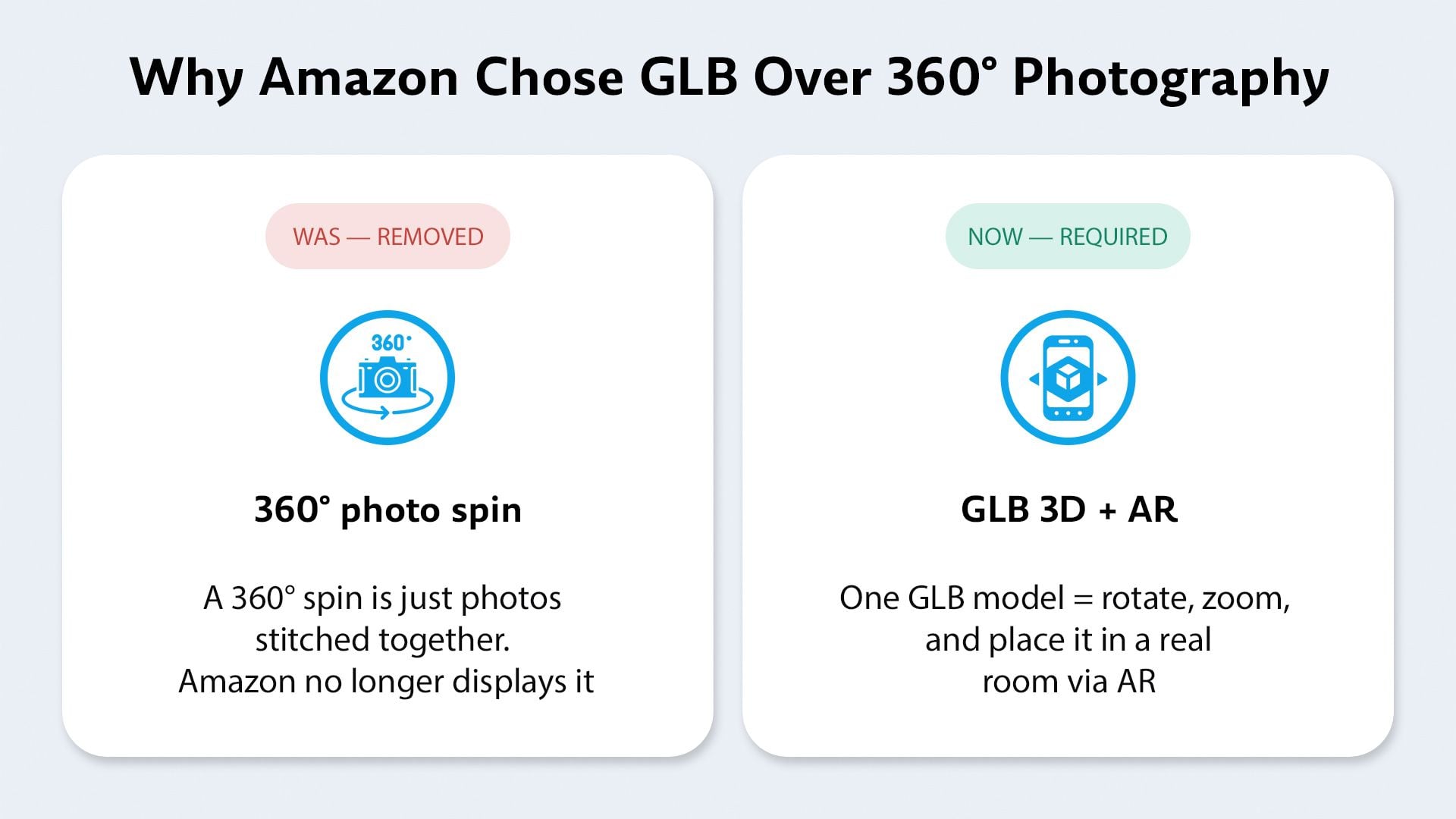
On January 20, 2025, Amazon switched off the 360° image experience on product detail pages. This followed its December 2023 decision to stop accepting any new 360° uploads. The only format Amazon now accepts for an interactive product view is the GLB 3D model. One GLB file powers View in 3D and the View in Your Room AR feature – the experiences that sell furniture. If your listings relied on 360° spins, that interactive asset is now dark. A GLB model brings it back – and does considerably more.
What Disappeared and What Is There Now
The clearest way to understand the change is to see it. On the left is what a 360° spin used to offer: a flat carousel of stitched photos that only rotated on one axis. On the right is what Amazon serves today from a GLB model – a true 3D object the shopper can rotate, zoom, and drop into their own room with AR. Our comparison of the Amazon 3D product view and the old 360 spin covers the difference in detail.
Where to Upload a GLB on Amazon
The upload lives inside Seller Central’s Image Manager. Here’s the path, with the exact spots to click highlighted.
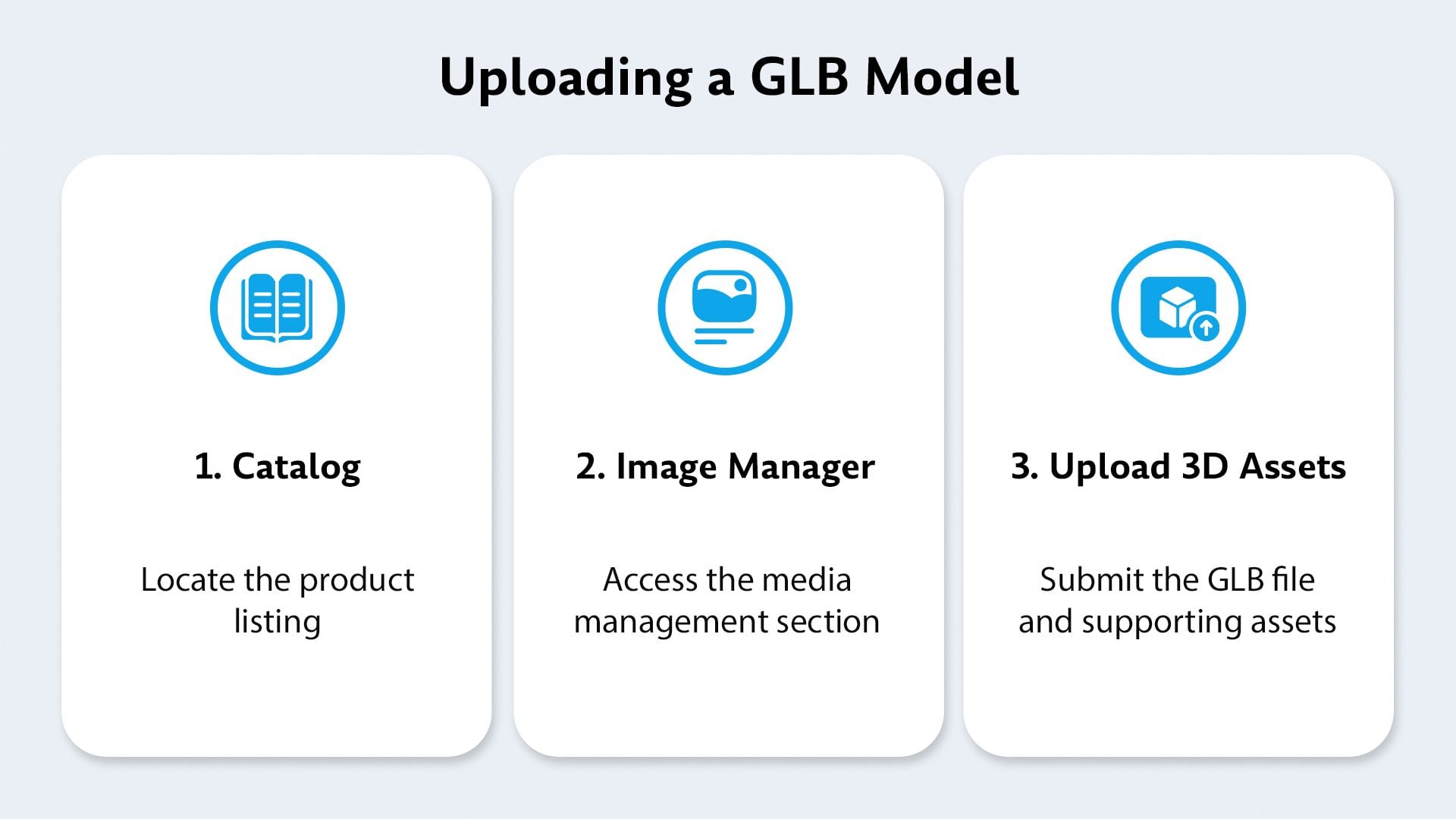
- Go to Catalog → Upload Images and open the Image Manager tab.
- Search your product by ASIN or SKU and select it (you must show as the registered brand owner).
- Open 3D models → Upload 3D assets and submit your GLB file with reference photos + dimensions.
- Amazon validates the model. Once approved, View in 3D and View in Your Room activate automatically.
Why It Pays Off
It’s easy to read “Amazon removed a feature” as a hassle. But the format they pushed you toward is the one that demonstrably sells more furniture – and cuts the returns that quietly drain margin.
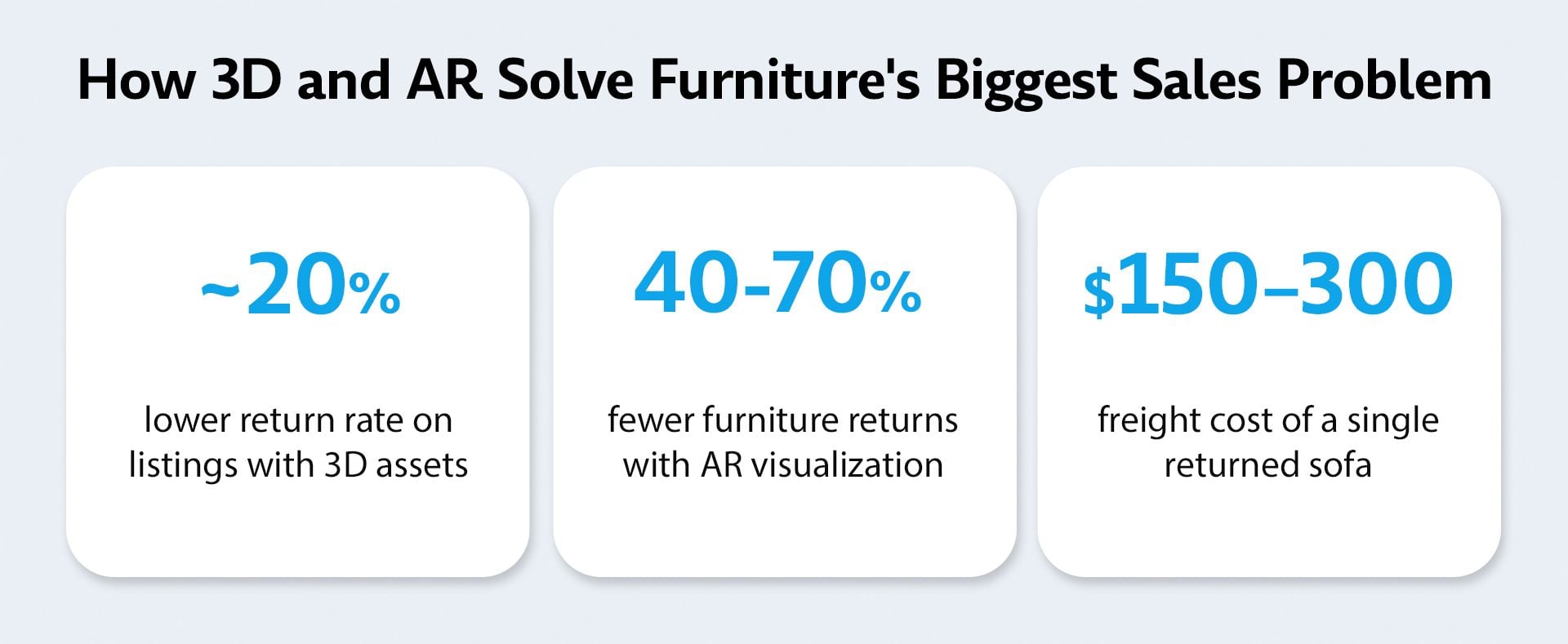
Furniture return rates sit around 22.7%, and size is the number-one reason items come back. A flat photo can’t tell a shopper whether a 220 cm sofa fits their wall – a GLB dropped into their living room through AR answers that instantly. According to Shopify and Harvard Business Review datasets, conversion uplift from 3D and AR ranges across studies from a conservative ~20% to 94% and beyond, but every credible source points the same way: shoppers who can rotate and place a product buy with more confidence. Bulky, high-consideration items see the biggest gains, which is precisely the furniture category. GLB models are one part of Amazon 3D content, alongside product video and A+ Content.
The Catch: Amazon’s GLB Rules Are Strict
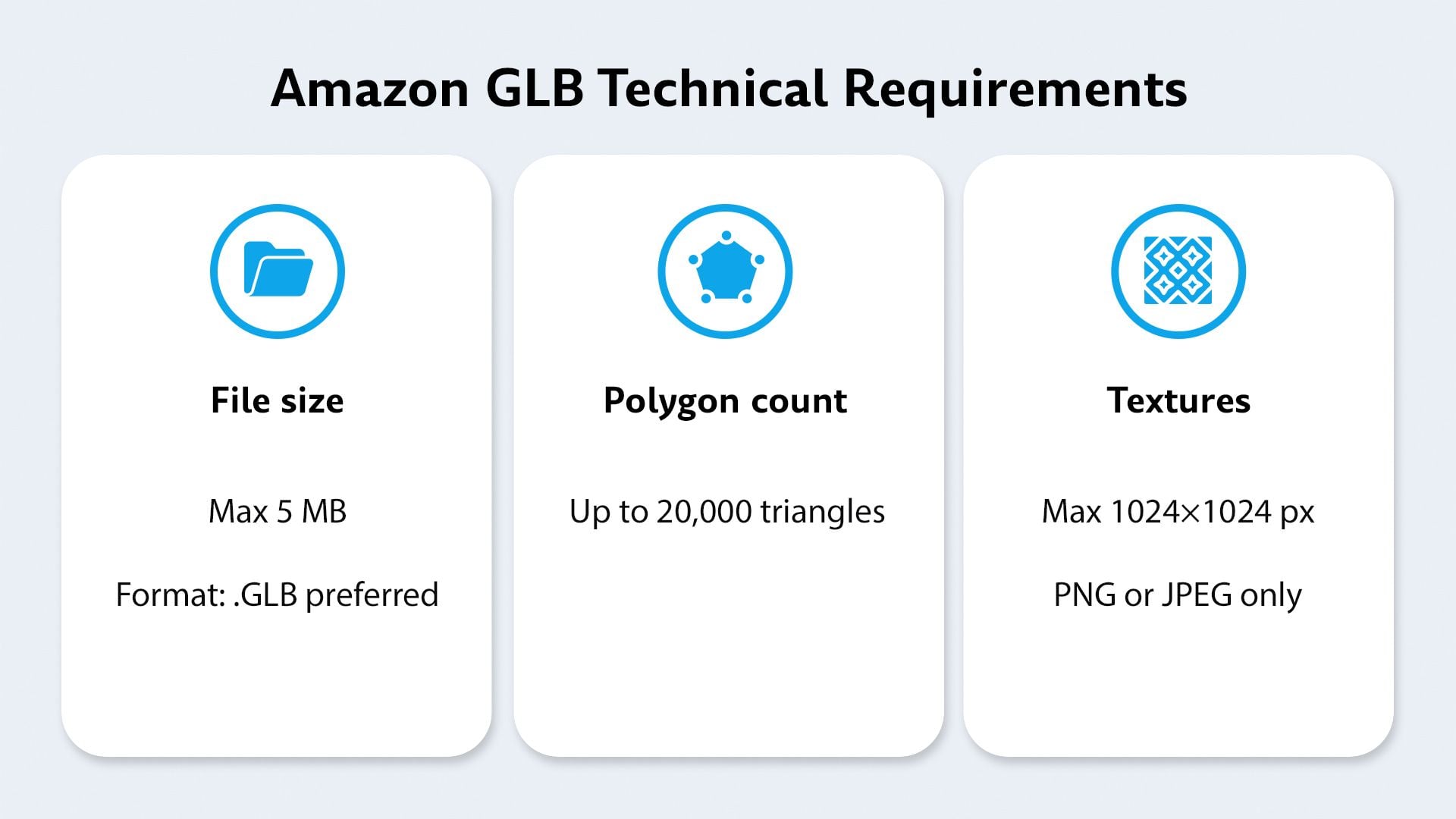
Amazon validates every uploaded model against precise rules for file structure, geometry, texture resolution, and real-world scale. Get one wrong and the upload bounces with a generic message: “This asset does not meet Amazon’s file requirements.” Sellers report exactly this in Amazon’s own forums – a model that looks fine but fails with no clear reason. The reliable fix is to have the GLB built correctly to Amazon’s spec the first time, rather than trial-and-error in Seller Central. Specialized GLB 3D model services build models to that spec from CAD files or reference photos.

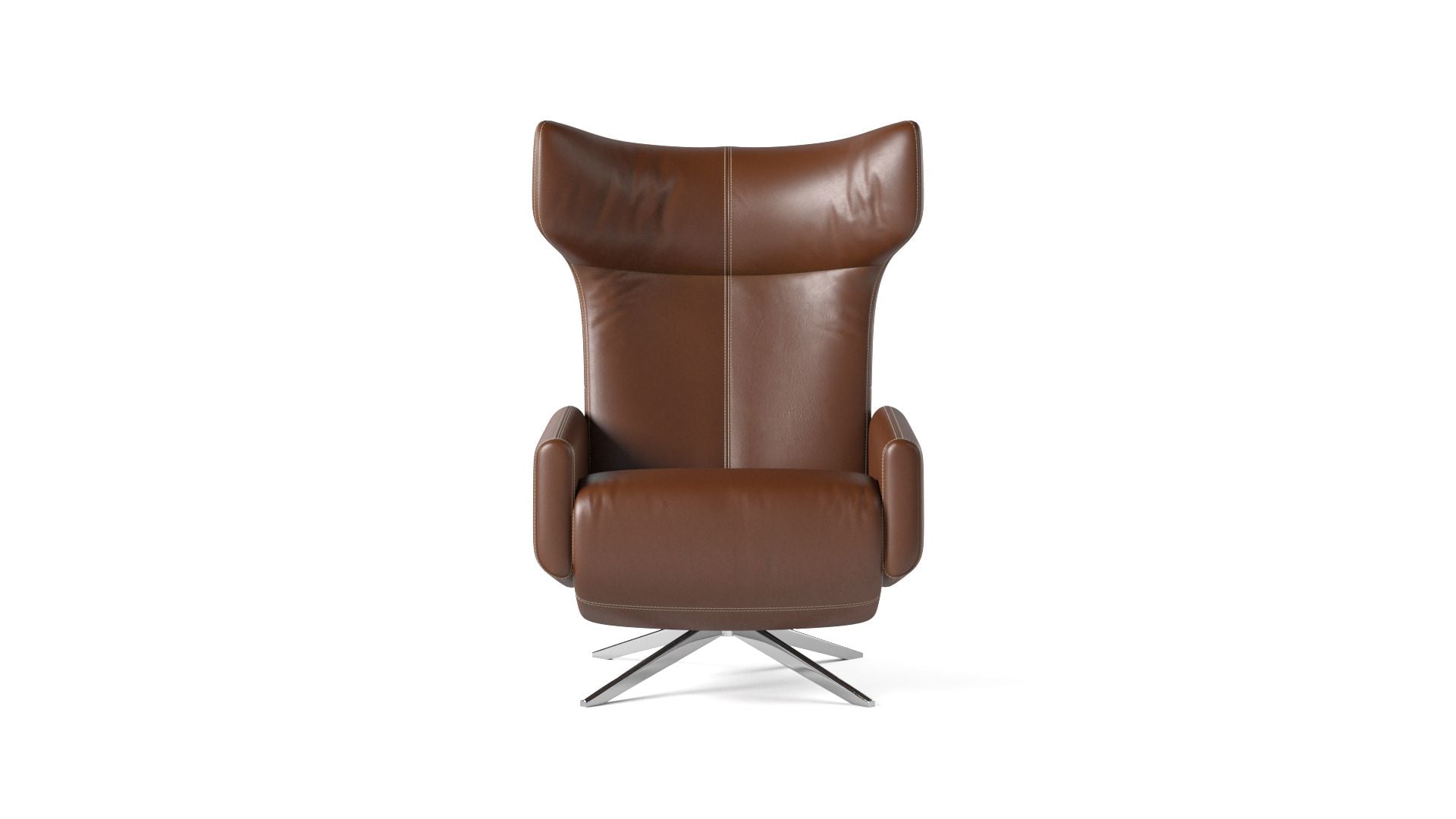 ↔ drag to rotate
We build Amazon-ready GLB models
We create GLB / glTF models optimized to pass Amazon’s validation and power View in 3D and View in Your Room – built from your CAD files or from reference photos and dimensions. Start with your bulky, high-return SKUs (sofas, beds, dining sets, seating) for the fastest payback.
See our AR 3D Modeling servicesFAQ
What program opens GLB files?
Free tools are enough: online viewers such as glTF Viewer or the three.js editor, Blender, and Sketchfab. Microsoft 3D Viewer also opens GLB on Windows computers where it is installed.
Can a GLB file be converted to STL?
Yes. Import the GLB into Blender and export it as STL. STL keeps only the geometry, so the colors, textures and materials are lost.
Which is better, glTF or GLB?
They hold the same data. GLB packs everything into one binary file, which makes it safer to upload and share. glTF splits it into a readable text file plus separate binary and image files, which is handier for developers.
Can I edit a GLB file?
Yes, in Blender or another 3D program that imports glTF. Small fixes are easy. Changing the shape of a product is real 3D modeling work, best done on the source model and exported to GLB again.
Did Amazon completely remove 360° spins?
Yes. Amazon stopped accepting new 360° uploads in December 2023 and switched off the 360° viewing experience on product detail pages on January 20, 2025. The replacement is the GLB 3D model, which also enables Amazon’s View in 3D and AR experiences.
Can I just convert my existing 360° spin into a GLB?
No. A 360° spin is a sequence of flat photographs, while a GLB is a true 3D object with geometry and materials. A GLB has to be built from your product’s CAD data or modeled from reference photos and accurate dimensions – it isn’t a file conversion.
What file format does Amazon require for 3D models?
Amazon accepts GLB and glTF. GLB is the most common because it bundles geometry, textures, and materials into one compact, fast-loading file optimized for web and AR viewing.
Why does my GLB upload keep failing Amazon’s validation?
Amazon checks each model against strict rules for file structure, scale, geometry, and textures, and returns a generic error if anything is off. The reliable fix is to have the model built to Amazon’s exact specification from the start, rather than correcting rejections one at a time.
Do 3D models really increase furniture sales?
The evidence is consistent: listings with 3D assets see roughly a 20% lower return rate, AR cuts furniture returns by 40–70% (driven mainly by fewer size-related returns), and conversion uplift ranges from about 20% to 94%, depending on the study. Furniture benefits most because shoppers can judge fit and scale in their own space before buying.
What do I need before uploading a 3D model to Amazon?
You must be the registered brand owner of the listing, and you’ll typically submit the GLB model along with 2–10 reference photos and accurate product dimensions through Seller Central’s Image Manager.