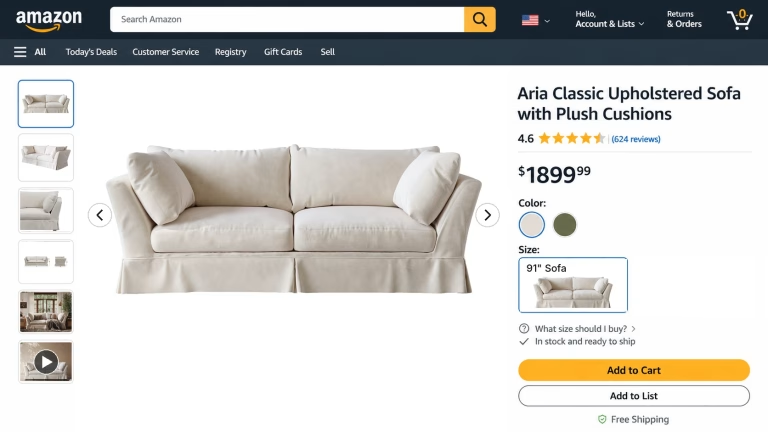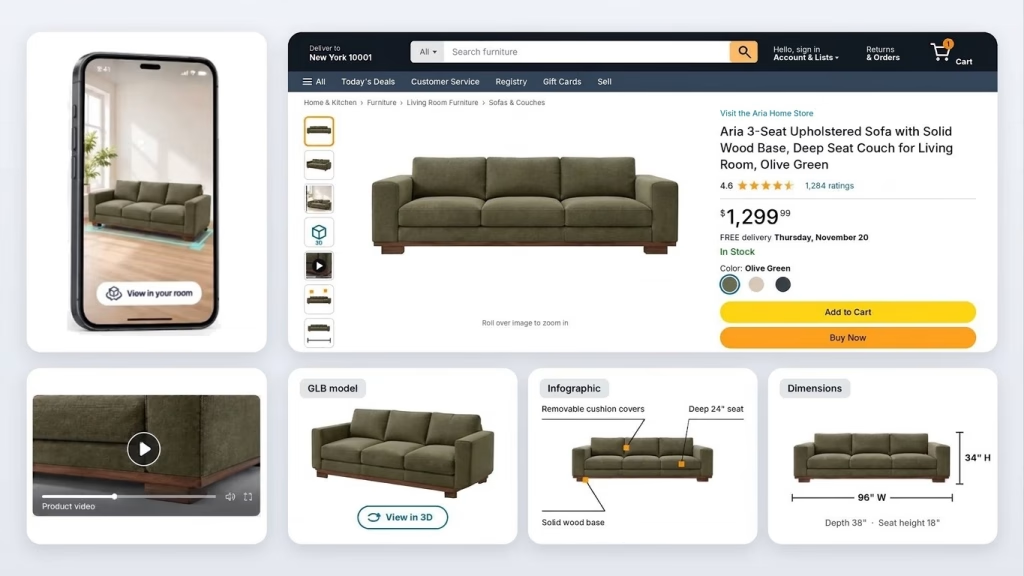
Amazon product images do most of the selling on a furniture listing. A shopper can’t sit on the sofa or open the drawers, so the images have to answer what the showroom would: how big it is, what the fabric looks like, how it fits in a room and how hard it is to put together. The listings that win are the ones with a full set of images, each doing a different job.
Amazon’s starting point is simple. Every image has to be realistic and professional, and it has to show the product you actually sell. The main image follows strict rules; the rest of the gallery is much freer. We cover the exact sizes, formats and rules in our guide to Amazon image requirements, so this article focuses on what to put in each slot.
Below are the 7 types of product images for Amazon that a furniture listing needs, and how 3D product rendering produces all of them from one model.
1. A White Background Main Image
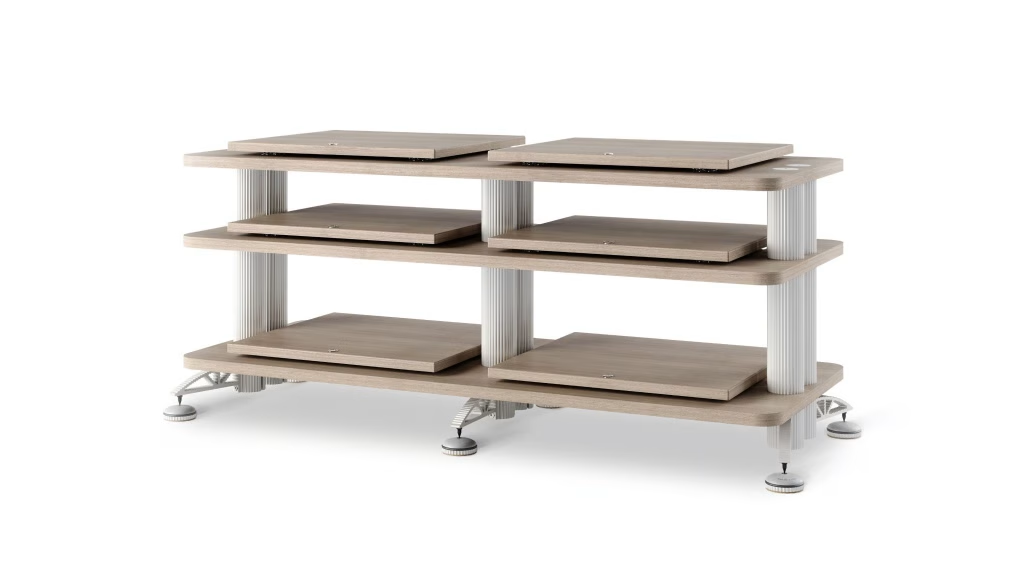
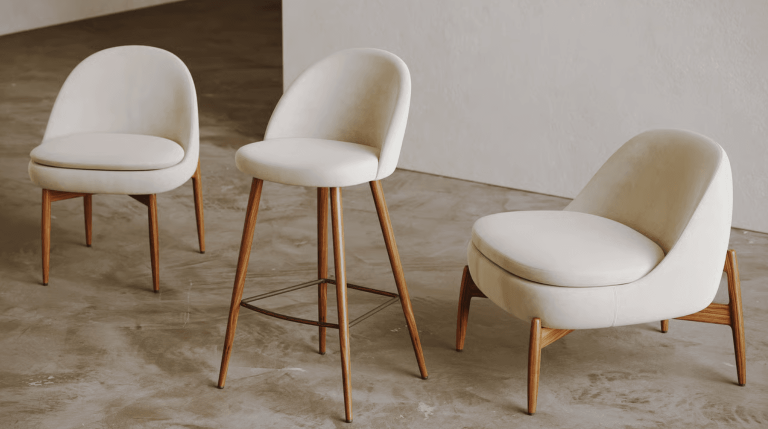
The main image is the one shoppers see in Amazon search results and first on the product page, so it decides whether anyone clicks. For almost all furniture, it has to be the product alone on a pure white background. Our guide to white background product images explains why marketplaces ask for this format.
The key rules for the main image:
- the background is pure white, RGB 255, 255, 255, with no gradients or patterns;
- the product takes up 85% of the image and is shown whole, with nothing cropped;
- the image shows only the product and the accessories that come in the box, so no vases, throws or plants;
- the image is at least 500 px on the longest side, and 1,000 px or more turns on zoom.
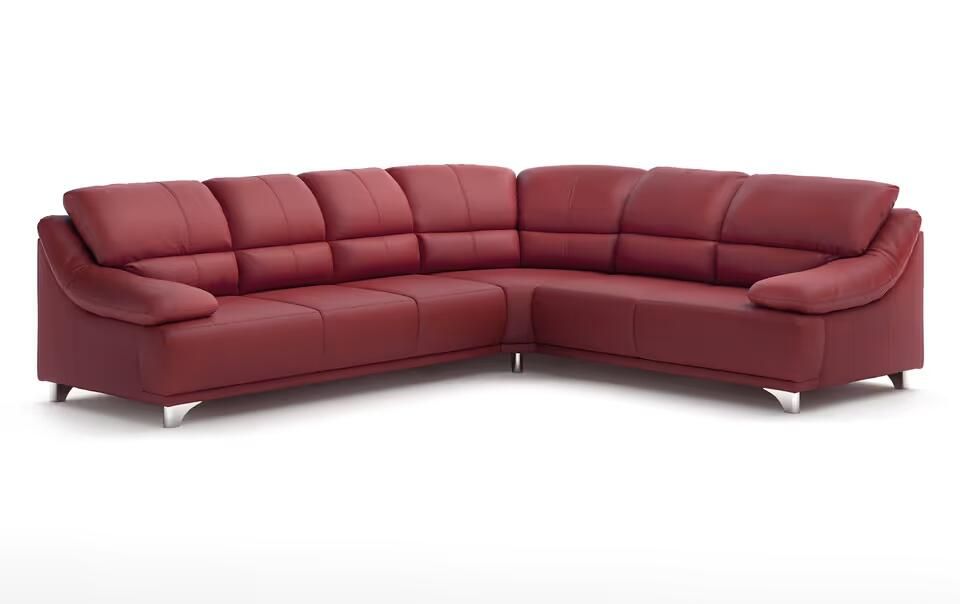
There’s one exception furniture sellers should know: beds, bed frames, mattresses, rugs, rug pads and sofas may use a room scene as the main image. The full list of main image rules, and the mistakes that get a listing hidden from search, are in our Amazon image requirements guide.
2. Additional Angles and Details
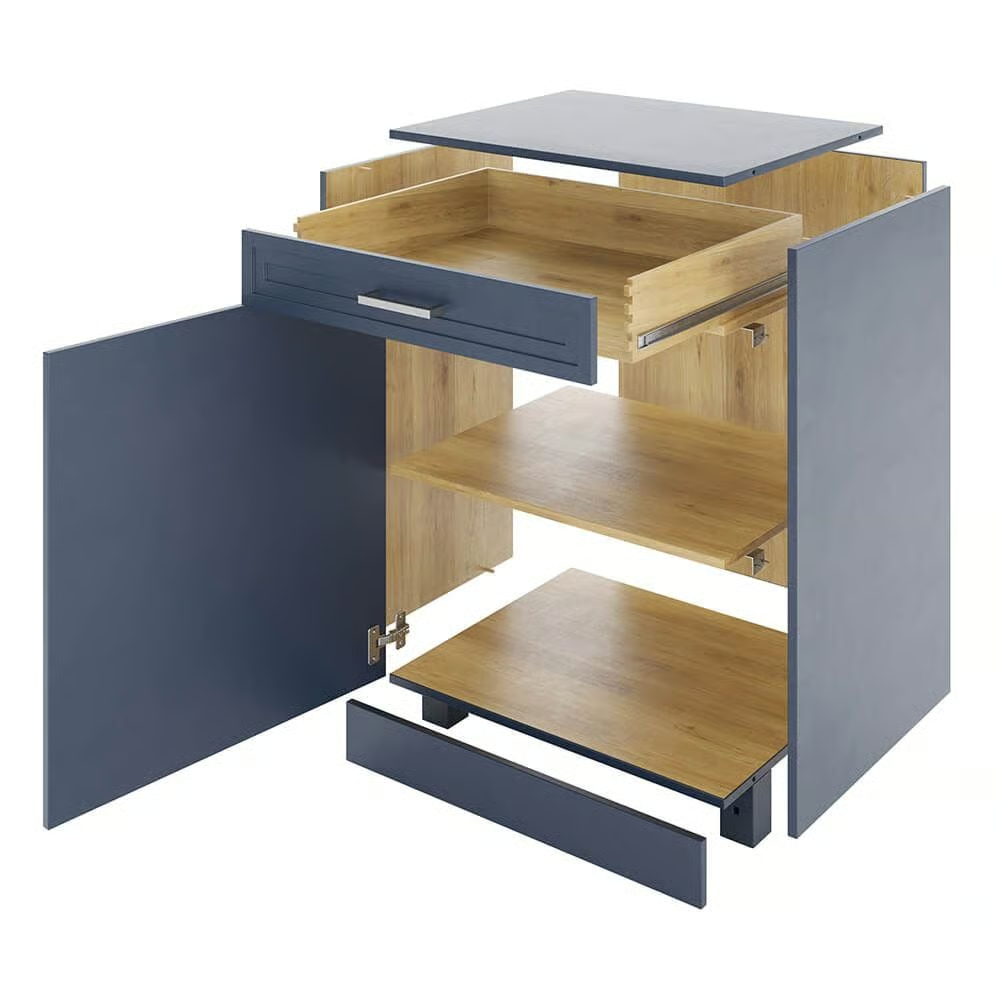
After the main image, Amazon recommends at least six more. The first few should show the product itself from other sides: front, back, side and three-quarter views, close-ups of the material, and the same piece in every color and finish you sell. For transforming furniture, show each state: drawers open and closed, a sofa bed folded and unfolded, an ottoman bed with its storage lifted.
These slots are much freer than the main image. Any background works and text is allowed. What’s banned on every image is customer reviews, star ratings, claims like “free shipping”, and Amazon logos or badges.
Additional images are where CGI saves the most work. Once the 3D model exists, artists place cameras around it and render every angle with identical lighting and color, which is hard to match shot by shot in a studio. Colors and materials are swapped on the same model, so every variant gets the same set of angles without a new sample or a reshoot. Brands that need these angle sets for a whole catalog often use silo 3D rendering services built on one model.
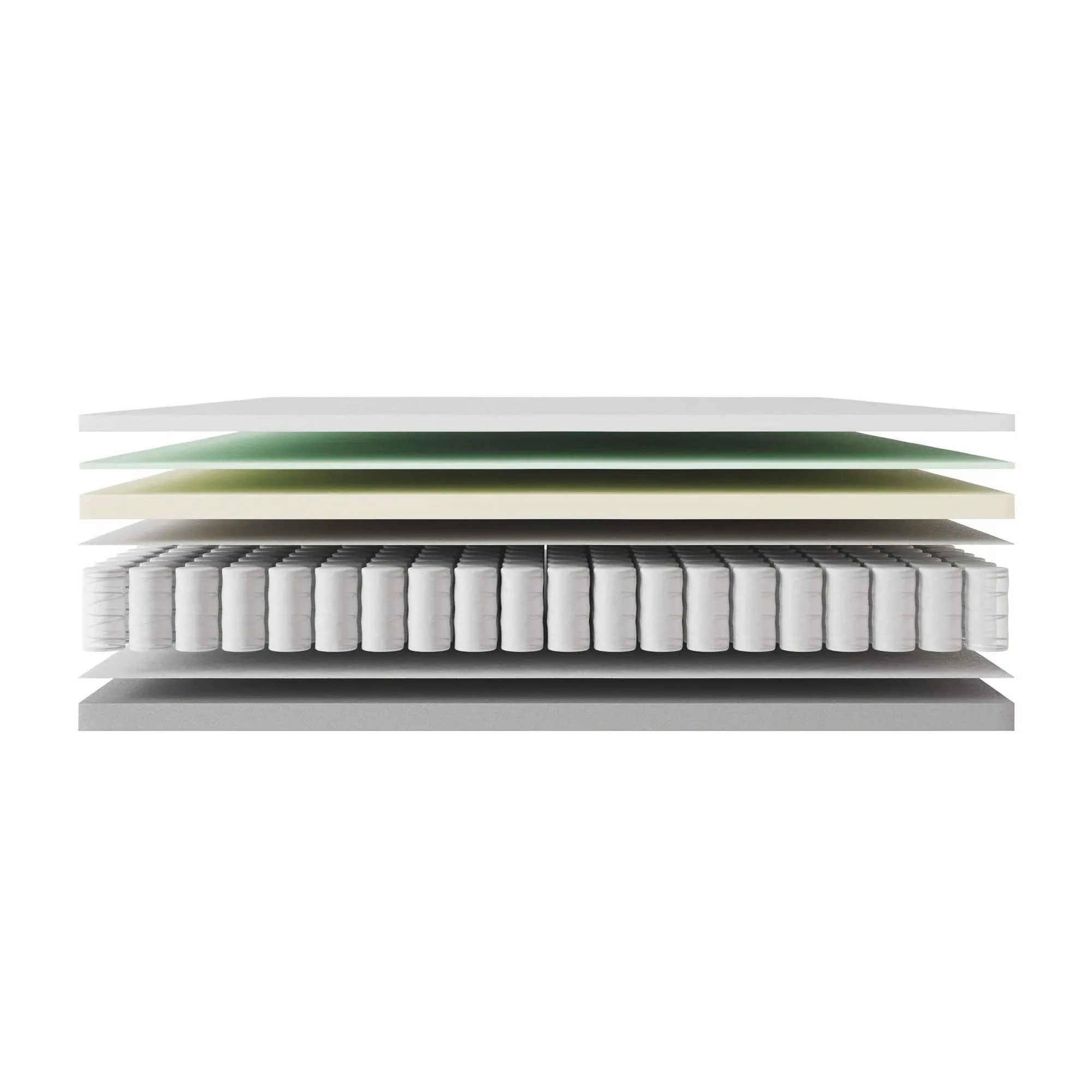
For mattresses, beds and upholstered pieces, a cutaway render shows the inner layers and construction without cutting a real product open. It answers the quality question a shopper can’t check by touch.
3. A 3D Model for View in 3D and View in Your Room
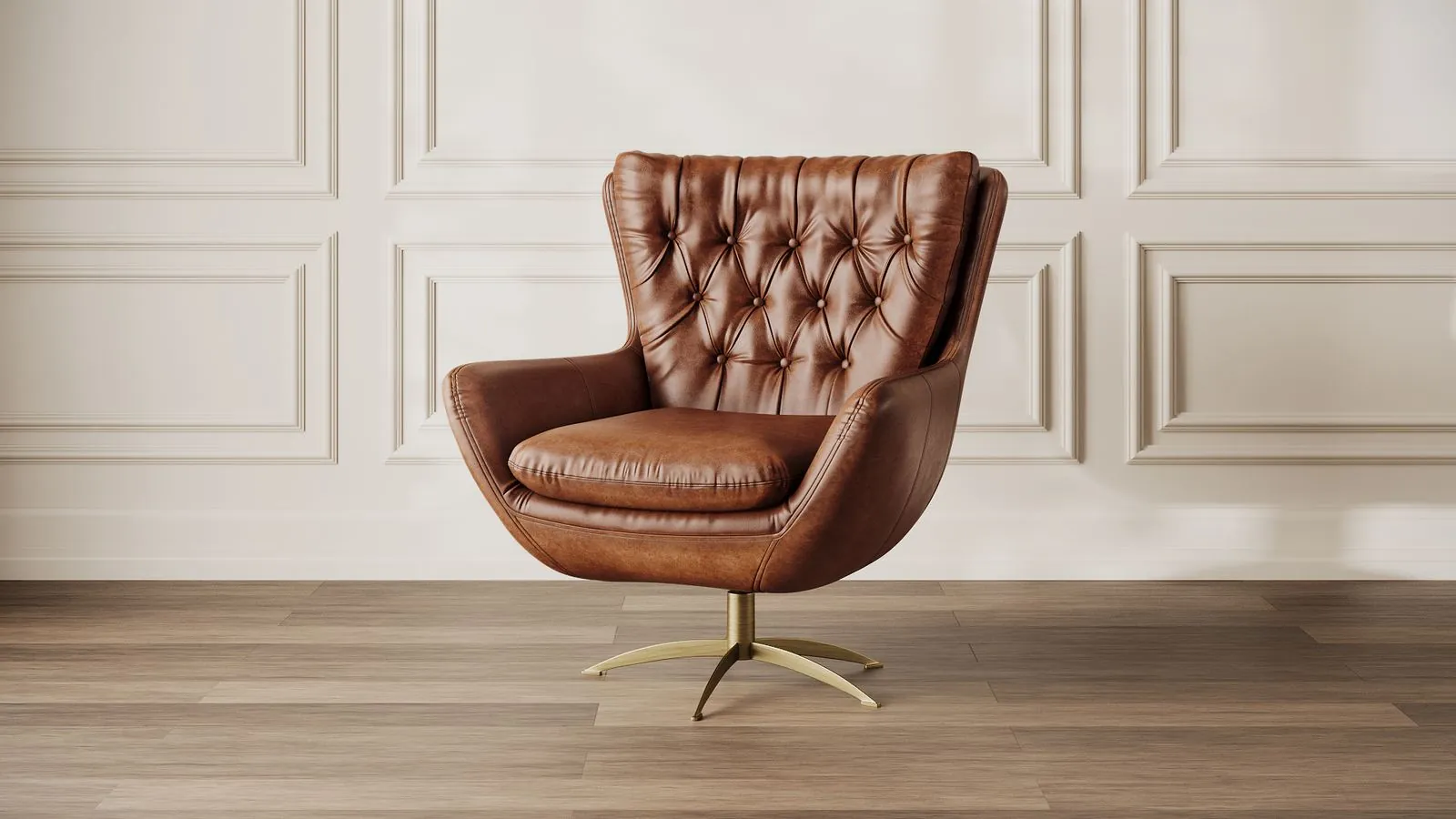
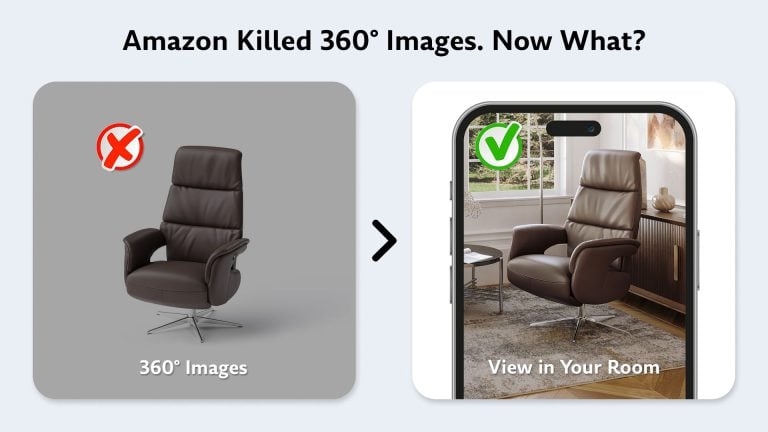
The old 360° spin is gone from Amazon. The company stopped accepting new 360° uploads on December 14, 2023, and removed the 360° experience from product pages on January 20, 2025. Its interactive view now runs on 3D models, which power three features listed on Amazon’s 3D and augmented reality page: View in 3D, where shoppers rotate and zoom the product on the listing; View in Your Room, where they place it in their own space through the phone camera; and Virtual Try-On for wearables. Amazon doesn’t charge for adding them.
For furniture, View in Your Room is the one that matters. It answers the question no photo can: will this sofa fit next to my bookcase, and is it the right size for the room? Our article on what replaced 360° images on Amazon covers the change, and our breakdown of whether View in 3D increases ecommerce sales shows what the data says.
Amazon takes these models as GLB files, and it checks them strictly before they go live. If you already have a 3D model for your renders, it can become an Amazon-ready GLB model instead of being built again.
4. A Lifestyle Product Picture

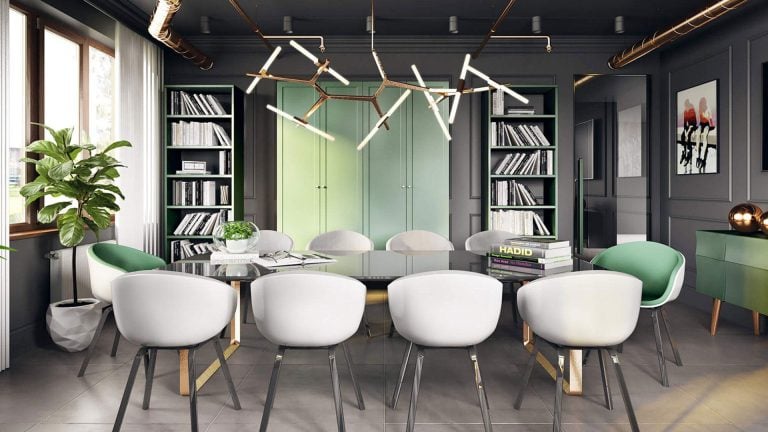
A lifestyle image shows a furniture piece or a whole collection in a room, with the rugs, plants, art and tableware that make it feel like a home. It sells not only the product but the life around it, and it shows scale in a way a white background can’t: next to a coffee table and a lamp, a shopper can judge how big the sofa really is. The same goes for the bathroom: a vanity shown under its mirror and lighting, with towels on the open shelf, tells the shopper how it will look on the wall and how much it holds.
Many sellers now get these scenes through lifestyle 3D rendering. CG artists build photorealistic rooms in any interior style, so one product can appear in a Scandinavian living room, a loft and a spa-style bathroom without physical staging. Brands use this to show the same piece in several styles and lighting moods. For where each format works best, see our comparison of lifestyle shots vs white background images.
One rule to know if your scenes include people. When an image shows photorealistic people generated entirely by AI, Amazon asks sellers to tag the file with the keyword contains-synthetic-performer in its metadata before uploading, so it can add a disclosure where needed.
5. An Assembly and How-To Video
Amazon recommends at least one video on every listing, and for furniture the most useful one is usually assembly. Paper instructions work, but a flat-pack wardrobe with forty parts is where they lose people. A short video that shows each step makes assembly look doable before the shopper even buys, and helps them get it right on the first try after.
A good assembly instructions video shows which parts go together in what order, which tools are needed and how the finished piece looks. Making it in 3D animation means nobody has to take a finished product apart in front of a camera: the whole process is built from the product’s model, and parts can turn transparent or slow down where the step is tricky.
The same model can also give a feature video: a recliner extending, a sofa bed unfolding, a table extending to seat eight. Our guide to CGI animation covers the types brands use, and 3D product animation services shows examples.
6. Amazon Infographics
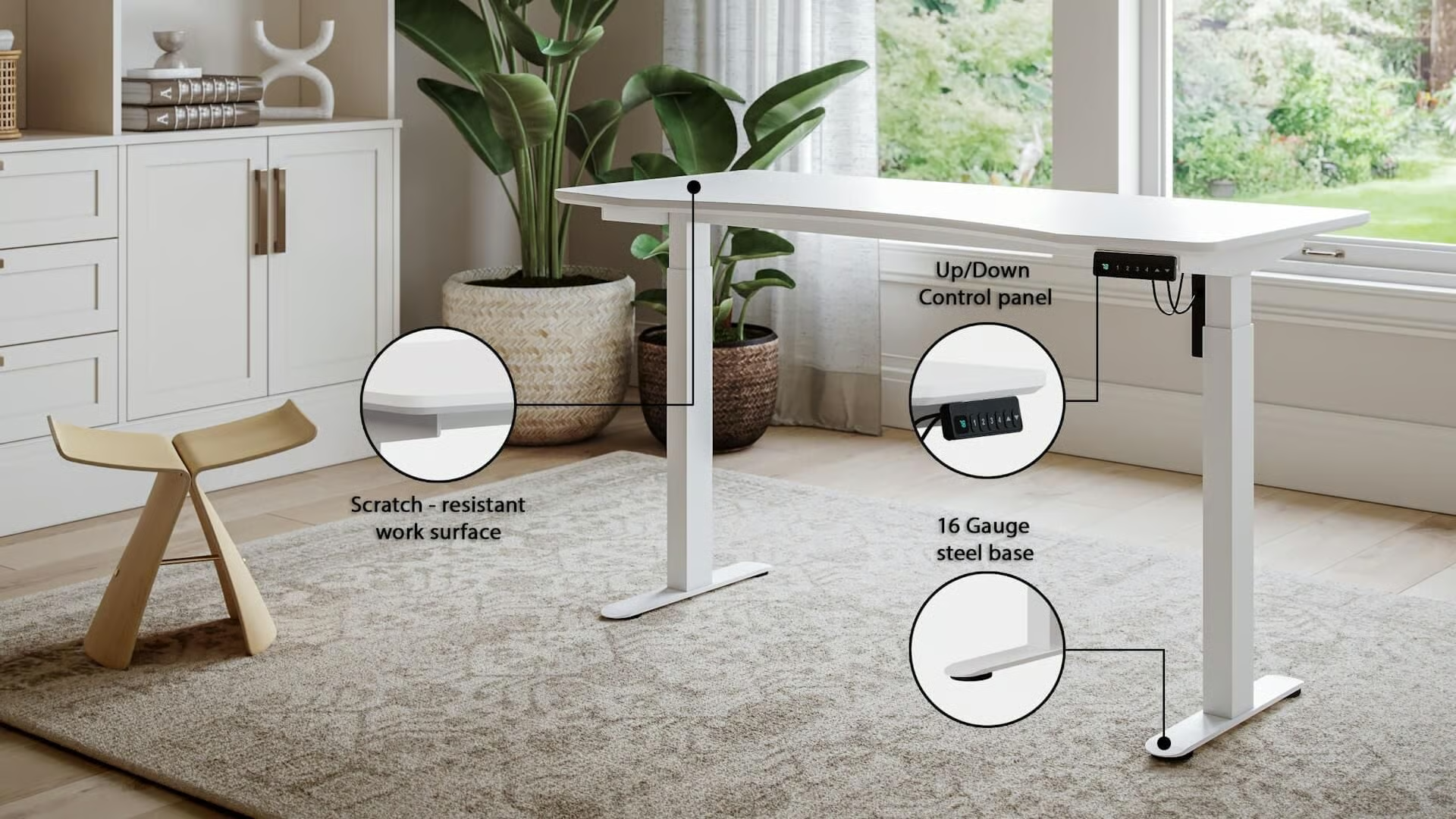
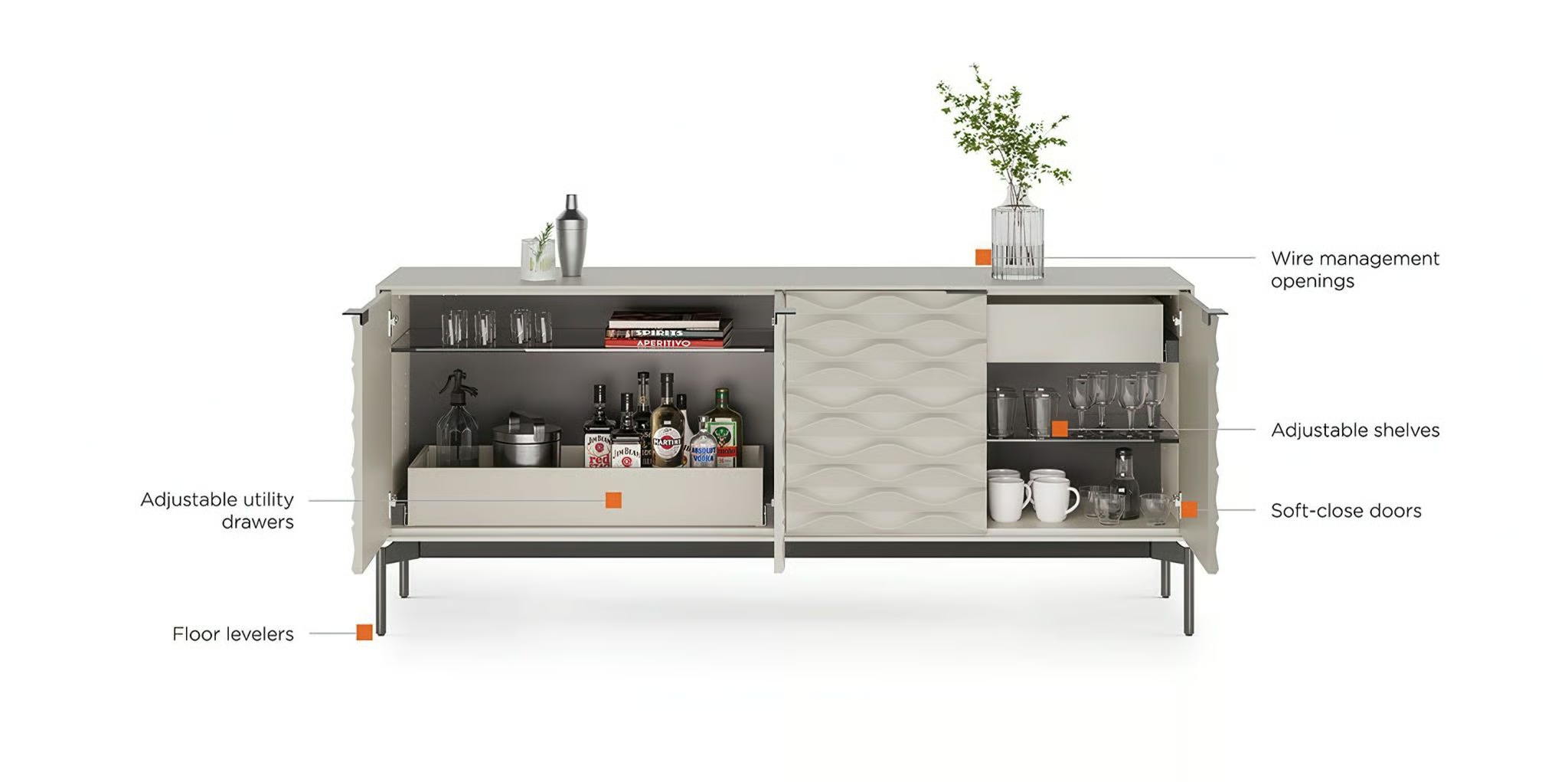
Amazon doesn’t have a special slot for infographics. It’s what sellers call an additional image with text on it: a product render with short callouts that put the main features on the image itself, so shoppers get them at a glance instead of digging through bullet points. For furniture, that usually means callouts for the material, the weight capacity, hidden storage, adjustable parts or how the piece converts.
Short labels and simple icons work best: “solid oak”, “holds 300 lb”, “tool-free legs”. Keep every claim true to the product and specific to it. Infographics are still product images, so they can’t carry customer reviews, star ratings, offers like “free shipping” or Amazon badges such as “Amazon’s Choice”.
You don’t need a new shoot for them. Brands take the 3D renders they already have, often a white background view or a close-up, and add the copy and icons on top.
7. A Dimensions Image
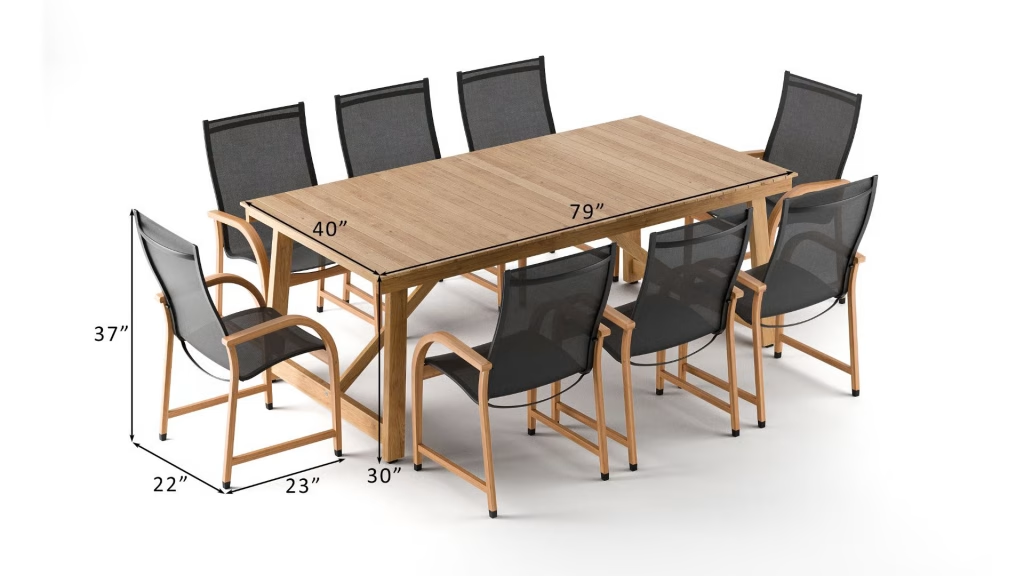
The question behind most furniture purchases is “will it fit?” A dimensions image answers it faster than any spec table: the product from the front and the side, with width, depth and height drawn right on it. For US shoppers, give inches; add centimeters if you also sell in Europe.
Add the measurements people check before they buy. For a sofa, that’s seat height and depth along with the overall size. For a bed, it’s the clearance under the frame. For a desk, it’s the knee space. If the piece arrives in boxes, the size of the largest box helps too: it tells the shopper whether it fits through a narrow door or up the stairs.
In CGI, the dimensions image comes straight from the model, which is built to the product’s real measurements. Front and side views are rendered with the same camera setup, so the lines and numbers sit exactly where they should.
A Real Project: AirScent’s Amazon Image Set
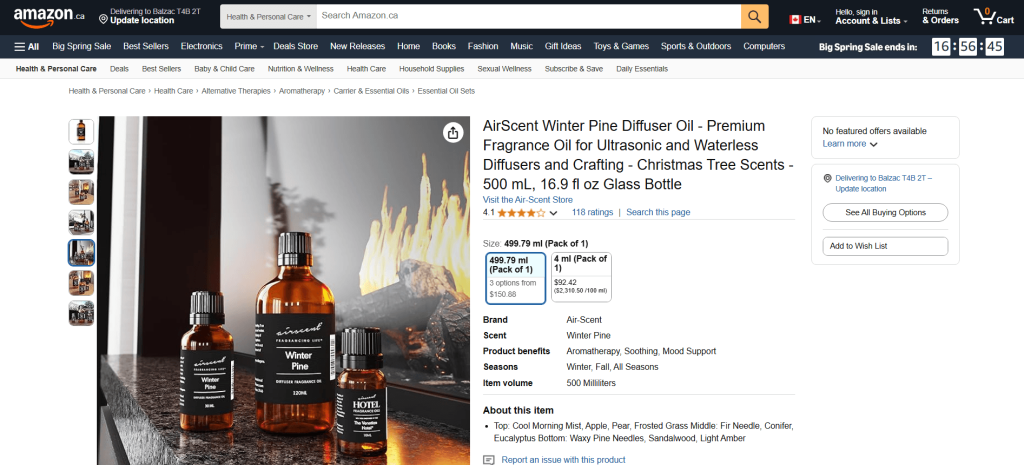
Here is how a full set comes together on a real listing. AirScent sells perfumes, candles, diffusers and personal care products, and it needed one visual library for its product pages, social media and Amazon. The Amazon part was a set of product page visuals built around the platform’s layout:
- Silo renders of each product on white, for the main image and the extra angles.
- Lifestyle scenes that place the products in a home setting.
- Close-ups of textures and details.
- Group shots of matching products side by side, which support cross-selling.
The products aren’t furniture, but the order is the same for a sofa or a lamp: an accurate model first, the white background main image and extra angles second, lifestyle scenes and graphics last. Our guide to silo images covers how that white background stage is planned, and the full AirScent case study shows the images we made.
Building the Full Set
A furniture listing on Amazon works best when every slot has a job: the white background main image wins the click, angles and details show the product, the 3D model and room scene show scale, the video shows how it goes together, and the infographic and dimensions answer the last questions before checkout.
All seven can come from one 3D model, which makes CGI a practical way to build Amazon content. The model is made once from CAD files, drawings or photos, and every image, video and GLB file is rendered from it. When a new color launches, the whole set is updated without a single new sample. As an Amazon-certified 3D content provider, we make all of these for furniture and home brands.
Get a full Amazon image set
Main image, angles, room scenes, dimensions and a 3D model, all made from one model of your product.
See product renderingFAQ
What images does a furniture listing on Amazon need?
A white background main image, then at least six additional images: extra angles, material close-ups, a room scene, a dimensions image and an infographic. Amazon also recommends at least one video, and a 3D model adds View in 3D and View in Your Room.
Does Amazon still support 360° product views?
No. Amazon removed 360° spins from product pages on January 20, 2025. Its interactive view now runs on 3D models in GLB format, which power View in 3D and View in Your Room. A 360° spin is a set of photos, not a 3D model, so the product needs a proper model to get these features.
Do I need a video on my Amazon furniture listing?
Amazon recommends at least one video per listing. For furniture, an assembly video is usually the most useful, followed by a feature video for pieces that move or convert.
Can all Amazon product images be made in CGI?
Yes, as long as they are realistic and accurately show the product. One 3D model built from CAD files or photos gives the main image, the angles, room scenes, dimensions, videos and the GLB file for 3D.