Chapter 3

Product 3D Rendering vs Photography

Armchair in a photo studio next to the same armchair on a screen, generated in 3D rendering software

Product Rendering Overview

Product rendering is the creation of imagery using 3D software and digital models. In this process, the product is recreated in 3D and shown in a digital scene instead of being photographed. The images are generated from the 3D data, which specifies the product’s shape, materials, and dimensions.

In product marketing, 3D rendering services support a product across several stages of its lifecycle. They are often introduced early, when the product is still in development and physical samples are not yet available. At launch, they help create marketing visuals and sales materials. After release, the same assets can support updates, new variants, and ongoing campaigns.

Product Photography Insights

Product photography is the process of creating visuals by photographing a real, physical item. The product is captured using cameras, lighting equipment, and physical setups. The resulting photos reflect the product as it exists at the moment of the shoot.

Photography is used at the launch stage, once the product is finalized and physically available. It supports the release and sales by supplying approved assets for marketing use. Photography is used at this stage only because it requires the finished product and cannot be produced earlier.

Factors to Consider When Choosing 3D Rendering or Photography

Choosing between 3D rendering and photography depends on how the visuals will be produced, updated, and scaled over time. The key differences are not about looks but about how the work is done, shaping speed, cost, and long-term flexibility.

#1. Turnaround Time

Stylish Bedroom 3D Render

Photography requires a finished product on site. The photographer's calendar and the booked facilities further define the scheduling limits. If changes come after the shoot, the team must schedule another session. As a result, the delivery time is driven by scheduling constraints.

Product visualization starts once project inputs are provided. These are usually CAD files, drawings, or visual references for the product. Then production can move forward. There is no need to wait for a physical item to be prepared or delivered.

The production consists of several stages, all happening digitally. It includes 3D model creation, scene building, lighting and texturing, the rendering process, and post-production. So unlike with photography, marketers have a flexible production window, not a fixed shooting schedule.

Once the scene is built, it can be reused to create additional views or formats. This means the process does not need to restart. When changes are requested, they are handled within the existing workflow. No rebooking or reshooting is needed. As a result, delivery time in product rendering depends on production complexity and the scope of revisions.

#2. Production Cost

Product Rendering Cost Calculator on the CGIFurniture Website

In product photography, cost is driven by logistics. This includes studio rental, equipment, crew, and the work required to produce, ship, and handle physical samples at the shoot location. The shoot is executed according to a brief that defines the products, scenes, and outputs. Each of these elements is a direct budget item, so the total cost depends on how often they are booked and used.

In addition, new requests may appear after the shoot. Art directors often ask for more views, alternative styling, or different platform formats. These elements fall outside the prepared scope. To produce them, the team must reshoot the product. This phase requires additional studio time, crew involvement, and equipment use, all of which increase cost.

The impact grows when a project includes a full collection or many product variations. Each product in the collection is photographed separately, so the team must handle, set up, and shoot every item. If there are variations of the same product, each variation also requires its own shots. As the number of products and variations increases, the budget scales with the amount of repeated physical production.

In product rendering, cost is driven by digital production work rather than physical logistics. It includes 3D artist time, scene setup, 3D model accuracy, materials, lighting, rendering, and post-production. The total cost reflects how much 3D artist time is required to complete the work.

In CGI production, the brief affects cost differently than in photography. It does not lock a fixed setup. First, it defines the scope of work, such as required outputs and quality level. Second, the rendering brief can provide production inputs, such as existing 3D models or reference materials. Using these inputs reduces the amount of production work compared to building assets from scratch, which lowers cost.

When new requests appear during production, they are usually handled within the existing 3D scene. Additional views and formats can be created by adjusting cameras, lighting, or materials. There is no need to rebuild the scene or restart the workflow. As a result, changes increase cost only when they introduce new elements or require more work than originally planned.

The cost structure also differs from product photography when it comes to multiple products or variations. In CGI, products can share the same scene, lighting, and camera logic, which reduces setup work per item. Variations often reuse the base 3D model with small adjustments. As a result, adding more products raises costs gradually instead of repeating the full production process for each item. Overall, product rendering costs scale with digital complexity and revision scope, not with repeated physical setup.

#3. Effort for Marketing Directors

Marketing director working at a laptop in a modern office, planning campaigns for a furniture company

Product photography demands continuous coordination due to its reliance on physical products. First, marketers must manage product availability, shipping, and handoff to the studio. They also need to align schedules with photographers and crews to ensure everything is ready on time. What adds to the planning challenge is that nothing can be adjusted once the shoot begins. For that reason, setups must be approved in advance, with all variations defined before the shoot.

When requirements change, those earlier decisions become unusable. As a result, the process has to be repeated through new bookings and approvals. As more products or outputs are added, this repetition becomes more frequent, steadily increasing the coordination load.

With product rendering, the effort shifts from logistics to decisions. Marketers provide inputs, clarify requirements, and approve 3D scenes early in the process. Once the base assets are in place, new views, formats, or variations require feedback rather than re-coordination. Outputs also scale within the same production environment. As a result, there is no need for complex logistics.

Because of this, product 3D rendering usually requires less operational effort from the marketer than photography. The workload stays focused on clear inputs and timely decisions instead of repeated coordination. When changes occur, the process continues within the same workflow. This makes marketer involvement more predictable and easier to manage over time.

#4. Flexibility

Product photography is tied to a fixed shoot setup, which limits flexibility. Lighting, camera position, and framing are set during the shoot and cannot be changed. New angles, formats, or visual adjustments require a new setup or repeating the shoot.

With product rendering, all elements remain editable within a 3D scene. This includes camera angles, lighting, materials, and formats. New views or changes are created inside the same environment without restarting production. In this way, with CGI, flexibility is part of the process.

#5. Creativity

Suspended stage lighting rig with spotlights and aerial performer in a dramatic indoor scene shown in product rendering
Abstract illuminated sculptural light installation standing in shallow water against a rocky backdrop in product rendering
Outdoor pathway lights glowing in the rain along a garden edge at night shown in product rendering
Close up of a weather resistant linear outdoor light fixture with water droplets on the surface in product rendering
Flexible RGB LED light strips arranged in loops with multicolor illumination on a dark background in product rendering

Almost any idea can be executed in product photography. However, several constraints often make marketing directors choose safe, noncreative solutions. Mainly, these constraints are cost, coordination, and physical effort. They all stem from the fact that every creative concept must be built in the real world. This means finding a location, moving the product, setting it up on-site, and arranging the crew, equipment, and permits.

For example, a luxury kitchen can be photographed in a forest. From a technical perspective, this is absolutely possible. However, it requires finding a location, moving heavy cabinetry, setting it up outdoors, taking it apart, and bringing everything back. In many cases, a crane is needed to lift and position the furniture. With CGI, a marketer can get the same result with a brief and lifestyle rendering services.

The same logic applies to more technical product images. For example, a cross-section view of a fridge floating in the air can be created. However, this approach requires extra product samples. The reason is that the fridge has to be physically held in place during the shoot. Metal supports are used to create the floating effect, and these supports must later be removed in post-production. This process also increases the amount of coordination required between multiple teams. This way, each creative idea adds real-world complexity and expense.

Photography offers broad creative potential, but each creative choice increases production effort. 3D photo rendering delivers the same visual freedom without physical logistics. The idea stays the same, while execution moves from the real world to a controlled digital space.

#6. Realism and Consistency

Pink countertop washbasin in a styled bathroom interior, shown as a realistic product render
White countertop washbasin with wall mounted fixtures in a minimal bathroom product render
Lifestyle renderings created from the same 3D scene setup, ensuring fully consistent lighting and style

Both methods can produce hyperrealistic and accurate results. The difference lies in how accuracy and realism are achieved. In photography, visual fidelity depends on the setup, equipment, and retouching quality.

In 3D rendering, results depend on the artist’s skill with materials, scale, and lighting. A 3D scene fully controls materials, lighting, and environments. Understanding this aspect is of the utmost importance for product marketers. It helps them see how 3D rendering and photography handle imagery consistency. Let’s look at both production types from this point of view.

In photography, each result depends on a specific physical setup. Lighting can change from shoot to shoot. Small shifts in camera position, reflections, or materials affect the outcome. Reproducing the same look later requires rebuilding the setup and often still leads to variation. This process makes consistency and repeatability harder to maintain.

3D product rendering works differently. Once defined in a 3D scene, materials, lighting, and camera settings remain fixed. The same setup can be reused to create new views, formats, or revisions with the same visual conditions. This gives full control over all parameters and keeps results consistent across all outputs.

#7. Scalability for Large Product Ranges

Furniture catalog page showing multiple nightstand product renders with consistent lighting and scale

In photography, scaling production is organizationally demanding. Large volumes mean more products to ship, store, handle, and track. Marketers must schedule shoots, crews, and equipment under tight deadlines.

Teams run parallel shoots when they need many images quickly. This increases coordination effort and the risk of visual inconsistency manyfold. Quality control is harder because many setups and teams work at the same time.

In CGI, scaling is mostly a staffing task. Production expands by adding 3D artists and briefing them on the visual standards. For highly complex projects, short training can align everyone to the same rules. The art director and project manager of the core team take care of that. This centralized control helps teams produce many images fast and keep them consistent.

#8. E-commerce Performance and A/B Testing

Product render showing a freestanding bathtub with a wall mounted radiator in natural light
Product render showing a wall mounted towel radiator next to a vanity mirror and bathtub
Lifestyle visuals featuring the same product, created for A/B testing

Product photography limits flexibility in e-commerce testing. Once images are shot, they are largely fixed. Creating new variants requires reshoots or extensive retouching, which takes time and budget. As a result, teams often test only a small number of visual options. This slows down A/B testing and makes continuous optimization harder.

Product rendering is built for testing and iteration. Visual variants are created by adjusting the 3D scene rather than reshooting. Camera angles, 3D lighting, silo or lifestyle backgrounds, and compositions can be changed quickly. Multiple versions can be produced at the same time. This allows teams to run A/B tests at scale, compare performance, and refine visuals based on real data.

#9. Sustainability and Ecological Considerations

Product renders showing a full furniture collection with chairs, tables, loungers, benches, and modular seating
Large batch of product images in a catalog, all created digitally

Product photography depends on physical products and logistics. To create visuals, samples must be made and taken to the studio. Once on-site, they need storage, handling, and packaging. Obviously, all of these operations increase resource consumption. At the same time, crews, equipment, and props also need to be transported, adding more travel and energy use. Reshoots necessitate new setups and transportation when necessary changes arise. This way, higher production volume increases emissions, energy use, and material waste.

CGI lowers environmental impact by removing physical logistics from the process. Visuals are created digitally, without shipping products or organizing studio shoots. Updates and new variants do not need reshoots, additional samples, or transport. As for scaling production, it merely increases computing and staffing needs. Compared to photography, CGI is a more sustainable way of content production. It removes many resource-heavy steps. This benefit makes it a better fit for brands with ecological goals and long- term content needs.

#10. Output Formats and Assets

Product 3D render showing an outdoor dining set with woven chairs and table by a pool
Product 3D render of an outdoor dining table surrounded by woven chairs in natural sunlight
Product 3D render focusing on woven dining chair and wooden tabletop details in an outdoor setting
Product renders showing multiple angles and formats of the same scene

This aspect is crucial when comparing 3D rendering and photography. In both technologies, the final deliverables are image files such as JPG or PNG. But that is where the similarities stop.

In photography, the output files are the direct result of the shoot. Therefore, only the images that were shot exist as final files. There is no way to generate new views later. This means that aspects such as viewing angles and resolution must be decided and produced in advance.

In product 3D rendering, the situation is different at the output stage. Final images are exported from a finished scene, not locked to a single capture moment. As a result, viewing angles can be chosen when exporting the images, not earlier. Resolution follows the same logic, since the same view can be rendered again in another size. This is why the file formats are similar, but the output flexibility is not.

Product Photography vs 3D Rendering for Tailored Customization

3D product image showing a height adjustable desk with visible control panel and steel base

In the past, product marketing strategy usually relied on a single main product image and a small number of additional shots. The same images were reused across websites, ads, marketplaces, and social media.

Today, brands take a different approach – tailored customization. The term means creating multiple images of the product, where each image is designed to show a specific product aspect or serve a specific marketing purpose.

In practice, this includes separate images for the following purposes:

  • to show different product aspects. Such as color appearance, material, finish, form, construction, or a specific function
  • to show the ways the product should be understood. For instance, this includes how the product is used, how it fits into an environment, and what problem it solves
  • to be used on different marketing channels. Including product pages, marketplaces, ads, social media, and campaigns

Here are the key trends shaping tailored customization in marketing imagery.

  1. Customization becomes the default, not a premium extra. It is no longer limited to special cases. Earlier, tailored visuals were produced mainly for flagship products or major campaigns. Now, customization is the baseline.
  2. Product images take over explanatory work from text. Images are used to complement written descriptions. Today, they are designed to communicate key information on their own. Visuals answer common questions before the shopper reads any text.
  3. Channel requirements shape imagery. In the past, the same image was used everywhere with small changes. Today, each channel has clear rules for image framing, format, and content. Customization is now driven by platform rules and how users behave.
  4. Consistency becomes harder but more important. As the number of tailored images increases, maintaining consistency becomes more complex. At the same time, it becomes essential. Visual alignment in style and message is no longer optional. That is why brands invest more effort in keeping large image sets coherent.

3D rendering supports tailored customization more effectively. Its main advantage is that it works well at scale and supports variation. Once a product exists as a 3D model, brands can create many images without any extra production work. You can change camera angles, colors, materials, and framing within the same scene. This makes it easier to follow platform rules and keep visuals consistent. As a result, CGI turns customization into a controlled and repeatable workflow. Each new variation demands an entirely new setup or reshoot in photography. This slows production and increases costs.

3D Rendering vs Product Photography in Real Product Scenarios

Product design influences the creation of marketing imagery. Materials, surface finish, scale, and real-world use create specific constraints and requirements. Below are examples comparing 3D rendering vs product photography in real scenarios.

1. Acoustic Panels

Acoustic panels rely on visual details to convey build precision and acoustic intent. This section explains which details matter and how different production methods handle them.

a). Surface Texture and Edge

Product render showing acoustic desk divider panels integrated into an open office workspace

Texture and edge finish affect appearance and signal quality. To convey these aspects to customers, brands usually use various types of close-up shots. These views are unmatched for showing edge straightness, fiber structure, and cut quality.

Close-up photography can show fiber texture and soft edges well. However, this requires carefully controlled lighting conditions. If lighting is uneven, felt surfaces and perforations can cast harsh shadows. This exaggerates depth and distorts how the material is read.

With CGI, this dependency on lighting conditions is removed. Texture depth and edge profiles are defined directly in the 3D model. As a result, close-up views stay consistent across all angles and outputs, regardless of the shooting environment.

b). Material Density and Perforation Patterns

Material density and perforation patterns are key visual cues for acoustic panels. They indicate how the material behaves and how sound absorption is distributed across the surface. If these details are unclear, the product’s acoustic function is difficult to read from the image.

Photography shows perforation depth by using angled lighting so the holes remain readable. This helps communicate realism, but the result depends strongly on light angle and exposure. Changes in lighting can flatten perforations or overstate their depth.

In product rendering, perforation patterns are built as parametric geometry in the 3D model. This lets the 3D render artists generate clean variants by changing hole size, spacing, or layout rules within the same model. It also makes it easy to match a real spec, because the pattern can be set to exact measurements.

c). Depth and Thickness

Product render of desk-mounted acoustic panels separating shared workstations

Panel thickness affects whether the product reads as thin or solid. When thickness is visually misjudged, expectations about performance and durability shift. This can lead to misunderstandings with the client and product returns.

In photography, thickness is determined by the physical edge of the panel in the shot. During setup, lightweight panels can bend or tilt, changing how thick they appear in the image. Proper mounting helps, but the panel still needs to keep its shape during the shoot.

With 3D modeling services, thickness is locked to the 3D model.Edge depth is fixed in the model and unaffected by handling or gravity, so it stays the same in every view.

d). Modularity

Product render highlighting acoustic wall panels used in a modern meeting and lounge area

Acoustic products are rarely sold as single units. Buyers need to see how individual elements fit together and function as a system.

Installed system shots in photography can be convincing because they show real-world use. However, each configuration requires physical mounting and precise alignment. This means panels must be mounted, aligned, and adjusted by hand every time the layout changes. Any new configuration repeats the same work, adds setup time, and increases cost and coordination effort.

With CGI, systems are assembled virtually — by placing panel models in a 3D scene. Layouts are changed by adjusting positions, spacing, and orientation in the 3D rendering software. New configurations are created by duplicating or rearranging elements. This removes the need to physically install the product for every view.

e). Installation Context

Product renders of acoustic panels displayed in multiple office lifestyle settings

This factor is important to show in a product image because it demonstrates how the panels are mounted, spaced, and aligned in a real interior.

In product photography, this is done by shooting the panels in real interiors where mounting, spacing, and alignment can be seen. Each environment requires a new setup, which limits how many installation options can be shown.

With 3D rendering, this limitation does not apply. The same panel model can be placed into multiple 3D scenes — as many as needed. This enables the display of mounting, spacing, and alignment in various environments without the need for physical setup repetition. As a result, brands can produce as many lifestyle cg images as needed for their marketing.

Photography delivers strong material realism for small collections and a limited number of scenes. As ranges become modular, color-rich, or system-based, production effort increases rapidly. In contrast, 3D rendering for acoustic surfaces supports scalable visualization and maintains consistency across large product families.

#2. Upholstered Furniture

Fabric behavior, cushion compression, and stitching details in upholstered furniture infer comfort and build quality. This section compares how 3D rendering and product photos handle these aspects in practice. It also contains case studies on CGI for various types of upholstered furniture.

a). Fabric Texture and Weave Accuracy

Product render highlighting upholstered armchair fabric texture and stitching in close-up
Product render showing upholstered armchairs arranged in a styled living room interior

These characteristics show material quality and affect perceived comfort and price. Furniture photography captures real fabric behavior, but the result depends on lighting and the fabric’s condition during the shoot. The weave and surface look change with light angle and intensity. As a result, a setup that reveals texture in one view can flatten it in another.

Transport and staging often disrupt the pile or direction of many upholstery fabrics. This leads to noticeable changes in tone on the same surface. These effects come from the material itself and are difficult to control. Correcting them usually means adjusting the setup or reshooting, not making small fixes afterward.

With CGI, fabric appearance is defined digitally. Texture scale, weave depth, and surface roughness are set in the material model. Lighting can be adjusted to reveal the weave while the fabric state stays unchanged. As a result, pile direction and surface variation remain consistent across all views. This removes the need for physical rework when changing angles or variants.

All a brand needs to get accurate upholstery textures is to provide references. A case study on 3D modeling and rendering for HBF and HBF Textiles shows how the process works.

b). Cushion Softness and Compression

Product render showing a hand pressing into an upholstered mattress surface to demonstrate softness

This detail helps indicate seating comfort and construction quality. Product photography can show real material compression, but only in the staged position used for the shoot. Any new pose requires restaging the product or doing a new shoot, which adds time and effort.

Product rendering allows cushion shape to be adjusted digitally. This makes it easy to show the product with and without load, without physically altering it. You can see how CGI shows cushion softness in this 3D visualization project for Palliser.

c). Seams, Stitching, and Detailing

Product render highlighting sofa upholstery seams and stitching detail in a close-up interior view

These elements communicate build quality and durability. In photography, they are captured as they exist on the physical product. This requires close-up shots, careful focus, and controlled lighting. As a result, small defects or inconsistencies may show up even when they are not intended.

With 3D rendering, seams and stitching are built directly into the 3D furniture product models. Their shape, spacing, and depth are defined intentionally. This way, the same construction details are preserved across all product variants. This case study on 3D rendering for Cotta provides examples of stitching and detailed imagery.

d). Color Accuracy across Surfaces

Color accuracy is critical for purchase decisions and for comparing product variants. Buyers rely on color consistency to judge materials, finishes, and differences between options. Even slight color changes can alter how a product looks and make different variants harder to tell apart.

In product photography, color reproduction is influenced by lighting temperature and fabric reflectivity. As a result, the same fabric may appear slightly different from one shot to another.

With product 3D visualization, fabric colors are set as exact values, not captured through lighting or a camera. For that reason, colors do not shift when the viewing angle, scene setup, or background changes. This makes color presentation stable across all views and comparable between variants. You can see great examples of such visuals in this case study on Anesis sustainable furniture rendering.

As you can see, product 3D rendering has 4 main advantages over photography. First of all, it allows for quicker execution since there’s no need to build and style a set for a photoshoot. Then, we have the cost. In the case of 3D visualization, it’s much lower because you only pay for the work of 3D artists. Unlike with photography, there are no studio renting fees, no photographer’s fees, no prototyping, propping, or logistics expenses involved. Next, 3D rendering provides greater editing flexibility. For instance, it’s not only possible to apply color filters and add visual effects to the CG images. It’s also possible to change 3D models of products directly in the 3D scene if need be. And, finally, working with CGI leaves more room for creativity, as the only constraint here is one’s imagination.

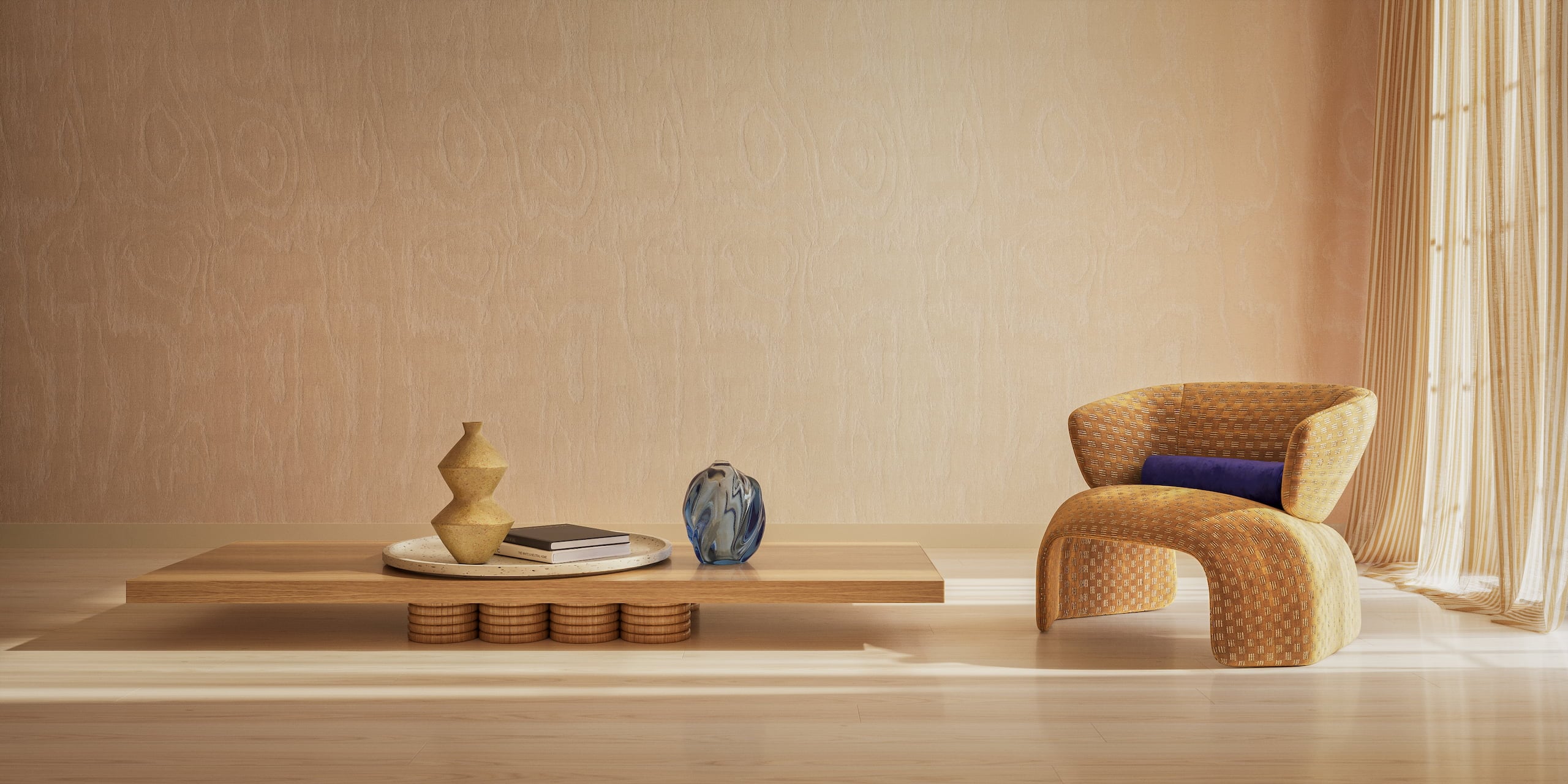
Cover image for the Commercial CGI & Product Rendering Guide. Minimalist interior with designer chair, low table and decor, done in a warm color scheme.

Get the Commercial CGI & Product Rendering Guide for Marketing Directors

Everything you need to scale product content with CGI.

Get expert insights, real project examples, and strategies with proven ROI.

Fill out the form to receive the guide directly in your inbox.